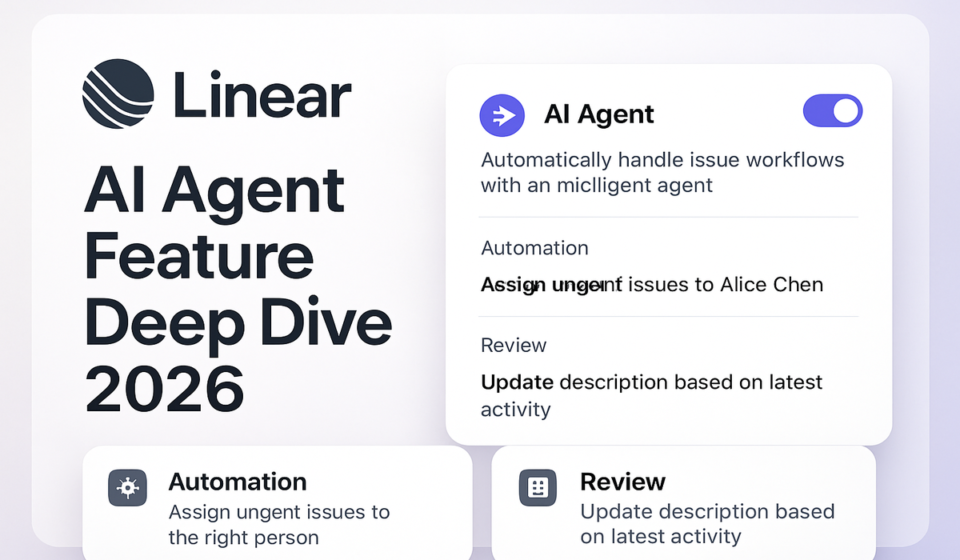

Linear Agents are third-party AI coding tools — Cursor, GitHub Copilot, Devin, and a growing integrations list — that you install into your workspace and assign issues to directly, the same way you’d assign a teammate. Any workspace member can delegate; the underlying coding work is billed by the agent provider, not by Linear.
That’s different from what most people mean when they say “Linear AI,” and the mix-up causes real setup mistakes. There’s also Linear’s own native assistant (also called Linear Agent, singular, confusingly), which lives in a chat panel and answers questions about your workspace. The two get lumped together in almost every writeup I’ve seen, including an earlier version of this one. They’re not the same feature, they’re not billed the same way, and they don’t fail the same way. I’ve been running both across two teams since the March 2026 beta opened, and here’s what actually holds up.
Two different things called “agents” in Linear
Linear Agent (no plural) is the native assistant built into the product. Hit Cmd/Ctrl + J or mention @Linear in a comment and it will draft issues, summarize a noisy thread, write a project update, or answer questions like “what’s blocking the payments project.” It reads your workspace data — issues, projects, comments, documents — within your existing permissions, and it’s included on every plan including Free.
AI Agents (plural) are a separate category: third-party tools installed as “app users” in your workspace. Cursor’s background agent, GitHub Copilot’s coding agent, Devin, and others show up in the assignee dropdown next to your human teammates. Assign an issue to one and it starts working the issue — reading the description, pulling repo context, writing code, opening a PR. Per Linear’s docs, the human who delegated the issue stays the primary assignee. The agent is added as a contributor, not a replacement owner. If the fix is wrong, that’s still your ticket.
A third piece worth knowing before you touch any of this: Coding Sessions. When you delegate an issue to Linear itself, rather than a third-party agent, it kicks off a session through Claude Code or Codex, drafts a PR, and drops the diff into the issue for review. This is a Business/Enterprise feature and it draws from a shared pool of AI credits, which matters for budgeting — more on that below.
Setting up agent delegation
Getting a third-party coding agent connected takes about ten minutes if you already have admin rights on both sides:
- Confirm you’re an admin in both Linear and the agent provider’s account (Cursor, GitHub, Devin). Installing an agent into a workspace is admin-only — regular members can delegate to an installed agent, but can’t install one.
- Go to the Integrations Directory and pick the agent you want. Follow its own setup flow — Cursor requires a Pro or Ultra plan; GitHub Copilot’s cloud agent requires a paid Copilot plan; each is billed separately from Linear.
- During installation, choose which teams the agent can access. Scope this narrowly at first — one team, ideally lower-stakes — rather than granting workspace-wide access on day one.
- Set Agent Guidance before delegating anything real, under Settings → Agents → Additional guidance for workspace rules, or in a specific team’s settings for team-level rules (team guidance overrides workspace guidance where they conflict). This is where you tell agents which repo to target, how to reference issues in commits, and what review process to follow. Skipping this step is the most common reason agent output feels random.
- For Linear’s own Coding Sessions, a Linear owner or admin grants code access under GitHub Integration settings, then enables Coding sessions under AI settings. Anyone with a linked GitHub account can then start a session.
- Delegate one real issue before rolling this out to the team. Pick something small and well-understood, and actually read the output rather than skimming it — this is where you discover whether your Guidance is specific enough.
What’s actually worth delegating
Good candidates, after a few months of doing this for real:
- Well-scoped bug fixes where broken and desired behavior are both stated precisely — “issue search excludes archived projects even when the toggle is on, fix by reusing the existing includeArchivedProjects flag in issueSearch.ts” is a spec an agent can execute. “Search feels broken” is not.
- Mechanical PR cleanup — rebasing a stale branch, fixing lint failures, addressing straightforward review comments a human already left. Linear’s docs explicitly call out delegated code review actions as a good use, and it’s the highest-value, lowest-risk pattern I’ve found.
- Repetitive triage-adjacent bugs matching a known pattern — the fifth “date picker breaks in Safari” ticket, where the fix just needs applying to a new location.
Bad candidates, learned the hard way: anything touching architecture or cross-service contracts, where an agent will happily ship a locally reasonable fix that breaks an assumption three services away because it lacks the tribal knowledge living in your team’s heads rather than your codebase. Vague feature requests send the agent exploring for a while before it guesses wrong or interrupts mid-session — burning credits either way. And anything where acceptance criteria live in someone’s head rather than the issue gives the agent nothing to be graded against, and gives you the same problem at review time.
For a well-written bug report, an agent session can produce a working diff before you’ve finished your coffee. For a vague one, you’ll spend more time steering and re-explaining than you’d have spent just writing the code yourself.
What the review flow actually looks like
Delegated work doesn’t merge itself. When a coding session — Linear’s own or a connected third party like Cursor or Copilot — produces a pull request, it lands in your Reviews tab alongside human-authored PRs, with the diff attached to the originating issue. Review it like a junior engineer’s PR, probably more carefully, since the agent won’t push back the way a person would when you ask why it did something a particular way.
A few habits worth adopting: never auto-merge agent PRs, even “trivial” ones. Watch for scope creep specifically — agents sometimes touch adjacent files “while they’re in there,” which is the off-spec failure mode to catch, not syntax errors. Use Agent Guidance to encode review requirements once (required tests, no direct pushes to main, PR template) rather than repeating them per issue. And watch for stale context on long-running sessions: if a session sits open for days while the underlying code changes elsewhere, the agent’s sense of “current state” drifts. Short, focused sessions age better than ones left running across a sprint boundary.
Plan gating and what it costs
This is the part most coverage gets wrong, so here’s what’s actually gated where as of mid-2026:
| Capability | Free | Basic | Business / Enterprise |
|---|---|---|---|
| Linear Agent (native chat assistant) | Included | Included | Included |
| Delegating issues to third-party AI Agents (Cursor, Copilot, Devin) | Included (agent’s own billing applies separately) | Included | Included |
| Agent Guidance (workspace and team level) | Included | Included | Included |
| MCP server connections (GitHub, Notion, Slack, Sentry, etc.) | Included | Included | Included |
| Triage Intelligence (AI-suggested routing and duplicate detection) | Not available | Not available | Included |
| Code Intelligence (ask questions about your codebase) | Not available | Not available | Beta, included |
| Coding Sessions (Linear’s own agentic coding via Claude Code/Codex) | Not available | Not available | Included, draws AI credits |
| Triage rules that auto-delegate to an agent | Not available | Not available | Included |
Agents themselves are not billable seats in Linear — you’re not paying Linear per agent. But the provider almost certainly has its own charge: Cursor’s background agent needs Pro or Ultra, Copilot’s cloud agent needs a paid seat, Devin has its own pricing entirely. Budget for two line items, not one, if you’re rolling this out beyond a pilot.
Coding Sessions draw from a shared workspace pool of AI credits rather than a flat fee. Linear seeded new workspaces with promotional credits at launch (reportedly around $20 per unsuspended seat); after that’s consumed, admins top up. A vague issue that sends the agent exploring the codebase for twenty minutes before writing a line of code burns through credits noticeably faster than a well-scoped one — one more reason issue-writing discipline pays off directly in your AI bill, not just in code quality.
Guardrails to set before rolling this out to the whole team
- Scope agent repo access narrowly. Don’t connect an agent to every repository in your GitHub org on day one. Grant access only to the repos where you’re piloting.
- Write Guidance before the first real delegation, not after the first bad PR. Cover which repo to target, commit conventions for linking back to the issue, and what “done” looks like for review.
- Keep agent installation admin-gated. Letting anyone connect any MCP server or coding agent is how you end up with access nobody remembers granting.
- Set a credit budget alert on Coding Sessions, so a runaway session, or an enthusiastic teammate delegating the whole backlog, doesn’t show up as a surprise invoice.
- Require human sign-off for anything customer-facing or touching auth, billing, or data migrations. Not because the agent is worse there specifically, but because the blast radius of a plausible-looking but wrong fix is highest exactly there.
Where this still falls short
Agents don’t have organizational memory beyond what’s written down. If your team’s reasoning for “why we never touch the legacy billing service directly” lives in a senior engineer’s head and not in Guidance or the codebase, the agent will cheerfully violate it. Writing that down is a prerequisite, not a nice-to-have, and it’s work most teams underestimate before their first bad agent PR.
Sessions also drift on anything longer than a focused sitting — multi-day delegated work is more prone to losing the thread than a tight, well-scoped fix, and you pay for the exploration time in credits either way. And despite what beta announcements imply, none of this removes the need for a human decision-maker on architecture or product tradeoffs. Triage Intelligence and Code Intelligence are still betas as of this writing: useful, but not yet infrastructure you’d want as your only routing mechanism for anything customer-critical.
Frequently asked questions
Is Linear Agent the same as delegating to Cursor or Copilot?
No. Linear Agent is Linear’s own native chat assistant for workspace tasks like drafting issues and summarizing threads, included on every plan. Delegating to Cursor, Copilot, or Devin uses separate third-party AI Agent integrations installed by an admin, each with its own billing.
Do I need a Business plan to delegate issues to an AI agent?
No. Installing and delegating to a third-party agent like Cursor or GitHub Copilot works on any Linear plan, including Free. Business/Enterprise unlocks Linear’s own Coding Sessions, Triage Intelligence, and Code Intelligence, which are separate, more integrated capabilities.
Who’s responsible if an agent’s fix is wrong?
You are. Delegating an issue to an agent keeps the human who delegated it as the primary assignee; the agent is added as a contributor, not a replacement. Nothing merges without going through your normal PR review in the Reviews tab.
What happens if an agent goes off-spec mid-session?
You can open the session and steer it directly, or stop it and re-delegate with a tighter description. The most common cause is an underspecified issue, so tightening scope and constraints, like stating what should not change, fixes most drift before it starts.
Does using AI agents cost more per seat?
Agents aren’t counted as billable Linear seats. But third-party agents typically require their own paid plan with the provider (Cursor Pro/Ultra, a paid Copilot seat, Devin’s own pricing), and Linear’s own Coding Sessions draw from a shared AI credit pool on Business/Enterprise rather than a flat per-seat fee.
For more on how Linear’s issue model compares to a code-repo-native tracker, see our Linear vs GitHub Issues comparison. If you’re setting up sprint workflows around delegated work, our Linear Cycles sprint planning guide covers how auto-rollover and velocity tracking interact with agent-assisted issues. Our Linear review covers the day-to-day workflow beyond AI, and our AI agents in work management comparison looks at how Monday.com, ClickUp, Notion, and Smartsheet are approaching the same problem.
Sources: Linear’s AI Agents documentation and Linear’s Coding Sessions documentation.
Sponsored