

ClickUp AI for Remote Teams (2026): What Actually Helps Engagement and What It Costs

ClickUp's AI won't make a remote team engaged. It can take the status-chasing and note-taking off people's plates so the time goes to real work and real conversations. Here's what to turn on, what it costs in 2026, and where I'd hold back.
How to Create ClickUp Forms in 2026: Setup, Conditional Logic & Intake Workflows
Key Takeaways Form view is free. Every ClickUp plan, including Free Forever, can build and share Forms — no upgrade required to start collecting requests. Forms create tasks automatically. Each submission lands as a task in the List you attached…
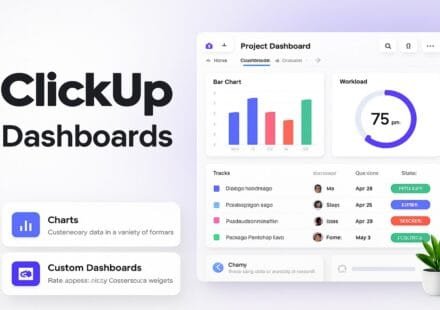
How to Build ClickUp Dashboards (Cards + Plan Limits)
Build ClickUp dashboards in 2026 — which plan you need, how to add cards, ready-made workload and client-reporting layouts, and fixes for empty or wrong data.
ClickUp Goals 2026: How to Track OKRs With Targets and Folders
A step-by-step 2026 guide to tracking OKRs in ClickUp Goals: Target types, plan limits, Goal Folders, sharing, Dashboard cards and a simple quarterly routine.
ClickUp Sprints 2026: Setup, Plan Limits, and Fixes When Sprints Misbehave
ClickUp Sprints need the Sprints ClickApp, a Sprint Folder, and the right plan for points and reporting. Business adds Sprint Points & reporting; here is setup and fixes.
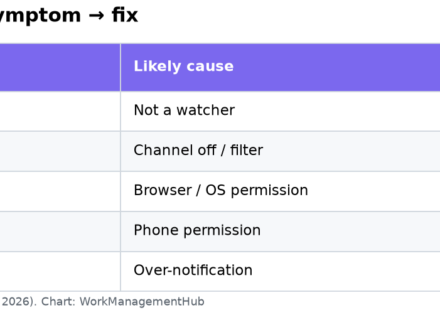
ClickUp Notifications Not Working? 7 Fixes That Actually Work (2026)
Most missing ClickUp notifications are not bugs. You are not a watcher, a setting is off for that channel, or your phone or browser is blocking them. Here is the order to check.
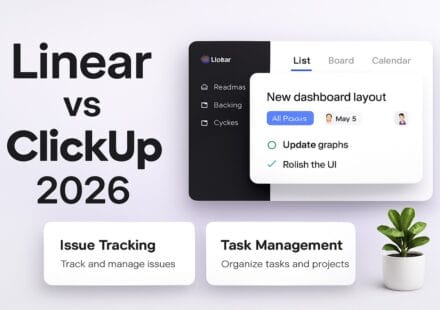
Linear vs ClickUp 2026: Which Is Better for Product and Dev Teams?
Linear vs ClickUp 2026: Which Is Better for Product and Dev Teams? Published May 2026 | Category: Work Management | Tools: Linear, ClickUp ⚡ Key Takeaways Linear is the fastest, most focused issue tracker built for software…
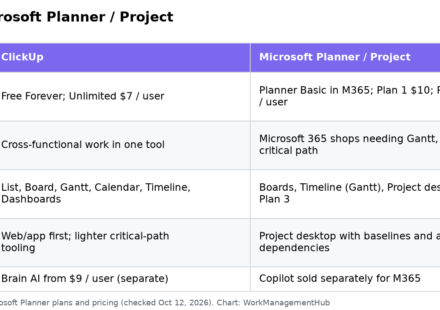
ClickUp vs Microsoft Project 2026: Pricing, Planner Plans, and an Honest Verdict
Pick ClickUp for cross-functional work in one collaborative tool from $7 per user. Pick Microsoft Planner / Project when your company already lives in Microsoft 365 and needs baselines, critical path and Project desktop on Plan 3.
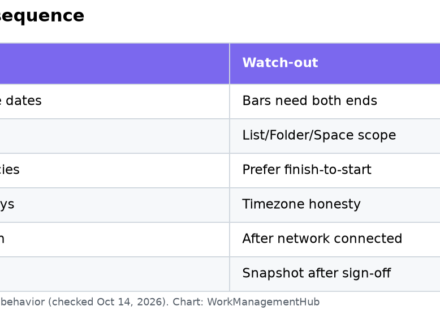
ClickUp Gantt Charts 2026: Timelines, Dependencies & Baselines
ClickUp Gantt views need start/due dates, then dependencies. Baselines snapshot the plan so you can see slip. Here is the setup order that avoids broken schedules.
Best ClickUp Templates in 2026: 7 Official Templates Worth Using, and What to Trim First
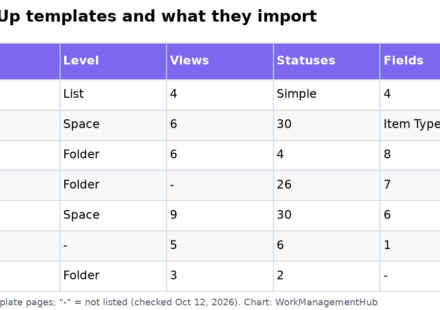
ClickUp's Template Center has 1,000+ templates, but a handful of official ones cover most teams. Here are seven worth using, what each actually imports (views, statuses, fields, automations), and how to keep them from cluttering your workspace.