How to Set Up Rovo AI Agents in Jira in 2026 (Without the Hype)
Rovo agents come with every paid Jira Cloud plan (Standard, Premium and Enterprise). There is nothing extra to buy to start. Usage runs on Rovo credits: 25, 70 or 150 per user a month, pooled across your company. From December 3, 2026, usage beyond that is billed at $0.01 per credit unless an admin turns extra usage off.
I have set up Rovo for Jira teams since it reached general use. The agents that stick do one narrow job well, like drafting release notes or triaging new work items. The ones that fade try to be a general helper. This guide uses Atlassian’s articles on creating agents, out-of-the-box agents and Rovo credits, plus the Rovo pricing page, checked on October 15, 2026.
What you get, and what it costs
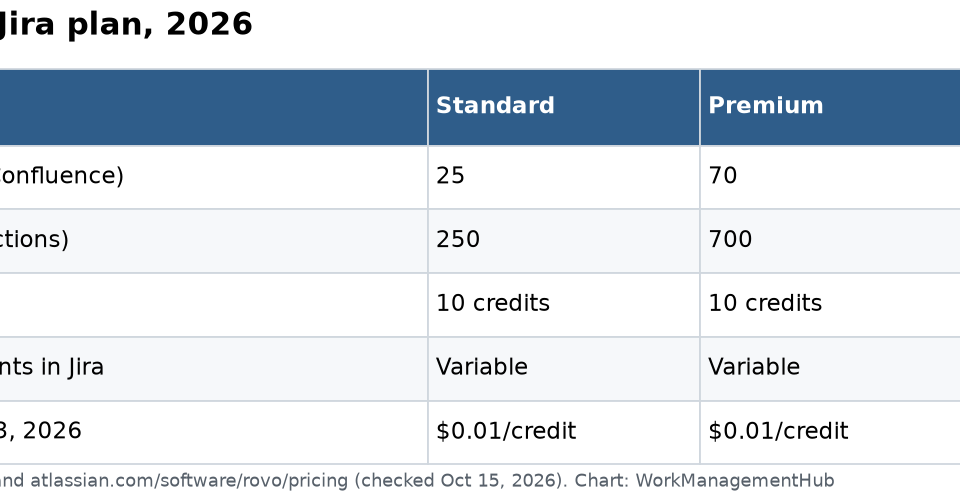
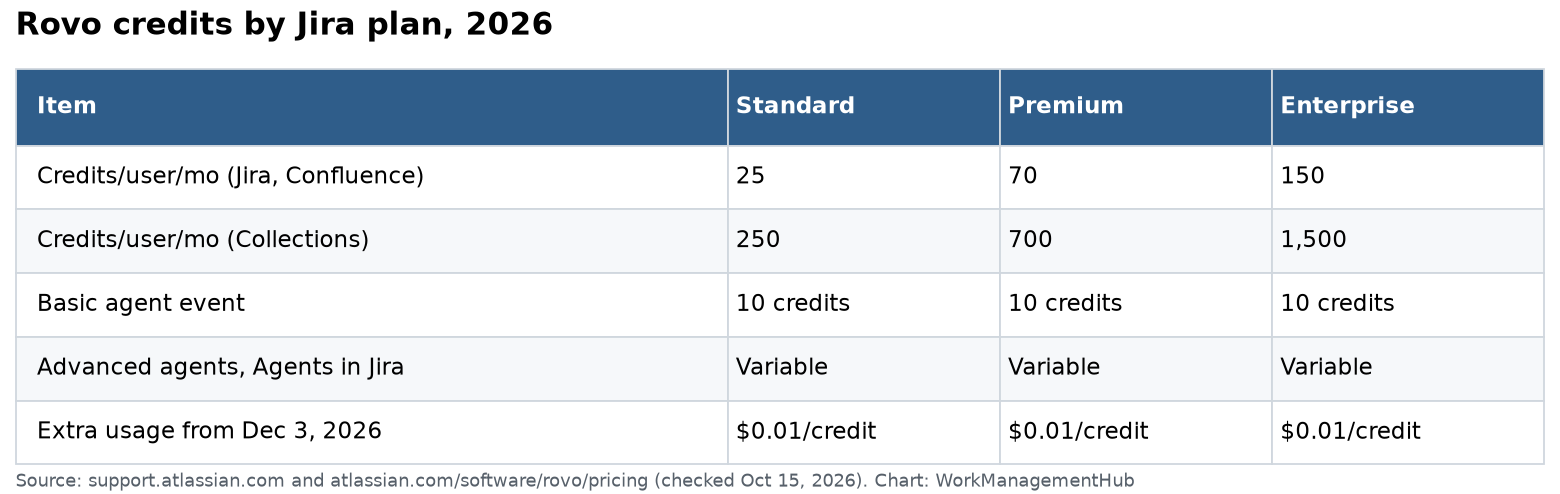
| Standard | Premium | Enterprise | |
|---|---|---|---|
| Rovo credits per user/month (Jira, Confluence) | 25 | 70 | 150 |
| Credits per user/month (Teamwork or Service Collection) | 250 | 700 | 1,500 |
| Basic agent event | 10 credits | 10 credits | 10 credits |
| Advanced agents, Agents in Jira | Variable | Variable | Variable |
| Extra usage (from Dec 3, 2026) | $0.01 per credit | $0.01 per credit | $0.01 per credit |
How the pool works:
- Every user’s allowance goes into one shared pool for the company. Heavy users can use more, light users less.
- Jira plus Confluence seats add up. 100 Premium Jira users and 100 Premium Confluence users give 14,000 credits a month.
- Allowances refresh monthly on your usage billing date.
- Admins get alerts at 80% and 100%. Extra usage is on by default. Admins can set a spending cap or turn it off in Atlassian Administration. If it is off, billable actions pause until the pool resets.
- Rovo Search, definitions and summaries are free. A chat message or agent call is a billable event.
One more rule: your org admin must be on a verified business domain. Rovo cannot be turned on for orgs registered with a generic email domain.
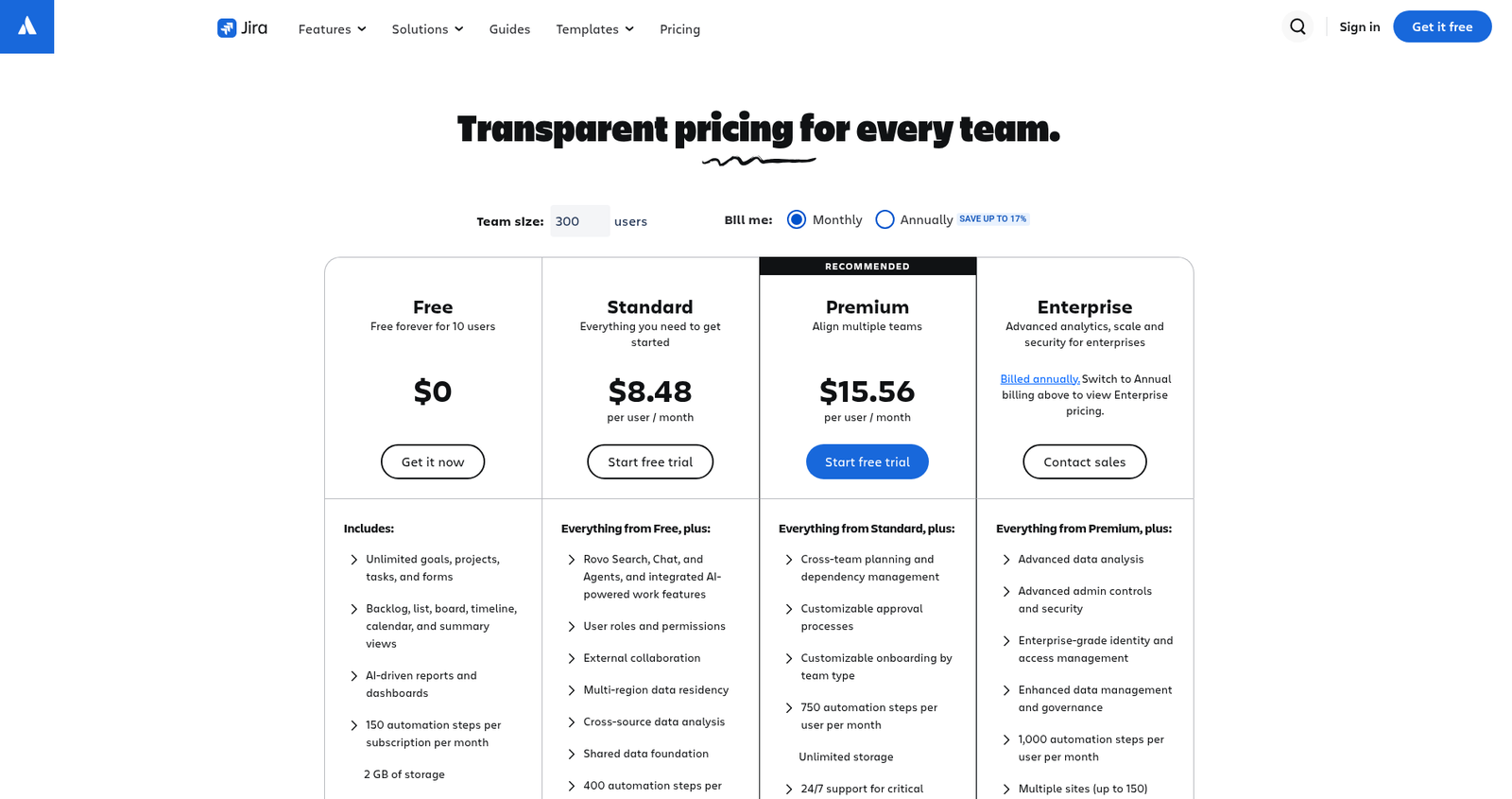
For plan prices, see our Jira pricing guide.
Start with the agents Atlassian already built
Before building anything, try these out-of-the-box agents in Jira:
- Jira Triage Agent: reviews a new work item and similar work, then suggests field updates, duplicates and links.
- Work Item Planner: breaks an epic into smaller work items.
- Release Notes Drafter: writes release notes from up to 20 Jira work items at a time.
- Blocker Checker: built for automation rules. It flags work items that look blocked so the rule can change their status.
- OKR Generator: reviews and drafts OKRs.
You can duplicate many of these and point them at your own knowledge sources.
Build a custom agent in 6 steps
- Open Rovo Chat from the top bar in Jira and choose to create an agent, or go to Studio, then Agents, then Create.
- Describe the job in plain words, or pick a guided prompt. Rovo drafts a plan.
- Name it by role, like “Release Manager.” Add a short description so people know when to use it.
- Write instructions it should always follow: tone, format, what to avoid.
- Add knowledge (the spaces and projects it should read) and tools (actions it can take). Keep tools to about 5 or fewer for reliable results.
- Test with real examples in the test pane, then publish.
Two safety points matter. An agent never grants extra access: even when shared, people only see content they already can. And only the agent’s owner can edit it. Ownership can be transferred, and a manager can take over an agent whose owner has left.
An agent that earns its keep
“Bug intake helper” for a support-heavy team:
- Instructions: Read the new bug. Ask for steps, expected result and actual result if missing. Suggest a component and priority. Never close or delete work items.
- Knowledge: the product’s Confluence runbooks and the Jira project.
- Tools: comment on a work item, edit fields.
It cuts the back-and-forth on half-written bug reports, which is where triage time really goes. And it stays cheap because each run is a short task.
Use agents in Jira automation
You can add an AI step to an automation rule that calls a Rovo agent. For example: when a work item is created, ask Blocker Checker to review it, then move it to Blocked if it flags a blocker.
Billing splits in two. The AI step uses Rovo credits. The other steps count toward your normal automation usage. A rule firing on every work item edit can burn credits quickly, so trigger on create or on a status change instead. Our Jira automation rules guide covers triggers and conditions.
Keep credit use under control
- Watch Insights. Org admins can see usage by app, user and feature in Atlassian Administration.
- Set a spending cap before December 3, 2026, so a busy rule cannot run up a bill.
- Prefer basic agents for simple work. Model selection and “think deeper” cost more.
- Retire agents nobody uses each quarter.
A 30-day pilot plan
- Week 1: Turn on the Jira Triage Agent for one team. Check the suggestions daily.
- Week 2: Build one custom agent for a single job, like bug intake. Test with 10 real work items.
- Week 3: Add one AI step to an automation rule that fires on create, not on every edit.
- Week 4: Check usage in Atlassian Administration. Compare credits used against the pool and decide what to keep.
Write down what each agent saves in plain terms, like “fewer incomplete bug reports.” That makes the keep-or-cut call easy.
When not to use an agent
If a plain automation rule or a JQL filter can do the job, use that. It is faster, cheaper and predictable. Agents are worth it when the input is messy text that needs judgment.
Write instructions like a job description
The best agent instructions I have seen read like a short job post: who the agent helps, what good output looks like, what it must never do, and when to hand off to a human. Give one good example and one bad example. Rewrite the instructions after the first week based on what went wrong.
Common questions
Do I need to buy Rovo separately for Jira?
No. Rovo is included with Jira Cloud Standard, Premium and Enterprise, and turned on automatically.
How many Rovo credits does Jira include?
25 credits per user a month on Standard, 70 on Premium and 150 on Enterprise, pooled across your organization.
What happens when we run out of credits?
With extra usage on (the default), billing starts December 3, 2026 at $0.01 per credit, up to any cap you set. With it off, billable features pause until the monthly reset.
Can a Rovo agent see work items I can’t?
No. Agents do not grant extra access. People only see content they already have permission to see.
Is Rovo on Jira Free or Data Center?
Full Rovo needs a paid Cloud plan. Data Center customers can use connectors but need a Cloud Standard, Premium or Enterprise plan for agents.
Checked against support.atlassian.com (Rovo) and atlassian.com/software/rovo/pricing on October 15, 2026.
From our team: OneSmar for Smartsheet Teams