
- Smartsheet offers three pricing plans: Pro, Business, and Enterprise, catering to different organizational needs.
- Multiple views like Gantt charts and calendars help visualize event schedules effectively.
- Automations and customizable forms streamline event management tasks.
- Role-based permissions ensure secure access to event planning documents.
- Real-time budget tracking enhances financial oversight during event planning.
To use Smartsheet for event planning in 2026, choose an appropriate plan based on team size and feature needs. Leverage Smartsheet’s templates, automation, and multiple view options to streamline event tasks. Ensure secure collaboration by setting role-based permissions and monitoring budgets with real-time dashboards.
- Introduction to Smartsheet Event Planning
- Choosing the Right Smartsheet Plan for Event Planning
- Setting Up Smartsheet for Event Planning
- Key Features for Effective Event Planning
- Using Multiple Views for Better Event Management
- Budget Tracking and Financial Management
- Enhancing Collaboration with Smartsheet
- Related guides
Introduction to Smartsheet Event Planning
Smartsheet is a versatile platform designed to streamline event planning tasks with its robust set of features. In 2026, event planners can benefit from Smartsheet’s ability to adapt to various event sizes and complexities. This guide explores the setup and use of Smartsheet for event planning, focusing on its pricing plans and key functionalities.
Smartsheet’s platform is particularly beneficial for event planners due to its multiple view options, which include Gantt charts, calendars, and Kanban boards. These views cater to different planning styles and help teams visualize schedules effectively. Additionally, Smartsheet’s automation capabilities reduce manual follow-ups, allowing planners to focus on more strategic tasks.
To begin using Smartsheet for event planning, it’s crucial to select a plan that aligns with your team’s size and needs. The Pro, Business, and Enterprise plans offer a range of features from basic task management to advanced organizational controls. Each plan is designed to enhance collaboration, streamline workflows, and provide visibility into event progress and budgets.
In this guide, we will delve into the specifics of setting up and using Smartsheet for event planning, ensuring you can maximize the platform’s potential to deliver successful events. By understanding the nuances of Smartsheet’s plans and features, you can tailor the platform to fit your event management needs.
Choosing the Right Smartsheet Plan for Event Planning
When planning events in Smartsheet, selecting the appropriate plan is critical to leveraging the platform’s full potential. Each plan comes with distinct features tailored to different organizational needs.
| Plan | Cost (Annual/Monthly) | Users | Key Features | Limitations |
|---|---|---|---|---|
| Pro | $9/$12 per user | 1-10 + unlimited Contributors | Unlimited sheets, forms, reports | No Timeline view, API, or Guests |
| Business | $19/$24 per user | Minimum 3 + unlimited Guests | Timeline view, workload tracking | No Enterprise-only features |
| Enterprise | Custom pricing | Enterprise-level organizations | Scenario Planning, Portfolios | Contact Smartsheet for pricing |
The Pro Plan is ideal for smaller teams or new users, offering essential features like unlimited sheets and dashboards, but lacks advanced options such as Timeline view or API access. It’s priced at $9 per user per month annually or $12 monthly, suitable for teams with up to 10 users.
For more extensive needs, the Business Plan is priced at $19 per user per month annually or $24 monthly, supporting advanced features like timeline views and workload tracking. It also allows for unlimited automations, making it a fit for teams requiring more flexibility and control.
Organizations with complex requirements should consider the Enterprise Plan, which offers custom pricing. This plan includes all Business features plus enterprise-grade functionalities like Scenario Planning and Portfolios, perfect for large-scale event management requiring extensive customization and security.
Ultimately, choosing the right plan depends on your event’s scale and your team’s specific needs. Each plan ensures that you have the essential tools to manage and execute successful events efficiently.
Setting Up Smartsheet for Event Planning
Setting up Smartsheet for event planning involves several key steps to ensure you leverage the platform’s capabilities efficiently. The process begins with selecting a suitable event planning template and customizing it to meet your specific event requirements.
- Select an Event Planning Template — Navigate to Smartsheet’s template gallery and choose an event planning template. This step provides a structured starting point, with pre-defined tasks and timelines.
- Customize the Template — Modify the template to include specific tasks, deadlines, and responsibilities. Tailor it to your event’s unique needs, ensuring all critical elements are covered.
- Assign Tasks and Set Deadlines — Allocate tasks to team members and establish clear deadlines. This ensures accountability and keeps the planning process organized.
- Set Up Automated Workflows — Create automation rules to send reminders, approvals, and notifications. Automations streamline processes, reduce human error, and save time.
- Utilize Multiple Views — Use Gantt, calendar, board, and table views to monitor progress and adjust plans as needed. Different views cater to various working styles and help in visualizing the event timeline effectively.
- Share and Collaborate — Share the sheet with team members, vendors, and stakeholders. Set appropriate permissions, ensuring that sensitive information is accessible only to authorized personnel.
- Monitor and Adjust — Regularly review dashboards and reports to track progress. This helps in timely decision-making and adjustments to the plan.
By following these steps, you can effectively set up Smartsheet for your event planning needs, ensuring a smooth and organized planning process.
Key Features for Effective Event Planning
Smartsheet offers a range of features that make it an ideal choice for event planning. Understanding these features helps maximize the platform’s potential for organizing successful events.
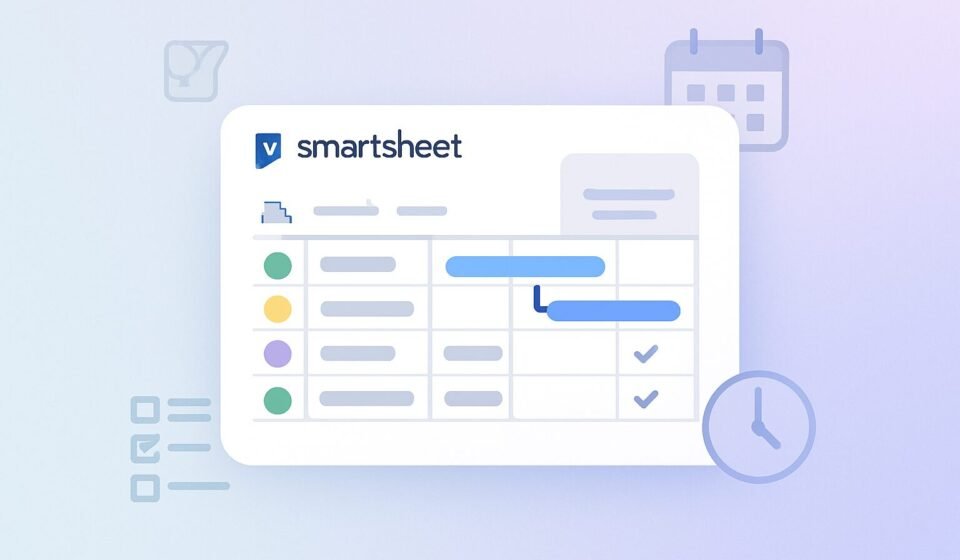
One of the standout features is the ability to visualize event schedules using multiple views. Gantt charts, calendars, and Kanban boards cater to different planning styles, offering flexibility in how information is displayed. This adaptability allows teams to choose the view that best fits their workflow, enhancing clarity and collaboration.
Automations are another crucial feature, enabling planners to automate reminders, approvals, and notifications. This reduces the need for manual follow-ups and ensures tasks are completed on time. Automating these processes not only saves time but also minimizes the risk of human error, contributing to smoother event execution.
Customizable forms in Smartsheet allow for efficient data collection. Whether tracking registrations, vendor requests, or post-event surveys, forms can be tailored to feed directly into your event plan. This integration simplifies data management and ensures all relevant information is centralized and accessible.
File sharing and centralized storage further enhance Smartsheet’s utility in event planning. By storing contracts, floor plans, menus, and promotional assets in one location, teams can ensure that all essential documents are secure and easily accessible to those who need them.
Finally, Smartsheet’s role-based permissions provide control over who can access sensitive information. By setting permissions for clients, vendors, and internal stakeholders, planners can protect confidential data while facilitating collaboration.
These features collectively contribute to Smartsheet’s effectiveness in event planning, enabling planners to manage tasks efficiently and focus on delivering successful events.
Using Multiple Views for Better Event Management
Smartsheet’s multiple view options provide an adaptable platform for visualizing and managing event schedules. These views include Gantt charts, calendars, Kanban boards, and table views, each offering unique benefits for event planners.
Gantt charts are particularly useful for timeline management, allowing planners to see the entire project at a glance. This view helps identify dependencies between tasks and ensures that deadlines are met. By visualizing the project’s timeline, planners can allocate resources more effectively and adjust schedules as needed.
The calendar view offers a more traditional approach to schedule management. It is ideal for planners who prefer to see tasks laid out in a familiar date format. This view is particularly useful for tracking key dates and ensuring that no important deadlines are missed.
Kanban boards provide a visual representation of tasks and their progress. This view is beneficial for teams that prefer a more dynamic approach to project management, allowing planners to move tasks between columns as they progress. It is particularly effective for managing workflows and ensuring that all team members are aligned on task status.
Table views offer a spreadsheet-like interface, ideal for planners who are comfortable with traditional data management formats. This view provides a comprehensive overview of all tasks, allowing planners to sort and filter information as needed.
By utilizing these multiple views, event planners can tailor Smartsheet to their specific needs, ensuring that they have the right tools to manage events effectively. These views offer flexibility and adaptability, key elements in successful event planning.
Budget Tracking and Financial Management
Effective budget management is crucial for successful event planning, and Smartsheet provides robust tools to track and manage event finances in real-time. The platform’s budget tracking capabilities offer planners instant visibility into expenses and forecasts, ensuring financial oversight throughout the event planning process.
Dashboards in Smartsheet play a vital role in monitoring budgets. They offer a comprehensive view of financial data, allowing planners to track expenses, compare them against budgets, and adjust as necessary. This real-time insight helps prevent overspending and ensures that financial resources are allocated effectively.
In addition to dashboards, Smartsheet allows for detailed budget breakdowns within sheets. Planners can input costs, categorize expenses, and even track payments to vendors, ensuring that every financial aspect of the event is accounted for. This granularity in financial management helps in identifying areas where cost savings can be achieved.
Role-based permissions further enhance financial management by controlling who has access to sensitive budget information. Planners can ensure that only authorized personnel can view or edit financial data, protecting against unauthorized access and potential financial discrepancies.
By leveraging Smartsheet’s budget tracking features, planners can maintain a clear understanding of their financial position throughout the event planning process. This oversight not only contributes to more effective financial management but also supports the overall success of the event by ensuring that financial goals are met.
Enhancing Collaboration with Smartsheet
Collaboration is a key component of successful event planning, and Smartsheet offers multiple features to facilitate effective teamwork. By enhancing communication and coordination among team members, vendors, and stakeholders, Smartsheet ensures that everyone involved in the event planning process is aligned and informed.
One of the primary tools for collaboration in Smartsheet is sheet sharing. Planners can share sheets with team members, allowing them to view, edit, or comment on tasks as needed. This real-time collaboration ensures that all team members are updated on the project’s progress and can contribute their insights and expertise as required.
In addition to sharing, Smartsheet’s integration with popular communication tools like Microsoft Office 365, Google Workspace, and Slack further enhances collaboration. These integrations allow for seamless communication and information sharing, reducing the time spent switching between different platforms and ensuring that all team members are connected.
Role-based permissions are another crucial aspect of Smartsheet’s collaboration features. By setting specific permissions for different users, planners can control who has access to various aspects of the event plan. This ensures that sensitive information is protected while still allowing for the necessary collaboration and input from relevant stakeholders.
The ability to automate notifications and reminders also supports collaboration by keeping everyone informed of upcoming deadlines and tasks. This automation reduces the need for manual follow-ups and ensures that all team members are aware of their responsibilities and timelines.
Through these features, Smartsheet enhances collaboration, enabling teams to work together more effectively and ensuring that events are planned and executed successfully.
Verdict
Smartsheet stands out as a comprehensive tool for event planning in 2026, offering flexibility, collaboration, and real-time insights. Its range of features, from customizable views to robust financial management tools, empowers planners to execute events efficiently and successfully. Choosing the right plan is crucial to unlocking the platform’s full potential, ensuring that it meets the specific needs of your event.
Frequently Asked Questions
What are the main differences between the Pro and Business plans?
The Pro Plan offers basic features suitable for small teams, including unlimited sheets and dashboards, whereas the Business Plan includes advanced features like timeline views, workload tracking, and unlimited automations, ideal for larger teams needing more control and flexibility.
Can I switch plans if my event planning needs change?
Yes, Smartsheet allows users to upgrade or downgrade their plans as needed, ensuring you have the flexibility to adapt to changing event planning requirements. Contact Smartsheet support for assistance with plan changes.
How does Smartsheet ensure data security during event planning?
Smartsheet utilizes role-based permissions and integrates with security tools like SAML-based SSO to ensure that sensitive information is protected. These features help control access and enhance data security.
What types of events can be planned using Smartsheet?
Smartsheet is versatile and can be used to plan a wide range of events, from small corporate meetings to large-scale conferences and exhibitions. Its customizable templates and features cater to various event types and sizes.
Is there a mobile app available for Smartsheet?
Yes, Smartsheet offers a mobile app for both iOS and Android devices, allowing users to access and manage their event plans on the go. This accessibility ensures that planners can stay connected and informed, regardless of their location.
Sponsored