Skip to content
Work Management Hub Work Management Hub

Expert Reviews, Comparisons & Guides for Smartsheet, Monday.com, Asana, ClickUp & More

Work Management Hub Work Management Hub

Expert Reviews, Comparisons & Guides for Smartsheet, Monday.com, Asana, ClickUp & More

  • Airtable
  • Asana
  • ClickUp
  • Jira
  • Monday.com
  • Notion
  • Smartsheet
  • Wrike
  • About
  • Contact
  • Airtable
  • Asana
  • ClickUp
  • Jira
  • Monday.com
  • Notion
  • Smartsheet
  • Wrike
  • About
  • Contact
Close

Search

How-To GuidesSmartsheet

How to Leverage Smartsheet for Strategic HR Planning in 2026: Workforce Analytics, Succession Planning & More

By Khasim
July 6, 2026 8 Min Read
0

Key Takeaways

  • Smartsheet offers tiered plans suitable for individual, business, and enterprise HR needs.
  • Workforce analytics and succession planning are enhanced through Smartsheet’s dashboards and reports.
  • Integration with Workday ensures real-time data updates for accurate HR planning.
  • Automated workflows streamline HR processes and improve operational efficiency.
  • Smartsheet provides templates and resources to facilitate strategic HR planning.
Quick Answer:

Smartsheet is a versatile platform that can significantly enhance strategic HR planning through features like workforce analytics dashboards, seamless integration with Workday, and automated workflows. Its tiered pricing plans cater to various organizational needs, making it an essential tool for effective HR management in 2026.

Table of Contents

  1. Introduction to Smartsheet HR Planning
  2. Leveraging Workforce Analytics with Smartsheet
  3. Enhancing Succession Planning with Smartsheet
  4. Streamlining HR Processes with Automated Workflows
  5. Smartsheet Plan Comparison for HR Planning
  6. Integrations and Resource Management
  7. User Interface Steps for Key HR Processes
  8. Related guides

    • Linear Initiatives Deep Dive 2026: Strategic Planning, Sub-Initiatives & Health Tracking
    • Smartsheet Portfolios & Scenario Planning: The Complete Enterprise Guide 2026
    • Smartsheet Resource Management 2026: Complete Guide to Capacity Planning & Workload Tracking

    Verdict

Introduction to Smartsheet HR Planning

Smartsheet is an intuitive platform that offers comprehensive solutions for strategic HR planning. As HR teams face increasing demands for data-driven decision-making, Smartsheet’s versatile features can help streamline processes like workforce analytics and succession planning. By leveraging its robust capabilities, HR departments can optimize their strategic initiatives and align them with organizational goals.

Smartsheet’s pricing structure includes several tiers, each designed to meet different organizational needs. The Pro Plan targets individuals and small teams, offering unlimited sheets, dashboards, reports, and forms, which are essential for basic HR tasks. As you move up to higher plans like the Business Plan, you’ll find more advanced features such as conditional form logic and timeline views, which are crucial for more complex HR operations ([Smartsheet Pricing](https://www.smartsheet.com/pricing?utm_source=openai)).

Moreover, the Enterprise Plan and Advanced Work Management Plan cater to large-scale operations, providing enhanced security features and advanced tools like portfolios and the Control Center, which are indispensable for comprehensive HR management. These plans include integrations with tools like Workday, ensuring that HR teams have access to up-to-date employee data for effective resource planning and analytics ([Smartsheet Pricing](https://www.smartsheet.com/pricing?utm_source=openai)).

In this article, we will explore how Smartsheet can be leveraged for strategic HR planning in 2026, focusing on key areas such as workforce analytics, succession planning, and more. We’ll provide step-by-step guides on setting up these features, ensuring that HR teams can maximize their strategic capabilities.

Leveraging Workforce Analytics with Smartsheet

Workforce analytics is a critical component of strategic HR planning, providing insights into employee performance, retention rates, and other key metrics. Smartsheet offers powerful tools to enhance workforce analytics through its unlimited dashboards and reports feature, available across all plan tiers ([Smartsheet Features](https://www.smartsheet.com/platform/features?utm_source=openai)).

To create an effective workforce analytics dashboard, HR teams can follow these steps:

  1. Create a Dashboard: Navigate to the Home tab in Smartsheet, select “Create,” and choose “Dashboard/Portal.”
  2. Add Widgets: Incorporate various widgets such as charts, reports, and metrics to visualize key HR data effectively.
  3. Link Sheets and Reports: Ensure real-time data updates by linking relevant sheets and reports directly to the dashboard.

By setting up a comprehensive dashboard, HR teams can monitor critical metrics like employee turnover, hiring rates, and performance indicators with ease. This real-time visibility enables organizations to make informed decisions, enhancing workforce planning and development strategies.

Additionally, Smartsheet’s integration with Workday through Data Shuttle allows HR teams to import employee data seamlessly, ensuring that the analytics are based on the most current information available. This integration is available from the Business Plan onwards, making it accessible to organizations of various sizes ([Workday Integration](https://help.smartsheet.com/articles/2483221-workday-ds-integration?utm_source=openai)).

External resources like the workforce planning templates provided by Smartsheet further assist HR teams in structuring their analytics initiatives effectively. These templates can be customized to suit specific organizational needs, ensuring that HR strategies are aligned with business objectives.

Enhancing Succession Planning with Smartsheet

Succession planning is crucial for ensuring leadership continuity and organizational resilience. Smartsheet’s features facilitate effective succession planning by allowing HR teams to create detailed plans that identify and develop future leaders within the organization.

To set up a succession planning sheet in Smartsheet, follow these steps:

  1. Create a Grid: From the Home tab, click “Create” and select “Grid” to start a new sheet.
  2. Define Columns: Add columns for employee details, potential successors, readiness levels, and development plans.
  3. Conditional Formatting: Use conditional formatting to highlight critical roles and readiness statuses, ensuring that potential gaps are easily identifiable.

Smartsheet’s conditional logic feature, available from the Business Plan, streamlines the data collection process for succession planning. By incorporating this feature, HR teams can automate the identification of candidates who meet specific criteria, ensuring a more efficient planning process ([Smartsheet Pricing](https://www.smartsheet.com/pricing?utm_source=openai)).

The ability to create detailed reports and dashboards further enhances succession planning efforts. HR teams can track the progress of development plans and readiness levels through visual dashboards, ensuring that the organization is prepared for any leadership transitions.

Moreover, Smartsheet’s resources, such as the HR dashboards, provide examples and templates that can guide HR teams in setting up their succession planning initiatives effectively. These resources offer insights into best practices, helping organizations create robust succession plans that align with their strategic goals.

Streamlining HR Processes with Automated Workflows

Automated workflows are a game-changer for HR teams, enabling them to streamline repetitive tasks and improve operational efficiency. Smartsheet supports automated workflows across all plan tiers, allowing HR departments to automate processes like approval requests, notifications, and data updates ([Smartsheet Features](https://www.smartsheet.com/platform/features?utm_source=openai)).

To implement an automated approval workflow in Smartsheet, follow these steps:

  1. Select the Relevant Sheet: Open the sheet where the workflow is to be applied.
  2. Create a Workflow: Click on “Automation” in the menu and select “Create a Workflow.”
  3. Set a Trigger: Choose a trigger event, such as a new row being added or a status change.
  4. Define Actions: Specify actions like sending approval requests to designated approvers.
  5. Apply Conditions: Set conditions to ensure the workflow applies to the correct scenarios.

By automating workflows, HR teams can reduce the time spent on manual processes, allowing them to focus on more strategic initiatives. This automation not only increases efficiency but also reduces the risk of errors, ensuring that HR operations run smoothly.

Smartsheet’s capability to integrate with platforms like Workday further enhances the effectiveness of automated workflows. This integration ensures that HR teams have access to the latest employee data, allowing for more accurate and timely decision-making ([Workday Integration](https://help.smartsheet.com/articles/2483221-workday-ds-integration?utm_source=openai)).

Smartsheet Plan Comparison for HR Planning

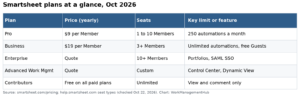
Understanding the different Smartsheet plans is crucial for selecting the right solution for your organization’s HR planning needs. The following table provides a comparison of the key features available in each plan:

FeaturePro PlanBusiness PlanEnterprise PlanAdvanced Work Management Plan
Unlimited Sheets, Dashboards, Reports, FormsYesYesYesYes
Conditional Form LogicNoYesYesYes
PortfoliosNoNoYesYes
Data Shuttle Integration with WorkdayNoYesYesYes
Control Center, Dynamic ViewNoNoNoYes

Choosing the right plan depends on your organization’s size and the complexity of your HR planning needs. Smaller teams may find the Pro Plan sufficient, while larger organizations with more complex requirements may benefit from the Enterprise or Advanced Work Management Plans.

Integrations and Resource Management

Smartsheet’s integration capabilities are essential for effective HR planning, allowing seamless data flow between different systems. The Data Shuttle integration with Workday is particularly beneficial for HR teams, as it ensures that employee data is always up-to-date, facilitating accurate resource planning and analytics ([Workday Integration](https://help.smartsheet.com/articles/2483221-workday-ds-integration?utm_source=openai)).

In addition to Workday, Smartsheet integrates with a variety of other tools, enhancing its functionality and making it a versatile solution for HR management. These integrations enable HR teams to streamline their workflows and improve overall productivity.

Smartsheet also offers a range of templates and resources to assist HR teams in resource management. The workforce planning templates provide a structured approach to resource planning, ensuring that HR strategies align with organizational goals. These templates can be customized to meet specific needs, making them a valuable asset for HR teams.

User Interface Steps for Key HR Processes

Implementing Smartsheet for strategic HR planning involves several key processes, each requiring specific UI steps. Here, we outline the steps for creating a workforce analytics dashboard, setting up a succession planning sheet, and implementing automated approval workflows.

  1. Workforce Analytics Dashboard:
    1. Navigate to the Home tab and select “Create” > “Dashboard/Portal.”
    2. Add widgets such as charts, reports, and metrics to display key HR data.
    3. Link relevant sheets and reports to the dashboard for real-time data updates.
  2. Succession Planning Sheet:
    1. From the Home tab, click “Create” > “Grid.”
    2. Define columns for employee details, potential successors, readiness levels, and development plans.
    3. Use conditional formatting to highlight critical roles and readiness statuses.
  3. Automated Approval Workflows:
    1. Open the relevant sheet and select “Automation” > “Create a Workflow.”
    2. Choose a trigger event, such as a new row added or a status change.
    3. Define actions like sending approval requests to designated approvers.
    4. Set conditions to ensure the workflow applies to the correct scenarios.

These UI steps are designed to help HR teams leverage Smartsheet’s features effectively, ensuring that strategic HR planning is both efficient and impactful.

Verdict

Verdict

Smartsheet is an invaluable tool for strategic HR planning, offering a range of features and integrations that enhance workforce analytics, succession planning, and more. Its user-friendly interface and comprehensive resources make it suitable for organizations of all sizes, while its tiered pricing ensures accessibility. By leveraging Smartsheet, HR teams can optimize their strategic initiatives and drive organizational success.

Frequently Asked Questions

What are the main benefits of using Smartsheet for HR planning?

Smartsheet offers a range of benefits for HR planning, including real-time workforce analytics, automated workflows, and seamless integration with tools like Workday. These features enable HR teams to make data-driven decisions, streamline processes, and enhance strategic planning efforts.

How does Smartsheet integrate with Workday?

Smartsheet integrates with Workday through the Data Shuttle feature, allowing HR teams to import employee data seamlessly. This integration ensures that HR analytics and planning are based on the most current information, improving accuracy and effectiveness.

Can Smartsheet be used for small HR teams?

Yes, Smartsheet’s Pro Plan is designed for individuals and small teams, offering essential features like unlimited sheets, dashboards, reports, and forms. This makes it an ideal solution for smaller HR teams looking to enhance their strategic planning capabilities.

What types of templates does Smartsheet offer for HR planning?

Smartsheet provides a variety of templates for HR planning, including workforce development plans, gap analyses, and succession planning templates. These resources help HR teams structure their strategic initiatives and align them with organizational goals.

Is Smartsheet suitable for large organizations?

Absolutely. Smartsheet’s Enterprise and Advanced Work Management Plans are tailored for large organizations, offering advanced features like portfolios, SAML-based SSO, and premium support. These plans provide the tools necessary for comprehensive HR management in large-scale operations.


Author

Khasim

Khasim is a work management expert and entrepreneur with a deep passion for project management tools. He works hands-on with platforms like Smartsheet, Monday.com, Asana, ClickUp, Jira, Notion, Wrike and Airtable every day, and loves automating workflows to save teams and customers a ton of time. On WorkManagementHub he shares practical setup guides, honest tool comparisons, and real-world troubleshooting drawn from daily use.

Follow Me
Other Articles
Previous

Linear Cycles Guide: Sprint Planning Without the Ceremony

Next

Airtable vs Trello 2026: Which Tool Enhances Cross-Team Collaboration Better?

No Comment! Be the first one.

    Leave a Reply Cancel reply

    Your email address will not be published. Required fields are marked *

    Sponsored Smartsheet Expert Services – Implementation, Automation, Training
    Sponsored Power BI & Tableau Analytics – Dashboards, Reporting, Insights
    Sponsored AI Agents for Work Management – Automate Tasks, Integrate Tools

    Categories

    • Airtable (21)
    • Alternatives (12)
    • Asana (41)
    • ClickUp (47)
    • How-To Guides (190)
    • Integrations (17)
    • Jira (35)
    • Monday.com (46)
    • Notion (34)
    • Pricing Guides (11)
    • Project Management (80)
    • Smartsheet (38)
    • Tool Comparisons (58)
    • Wrike (19)

    Recent Post

    • Airtable vs Trello 2026: Which Tool Enhances Cross-Team Collaboration Better?
    • How to Leverage Smartsheet for Strategic HR Planning in 2026: Workforce Analytics, Succession Planning & More
    • Linear Cycles Guide: Sprint Planning Without the Ceremony
    • Linear vs GitHub Issues 2026: An Honest Verdict
    • Asana Custom Fields Setup Guide 2026: 12 Proven Examples + Exact Click Paths

    Independent reviews, comparisons, and hands-on guides for work management tools — Smartsheet, Monday.com, Asana, ClickUp, Notion, Jira, Wrike, and Airtable — written from daily, real-world use of these platforms.

    Tools We Cover

    • Smartsheet
    • Monday.com
    • ClickUp
    • Asana
    • Notion
    • Jira
    • Wrike
    • Airtable

    Company

    • About Us
    • Contact Us
    • Privacy Policy
    Copyright 2026 — Work Management Hub. All rights reserved. Blogsy WordPress Theme