ClickUp’s Pricing Page Now Lists Only the New Plans: What Changes for You

ClickUp’s public pricing page now lists only its new plans: Free Forever, Core at $9, Business at $17, Enterprise and Max at $100, all billed yearly. The old Unlimited ($7) and Business ($12) plans no longer appear, and the Brain AI and Everything AI add-ons are no longer sold on the new plans. ClickUp’s help center says existing workspaces keep their current plan and price, and that price changes start no earlier than January 2027.
I loaded ClickUp’s pricing page on November 3, 2026 and read three help center articles. On October 12 and October 23, my earlier checks still showed the classic plans. This post covers what changed, what it costs for a 10-person team, and what to check before your next renewal.
What the pricing page shows now
Here is the lineup I saw on November 3. All prices are per user, per month, billed yearly.
| Plan | Price (regular price) | AI credits per user per month | Automations per month |
|---|---|---|---|
| Free Forever | $0 | 500 per workspace, one time | Not listed |
| Core | $9 ($12) | 1,000, pooled | 1,000 |
| Business | $17 ($25) | 1,500, pooled | 10,000 |
| Enterprise | Custom | 3,000, pooled | 1,000,000 |
| Max | $100 ($120) | 10,000, pooled | 1,000,000 |
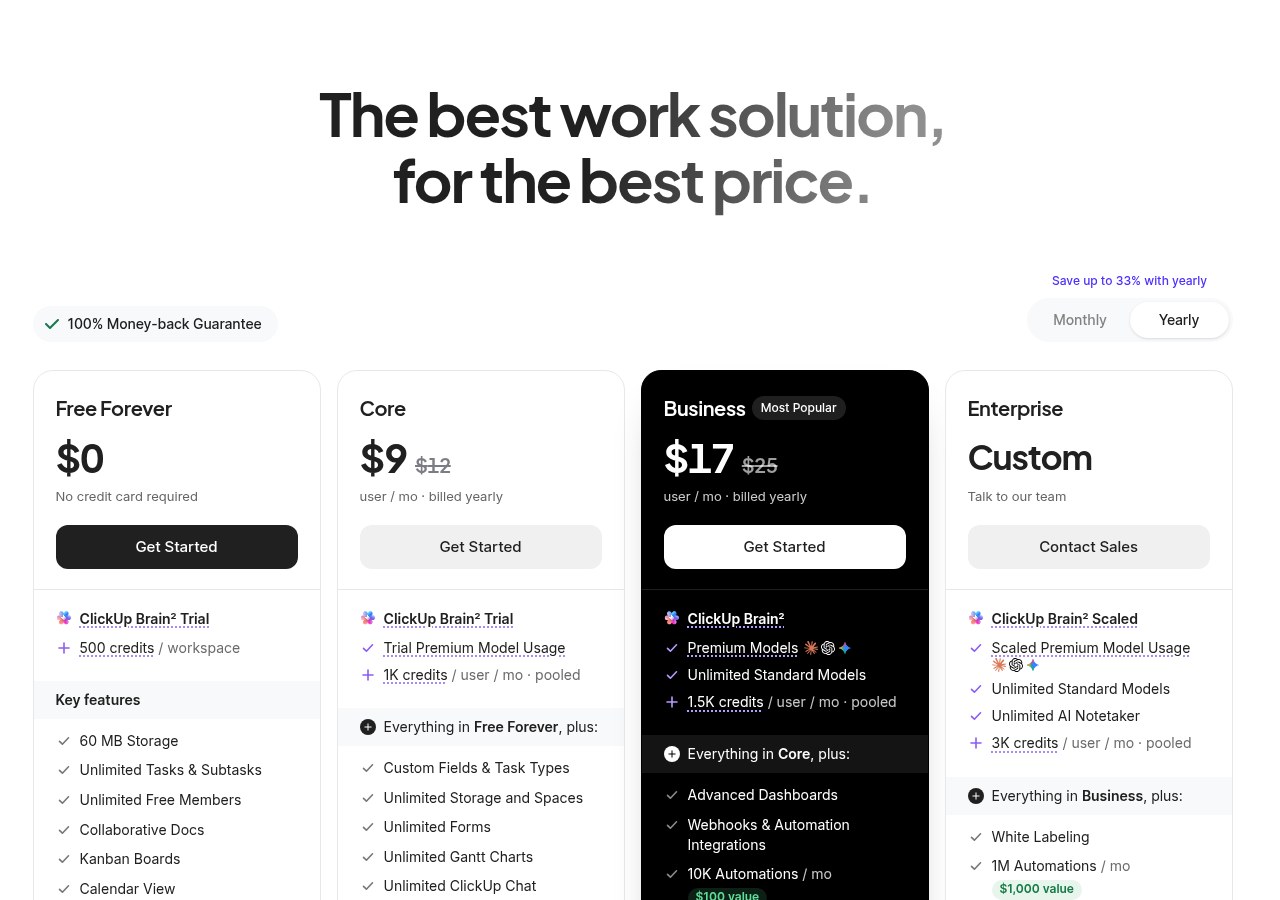
“Pooled” means the whole workspace shares one bucket of credits. With 10 paid seats on Business, that is 15,000 credits a month. Credits reset on the first of each month and do not roll over.
Two more details matter. First, the page now says “AI is included” and sells extra credits at $10 per 10,000. Second, a Business plan on the new list has 10,000 automation runs a month. The classic Business plan had 5,000, and classic Unlimited had 1,000.
What it costs for 10 seats
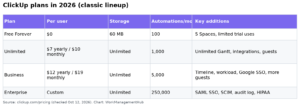
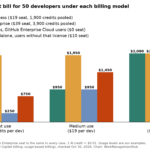
I priced a 10-person team, billed yearly. The classic numbers come from the same pricing page and help center as of my October 12 check.
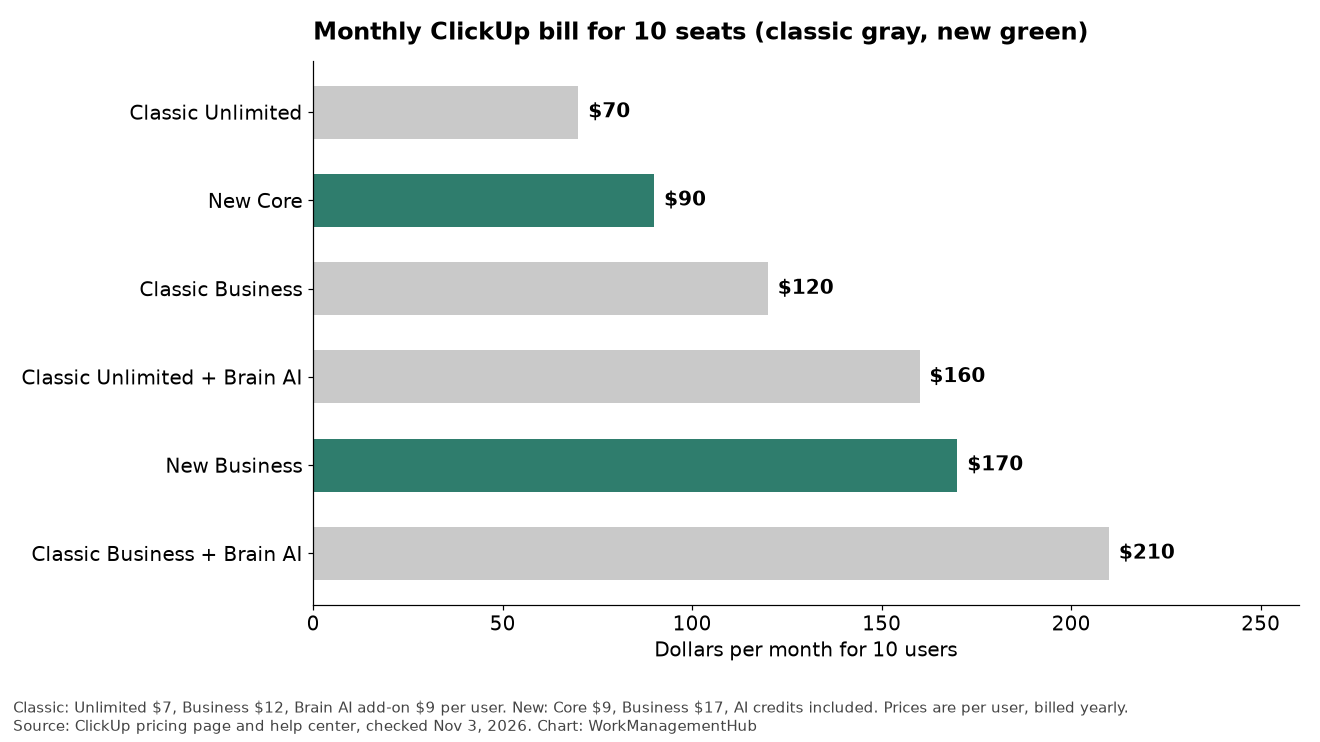
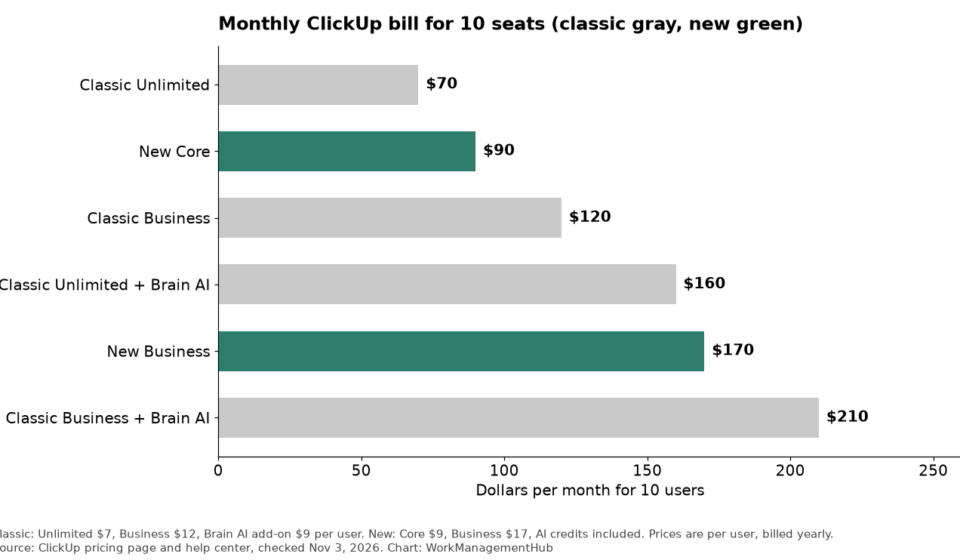
The pattern is simple:
- Without AI, the new plans cost more. Classic Unlimited was $70 a month for 10 seats. Core is $90. Classic Business was $120, and new Business is $170.
- With AI, the new plans cost less. Classic Business plus the $9 Brain AI add-on came to $210 a month. New Business is $170, so you save $40 a month, or $480 a year.
- Core is not a Brain AI replacement. ClickUp’s help center lists only a trial of Brain and premium models on Core. Full Brain with premium models starts on Business.
So the rule I would use is this. If your team never used Brain AI, expect a bump of $2 to $5 per user. If your team already paid for Brain AI, the new Business plan is likely cheaper. For deeper plan math, see our ClickUp pricing guide.
What existing workspaces keep
This is the part that stops most panic. ClickUp’s Intro to pricing article says:
- New workspaces start on the new plans.
- Certain existing workspaces are being upgraded gradually. Not all have been upgraded yet.
- No features are removed when you are upgraded.
- Your price stays the same until the date in your notice. Price updates begin no earlier than January 2027, and some workspaces get no price update.
- If you bought Everything AI, you keep your current plan and Everything AI.
- Workspaces that have not been upgraded keep their current plan, features and price.
To see where you stand, a workspace owner or admin can open the Upcoming Bill section of the billing page. If you see a “See what changes” link, a change applies to you. If you do not, nothing is scheduled.
Gotchas in ClickUp’s own pages
I found a few places where the pages do not match. Check these before you build a budget.
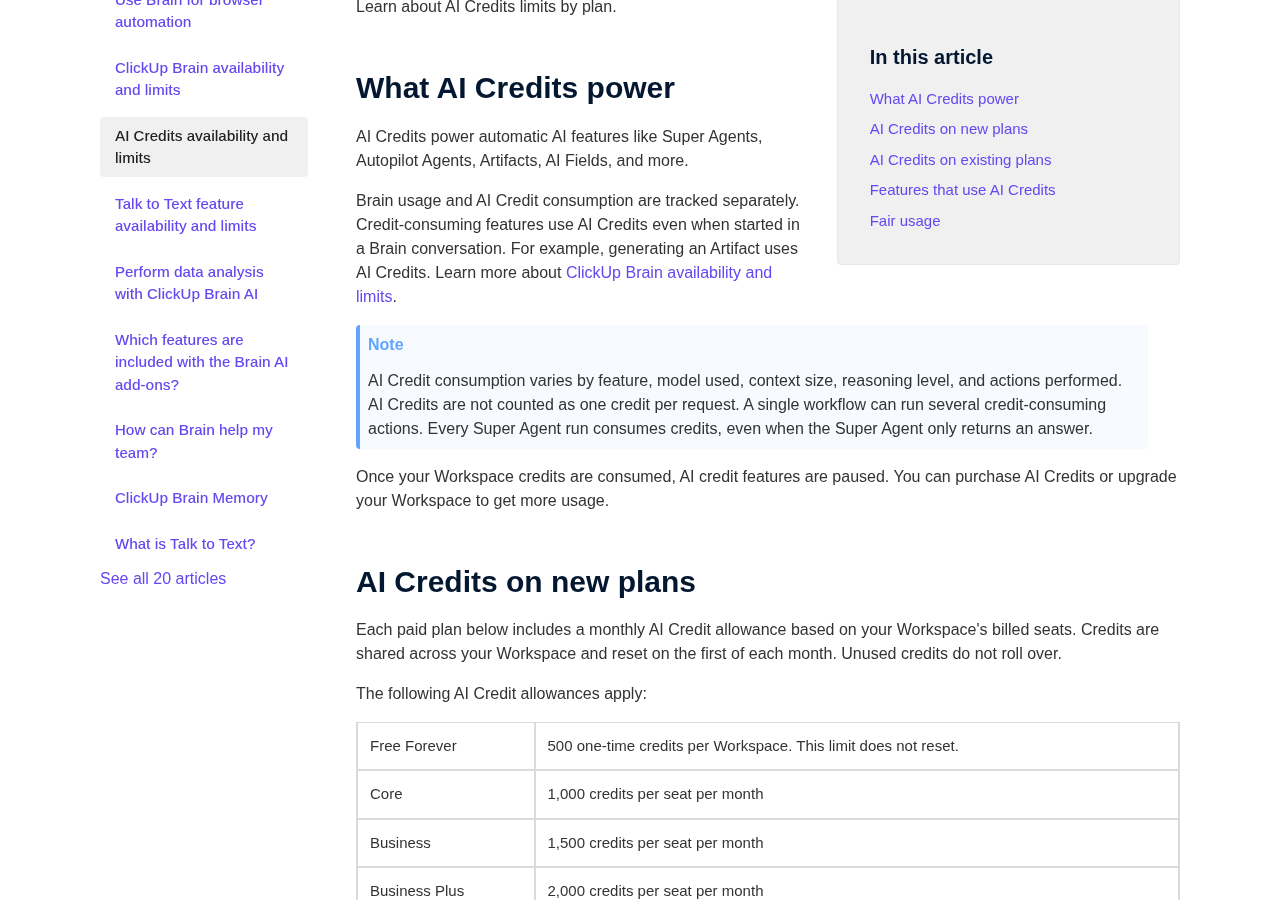
- Enterprise credits. The pricing page and the AI Credits article say 3,000 per seat. The new plans article says 2,500.
- Max credits. The pricing page and the AI Credits article say 10,000 per seat. The new plans article says 5,000 for Super Agents.
- Business Plus. The help center lists it at 2,000 credits per seat, but I did not see it on the pricing page.
- You cannot opt out of AI. On the new plans, the Brain AI and Everything AI add-ons are not available. The AI allowance is part of the seat price.
- Credits are not one per request. ClickUp says use varies by feature, model, context size and reasoning level. Every Super Agent run uses credits, even if it only answers a question.
- Running out pauses AI. When your workspace credits are used up, credit-based AI features pause until you buy more or upgrade.
- Pages can differ by visitor. ClickUp says the rollout is gradual, so your view of the pricing page may not match mine.
I used the pricing page and the AI Credits article for the numbers above, since they agree with each other. Ask your ClickUp contact to confirm in writing if the difference affects your contract.
What I would do this month
- Open Upcoming Bill in your ClickUp billing page and check for a “See what changes” notice.
- Count how many people use Brain AI today. If it is most of your team, price new Business against classic Business plus the add-on.
- Test your busiest AI workflow for one week and note the credits it uses. Then compare that with your pooled allowance.
- If you pay yearly, write down your renewal date and ask what your price will be after January 2027.
- Quote both lineups in budgets until your workspace is moved.
If your automations hit limits, our ClickUp automations guide shows how runs are counted. For the AI side, read the ClickUp Brain guide. If the new math pushes you to compare tools, start with best ClickUp alternatives or monday.com vs ClickUp.
Common questions
Is ClickUp Unlimited still available?
The pricing page I saw on November 3, 2026 did not list it. ClickUp’s help center says workspaces that have not been upgraded keep their current plan, features and price.
Will my ClickUp price go up?
Maybe, but not before January 2027. ClickUp says price updates begin no earlier than that month, and some workspaces get no update. Your Upcoming Bill section shows the date if one applies.
Can I still buy Brain AI or Everything AI?
Not on the new plans. ClickUp says those add-ons are not available there because the usage is included. Workspaces on existing plans can keep what they bought.
How many AI credits does my team get?
Core gets 1,000 credits per seat each month, and Business gets 1,500. Credits are pooled across the workspace and reset on the first of each month. Extra credits cost $10 per 10,000.
Is Core or Business better for a small team?
Choose Core if you mostly need tasks, docs and basic automation. Choose Business if you want full Brain with premium models, 10,000 automation runs a month or Google SSO.
Sources
- ClickUp pricing page (checked Nov 3, 2026)
- ClickUp Help: Intro to pricing (checked Nov 3, 2026)
- ClickUp Help: AI Credits availability and limits (checked Nov 3, 2026)
- ClickUp Help: New plans and pricing options (checked Nov 3, 2026)
- ClickUp Help: Which features are included with the Brain AI add-ons? (checked Nov 3, 2026)
Sponsored
Related guides