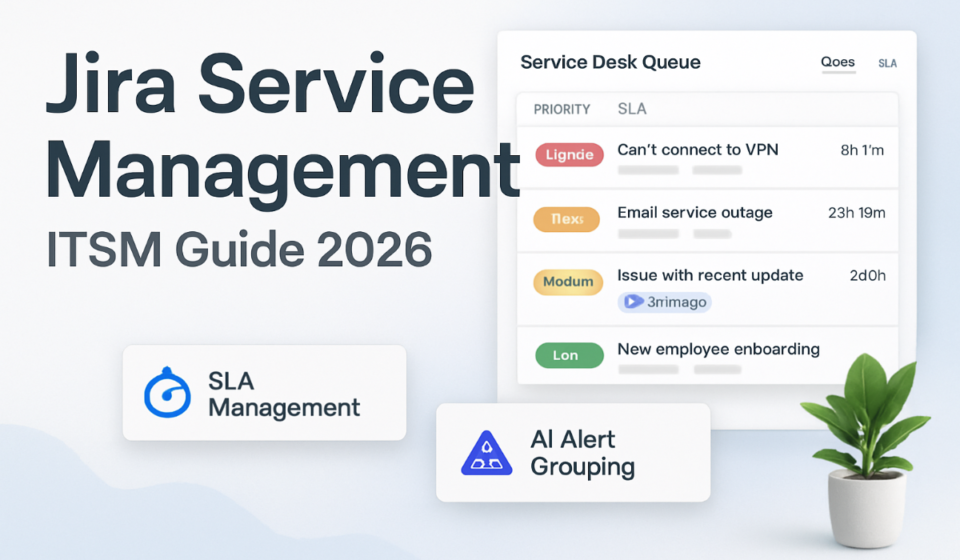

To set up Jira Service Management for ITSM, create a service project from the IT Service Management template, define your request types and customer portal, build queues and SLAs, then switch on the incident, problem, and change workflows. The catch: most of the advanced ITSM capabilities now sit behind the Premium plan, so decide your tier before you build anything.
This is the part of a JSM rollout people underestimate. The template drops in fast; getting request types, agent permissions, and plan gating right is where the hours go. Here is how I approach a clean setup, and where I stop teams from over-engineering it.
On this page:
- What JSM licensing actually means before you build
- Before you start
- Step 1: Create the service project from the ITSM template
- Step 2: Build request types and the customer portal
- Step 3: Set up queues and SLAs
- Step 4: Turn on incident, problem, and change management
- Step 5: Automation, alerting, and the Opsgenie question
- Where JSM is overkill
What JSM licensing actually means before you build
Two words decide your bill and your feature set: agents and customers. Agents are the licensed people who work requests, and you pay per agent. Customers are the people raising requests. Customers are free and unlimited, so the person emailing your help desk never costs you a seat. Unlicensed Jira users can still do light things on a ticket, like adding internal comments or watching for updates, without being an agent.
The plans, verified on Atlassian’s current pricing page: Free covers up to 3 agents at no cost with 2GB storage and community support. Standard is $20 per agent per month. Premium is $51.42 per agent per month. Enterprise is quote-based for very large teams.
Here is the gotcha that trips up most ITSM buyers. On October 16, 2024, Atlassian moved the advanced incident, problem, and change management features out of Free and Standard and into Premium and Enterprise. Free and Standard still get the basics: an incident work category, incident queues, alerts, and on-call schedules. But major incidents, post-incident reviews, the change calendar, automated change risk assessments, CI/CD change integrations, and problem management all require Premium. If you are buying JSM specifically for full ITIL-style change and problem workflows, you are buying Premium, whether the sales page leads with that or not.
| Capability | Free | Standard | Premium |
| Price per agent / month | $0 | $20 | $51.42 |
| Agents | Up to 3 | Up to 100,000 | Up to 100,000 |
| Portal, request types, queues, SLAs | Yes | Yes | Yes |
| Alerts and on-call schedules | Yes | Yes | Yes |
| Automation rule runs per month | 500 | 5,000 | 1,000 per user, pooled |
| Advanced incident management (major incidents, post-incident reviews) | No | No | Yes |
| Change management (change calendar, risk assessments) | No | No | Yes |
| Problem management | No | No | Yes |
| Assets / configuration management | No | Yes (5,000 objects) | Yes (50,000 objects) |
| Virtual service agent | No | No | Yes (1,000 assisted conversations/month) |
| Financially-backed 99.9% uptime SLA | No | No | Yes |
One clarification on that last row: SLA goals that you configure to track response and resolution times exist on every plan, including Free. The 99.9% figure is Atlassian’s own uptime guarantee on Premium, which is a different thing entirely. Don’t confuse the two in a stakeholder deck.
Assets, the configuration and CMDB layer, starts on Standard with 5,000 objects included; Premium raises that to 50,000, with more available as a paid add-on at volume discounts. The virtual service agent is Premium-only and includes 1,000 assisted conversations a month, with extra volume sold separately. Both can add to the invoice beyond the per-agent price once you pass the included allowances.
Before you start
Do three things before you touch the product. First, pick the plan using the table above, because rebuilding change workflows after a downgrade is miserable. Second, agree on which request categories you actually support day one: usually access requests, hardware, software, and general IT help. Resist the urge to model everything. Third, decide who your agents are versus who your customers are, since that maps directly to licensing.
If you are still comparing tools at this stage, it is worth a sanity check against lighter options before committing to agent-based pricing. Our roundup of the best Jira alternatives in 2026 covers where a full ITSM platform is genuinely warranted and where a simpler tracker would do.
Step 1: Create the service project from the ITSM template
The IT Service Management template is what makes JSM an ITSM tool rather than a generic ticket queue. It ships with the ITIL-aligned incident workflow, a default problem management workflow, and change request handling, on top of the standard portal, request types, queues, and SLAs.
- From your Jira site, open Projects and choose Create project.
- Select Service management, then pick the IT Service Management template. On Premium you may see the advanced ITSM variant with the fuller change and incident toolset.
- Give the project a clear name and a short key. The key shows in every ticket ID, so keep it obvious, like ITSD.
- Choose Company-managed if you want shared, admin-governed workflows and schemes across projects. Choose Team-managed if you want a single team to own its own config. For ITSM at any real scale, company-managed is usually the right call because it keeps change and incident workflows consistent.
- Create the project and let the template seed its default request types and queues.
You now have a working service desk. It is generic, though, and shipping it as-is is the most common rollout mistake.
Step 2: Build request types and the customer portal
Request types are what customers see in the portal; they map to underlying work types and workflows. The template gives you starters, but tailoring them to your actual services is what makes the portal usable instead of a wall of vague options.
- Open Project settings, then Request types.
- Review the defaults and delete anything you will not support. A short, honest list beats a comprehensive one nobody reads.
- For each request type, set a plain-language Name and Description. Write them the way a non-technical employee would search, not in ITIL jargon.
- Edit the Request form to expose only the fields you need. Every extra required field is a reason someone emails you instead of using the portal.
- Group related request types into Portal groups so the help center reads like a menu, not a list.
- Open Portal settings and add your Name and Logo so the experience looks like your IT team, not a raw Atlassian install.
- Under Channels, connect an email address so inbound mail becomes tickets. Most of your volume will still arrive by email for the first few months, no matter how nice the portal is.
If your team lives in chat, wiring the portal to Slack pays off quickly for intake and notifications. We walk through that in the Jira Slack integration setup guide.
Step 3: Set up queues and SLAs
Queues decide what agents look at first. SLAs decide what counts as late. Both are available on every plan, so there is no excuse to skip them.
- Go to Queues in the project sidebar and review the template’s defaults.
- Create a New queue for each way your team triages, for example unassigned, breaching soon, and waiting on customer. Use JQL filters to define each one precisely.
- Order queues by what agents should action first. The top queue is the one people work from all day, so make it the true priority view.
- Open Project settings, then SLAs.
- Define a Time to first response goal and a Time to resolution goal. Set different targets per priority using JQL conditions, so a P1 incident and a routine password reset are not held to the same clock.
- Configure calendars so the SLA clock respects business hours if you do not run 24/7.
Keep SLA targets few and defensible. Ten overlapping SLAs look thorough and become impossible to report on honestly.
Step 4: Turn on incident, problem, and change management
This is where the plan you chose in step one decides what you can actually do. On Free and Standard, you get the incident work category, incident queues, alerts, and on-call schedules, which is enough for basic incident response.
On Premium, the full set opens up. Incident management adds major incidents, conference call and chat integration, and post-incident reviews. Change management gives you the change work category, a change calendar, automated change risk assessment, approval workflows, and integrations with CI/CD tools like Bitbucket Pipelines, Jenkins, and CircleCI. Problem management adds the problem work category and queues so you can track root causes separately from the incidents they cause.
- Confirm your plan supports the capability you want. If you are on Standard and expecting change calendars, they will not be there.
- In a company-managed project, open Project settings, then Features, and enable the Change management and Problem management work categories.
- Review the seeded change workflow and adjust approval steps to match who really signs off on changes in your organization.
- Set up approvals on the relevant request types so changes cannot progress without the right person’s sign-off.
- Link incidents, problems, and changes to each other as you work them, so the history of a recurring issue is traceable.
Atlassian documents the exact plan split in its note on updating incident, problem, and change management capabilities, and the IT Service Management template overview lists what each version includes. Read both before you promise stakeholders a capability your tier does not have.
Step 5: Automation, alerting, and the Opsgenie question
Automation is how a service desk stops feeling like manual labor: auto-assigning by request type, transitioning tickets when a customer replies, escalating anything close to breaching. The run limits, straight from Atlassian’s current pricing page: 500 rule runs a month on Free, 5,000 on Standard, 1,000 per user per month pooled across users on Premium, and unlimited on Enterprise. Every qualifying run counts against that pool regardless of scope, so ignore older guides claiming single-project rules run free. Atlassian’s automation service limits documentation covers the processing-time and concurrency ceilings that sit alongside the run counts.
If you are new to building rules, start with a handful of high-value ones rather than automating everything at once. Our Jira automation rules setup guide covers the patterns that matter for a service desk.
On alerting: the on-call and alerting features that used to live in Opsgenie are now part of Jira Service Management. Atlassian ended new Opsgenie sales on June 4, 2025, and will end support and shut Opsgenie down on April 5, 2027, after which its data is no longer accessible. If your team still runs Opsgenie, plan the migration into JSM (or Compass for DevOps alerting) well before that date rather than the week of. Existing Opsgenie customers can run the two in parallel for up to 120 days after migrating.
Where JSM is overkill
Honesty helps more than a sales pitch here. Jira Service Management is a serious ITSM platform, and that is exactly why it is the wrong tool for some teams.
The admin overhead is real. Company-managed projects, workflow schemes, permission schemes, request type configuration, and SLA calendars add up to a system that rewards a dedicated admin and punishes teams who set it and forget it. A five-person startup handling occasional internal IT requests does not need change calendars and problem records; they need a shared inbox and one queue. For them, the Free plan or a lighter tracker is genuinely the better answer.
The plan gating stings if you buy on the wrong assumption. Teams pick Standard to save money, then discover their change and problem workflows require the jump to Premium at $51.42 per agent, more than double the Standard price. Model that cost with your real agent count before you commit, not after.
Assets and the virtual service agent are powerful but priced beyond their included allowances, so a large CMDB or a busy deflection bot can push your bill well past the sticker per-agent figure. And if your team is really running lightweight product or engineering work rather than IT service delivery, a service desk is the wrong shape entirely; a comparison like Jira versus Linear is a more useful place to start than an ITSM setup guide.
Set up correctly, JSM handles ITSM at scale as well as anything on the market. Just go in knowing that the tier you pick, not the template you click, is what determines whether you get a real ITSM system or an expensive ticket queue.
Sponsored