
Asana dependencies are working as designed more often than they’re broken. They mark task order and send notifications, but they never physically stop you from completing a blocked task, and they only shift dates automatically when a project setting tells them to. Most “broken dependency” reports trace back to those two facts.
How Asana dependencies actually behave
A dependency in Asana is a relationship between two tasks: one is blocked by the other, or blocking it. You set it inside a task by clicking Add dependencies in the task sidebar and typing the name of the precedent task. The “Blocked by” banner only appears in the dependent task’s detail pane, which is the first thing that confuses people who expect to see it on every view.
When the precedent task is completed, Asana notifies the assignee of the dependent task that they can start. It also notifies that assignee when the precedent task’s due date changes or is removed. If a task is blocked by several others, you get a single notification once every precedent is complete, not one per task. That is the whole enforcement model: notifications, not locks.
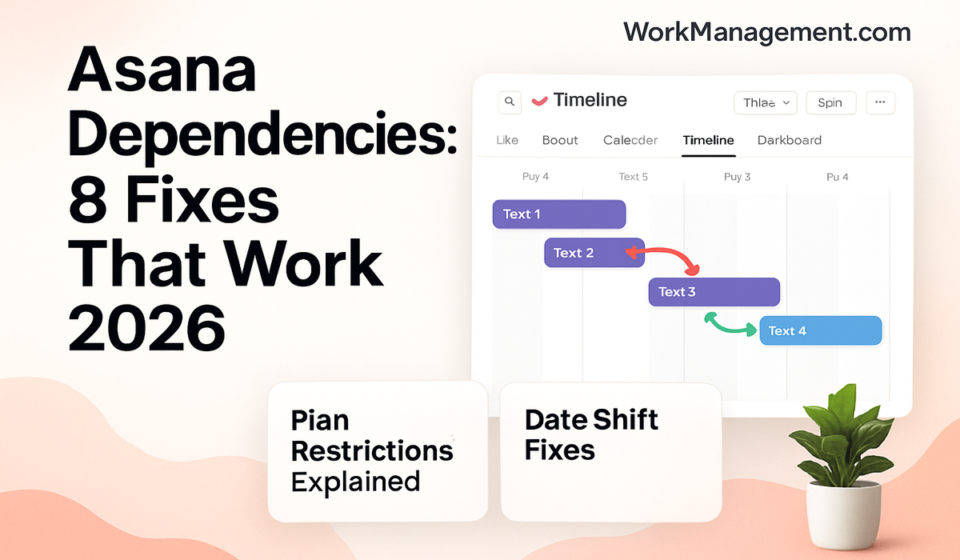
You can see dependencies in more than one place. In List view, the dependency field is split into two columns you add through + Add field: “Blocked by” and “Blocking.” On Timeline and Gantt, dependencies show as connector lines you draw by dragging the connector dot from one bar to another. Asana’s task dependencies article covers the mechanics in full.
The person who benefits most from a dependency is the assignee of the blocked task, since they’re the one notified when upstream work finishes. If that handoff keeps getting missed, the cause is often that the dependent task never landed on anyone’s plate — our Asana My Tasks setup guide helps make sure those tasks surface for the right owner.
Which plans include dependencies
Dependencies are a paid feature. The free Personal plan (up to two people) does not include them, which is the single most common reason the option is missing entirely.
| Plan | Task dependencies |
|---|---|
| Personal (free, up to 2 users) | Not included |
| Starter | Included |
| Advanced | Included |
| Enterprise and Enterprise+ | Included |
| Legacy Premium, Business, Legacy Enterprise | Included |
Starter runs $10.99 per user per month billed annually ($13.49 on monthly billing), and Advanced runs $24.99 annually ($30.49 monthly). If the Add dependencies option is greyed out or absent, check your plan before anything else — the full breakdown is on our Asana pricing guide.
Fix 1: The Add dependencies option is missing
If you can’t mark a task as blocked by or blocking, the feature is either unavailable on your plan or you’re looking in the wrong spot.
- Open any task and check the right-hand sidebar for Add dependencies. If it isn’t there, confirm your plan on the billing page — Personal accounts don’t have it.
- If you’re on a paid plan and still don’t see it, make sure you opened the full task detail pane, not the compact preview. The dependency banner lives in the detail pane only.
- In List view, add the columns manually: click + Add field in the column header and choose Blocked by or Blocking.
- On Timeline or Gantt, hover over a task bar until the round connector appears, then drag it to the task that should come next.
Fix 2: Dependent dates don’t move when you change the blocking task
This is the number-one complaint, and it usually isn’t a bug. Asana does not shift dependent dates automatically unless the project’s dependency setting is switched on. The default setting is None, which ignores buffers and conflicts entirely — so nothing moves.
- Click the drop-down next to your project’s name and choose Manage dependencies. On Timeline, click Options in the top-right, then Project dependency settings.
- Pick a shifting mode. Maintain buffer (lag shifting) keeps the gap between tasks, moving dependent dates to preserve it. Consume buffer (slack shifting) only moves dates when a change would cause an overlap. None leaves everything where it is.
- Give both the precedent and dependent tasks real due dates. Auto-shifting won’t fire if either task is missing a due date.
- Check that neither task is already marked complete. Completed tasks are ignored by the shifting engine.
- Remember that subtasks are excluded by default. If you need a subtask’s dates to move, mark it as dependent on its parent task.
One more quirk that reads like a bug: outside Timeline and Gantt, changing a date opens a confirmation modal showing every downstream change before it happens, and you have to confirm it. Dismiss that modal and the dependent dates stay put. Newly created projects that include a Gantt tab default to Consume buffer rather than None, which is why the same account can behave differently from one project to the next. Asana’s auto-shifting dates article walks through each mode with worked examples.
The shifting engine also skips weekends by default, so a one-day push near a Friday can land the dependent task on Monday. You can change that under Project settings in the Customize menu. If you schedule mainly on Timeline, our Asana Timeline view setup guide pairs well with this.
Fix 3: Someone completed a blocked task anyway
Asana dependencies don’t hard-block. There is no setting that prevents someone from ticking off a task that’s still blocked by unfinished work. Asana’s own documentation acknowledges this: under the None mode, blocked tasks can still be slated to be completed before the tasks they depend on. Dependencies inform sequence; they don’t enforce it.
If you need real gates, build the discipline around the feature:
- Treat the Blocked by banner as a signal in stand-ups and reviews, not as a lock.
- Use the completion notification — the dependent task’s assignee is told the moment the blocker clears — as your handoff cue instead of asking people to watch the board.
- Where a hard stop genuinely matters, add an approval step or a status field the downstream owner must set before closing their task.
Fix 4: Your automation isn’t reacting to dependencies
Rules and dependencies are configured separately in Asana. Both live under the Customize menu, but they are distinct tools, and marking a task blocked does not, by itself, run a rule. If you expected an automation to fire when a blocker cleared and nothing happened, the fix is almost always in the rule, not the dependency.
- Open Customize and review the rule’s trigger and action. Confirm the trigger matches the event you care about, such as a task being marked complete.
- Watch for rules that set or move dates. These can pull against the dependency shifting engine and produce dates that look wrong.
- Test with one task before rolling a rule out across the whole project.
For a fuller treatment of building and debugging rules, see our Asana automations guide.
Fix 5: Dependencies look wrong after using a template
A dependency is a link between two specific tasks. When you create a project from a template or duplicate one, open a few tasks and confirm the “Blocked by” relationships carried over the way you expect — especially if tasks were later renamed, merged, or split, which can leave a dependency pointing at the wrong task or none at all.
- Open the new project’s List view and add the Blocked by and Blocking columns so you can scan every relationship at once.
- Spot-check the critical handoffs against your intended sequence.
- Redraw any missing links on Timeline with the connector, then set the project’s dependency shifting mode so dates behave from the start.
Frequently asked questions
Does Asana stop you from completing a blocked task?
No. Asana dependencies never physically prevent completion. Marking a task as blocked by another only adds a banner and sends a notification when the blocker clears. Anyone with edit access can complete a blocked task at any time, so treat dependencies as sequencing signals rather than hard locks on the work.
Why don’t my dependent task dates shift automatically?
Because the project’s dependency setting is probably set to None, the default. Open Manage dependencies and switch to Maintain buffer or Consume buffer. Both tasks also need due dates, neither can be complete, and subtasks are excluded unless you mark them dependent on their parent. Then dates shift on change.
Which Asana plans include task dependencies?
Dependencies come with the paid Starter, Advanced, Enterprise, and Enterprise+ plans, plus the legacy Premium, Business, and Legacy Enterprise tiers. The free Personal plan, which supports up to two people, does not include them. If the Add dependencies option is missing, an unsupported plan is the most likely reason.
Sponsored