Notion Pricing 2026: Free vs Plus vs Business, What AI Really Costs, and Which Plan to Pick

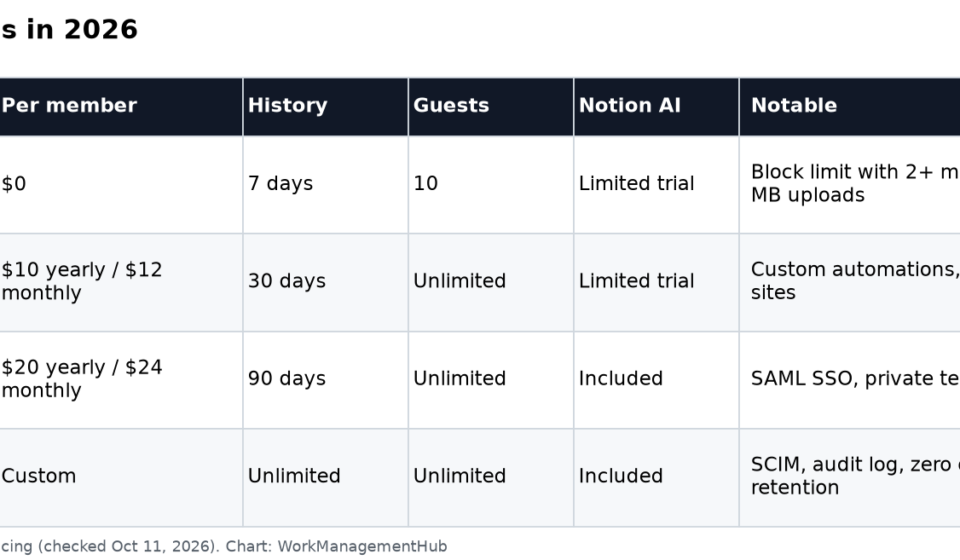
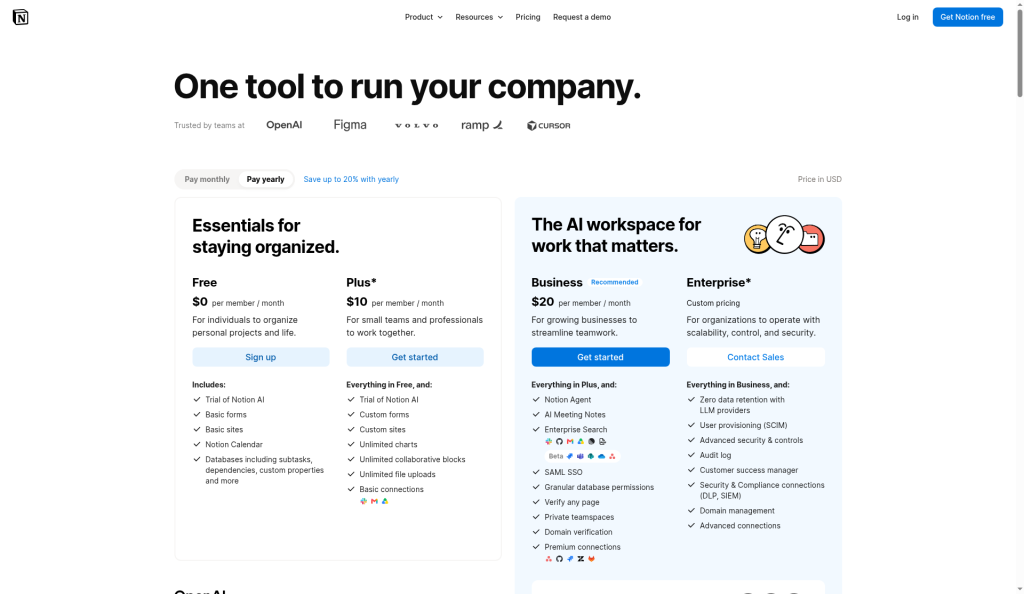
Notion has four plans in 2026: Free, Plus at $10 per member per month billed yearly ($12 monthly), Business at $20 billed yearly ($24 monthly), and Enterprise with custom pricing. Guests are free on every plan. The big change in the last year: full Notion AI (the Notion Agent, AI Meeting Notes and Enterprise Search) now comes with Business, while Free and Plus get only a limited trial.
So the practical question for most teams is simple. If you want Notion AI, you’re choosing between Business and Enterprise. If you don’t, Plus covers nearly everything a small team needs.
Prices and features below come from Notion’s pricing page, checked October 11, 2026.
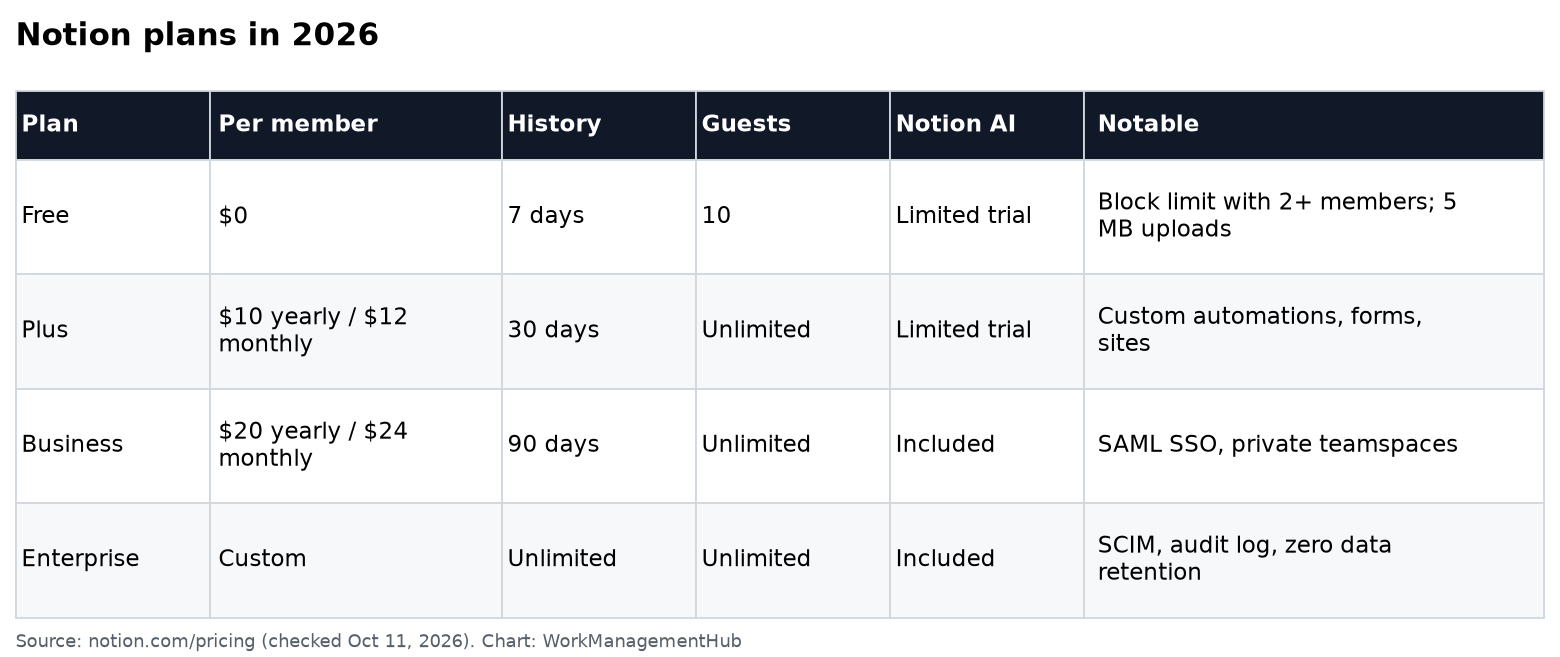
Notion plans at a glance
| Free | Plus | Business | Enterprise | |
|---|---|---|---|---|
| Price per member, billed yearly | $0 | $10/month | $20/month | Custom |
| Price per member, billed monthly | $0 | $12/month | $24/month | Custom |
| Blocks | Unlimited for one person; limited with 2+ members | Unlimited | Unlimited | Unlimited |
| File uploads | 5 MB per file | Unlimited (about 5 GB per file) | Unlimited | Unlimited |
| Page history | 7 days | 30 days | 90 days | Unlimited |
| Guests | 10 | Unlimited | Unlimited | Unlimited |
| Database automations | Basic buttons only | Custom automations | Custom automations | Custom automations |
| Notion AI (Agent, Meeting Notes, Enterprise Search) | Limited trial | Limited trial | Included | Included |
| SAML SSO, private teamspaces | No | No | Yes | Yes |
| SCIM, audit log, advanced security | No | No | No | Yes |
How Notion bills you
Notion charges per member, meaning anyone who belongs to the workspace. Guests, people you invite to specific pages, are free. They can’t see teamspaces, only the pages they’ve been shared.
A few billing rules worth knowing, from Notion’s pricing FAQ:
- Adding members mid-cycle creates a prorated charge.
- Removing members doesn’t give you a credit. You keep the empty seat until renewal and can give it to someone else.
- Seat counts reset at each renewal to match the members actually in the workspace.
- Refunds: a full refund if you downgrade within 3 days of starting monthly billing or within 30 days of starting yearly billing.
The most common way teams overpay is keeping freelancers and clients as members. Make them guests unless they truly need access to whole teamspaces.
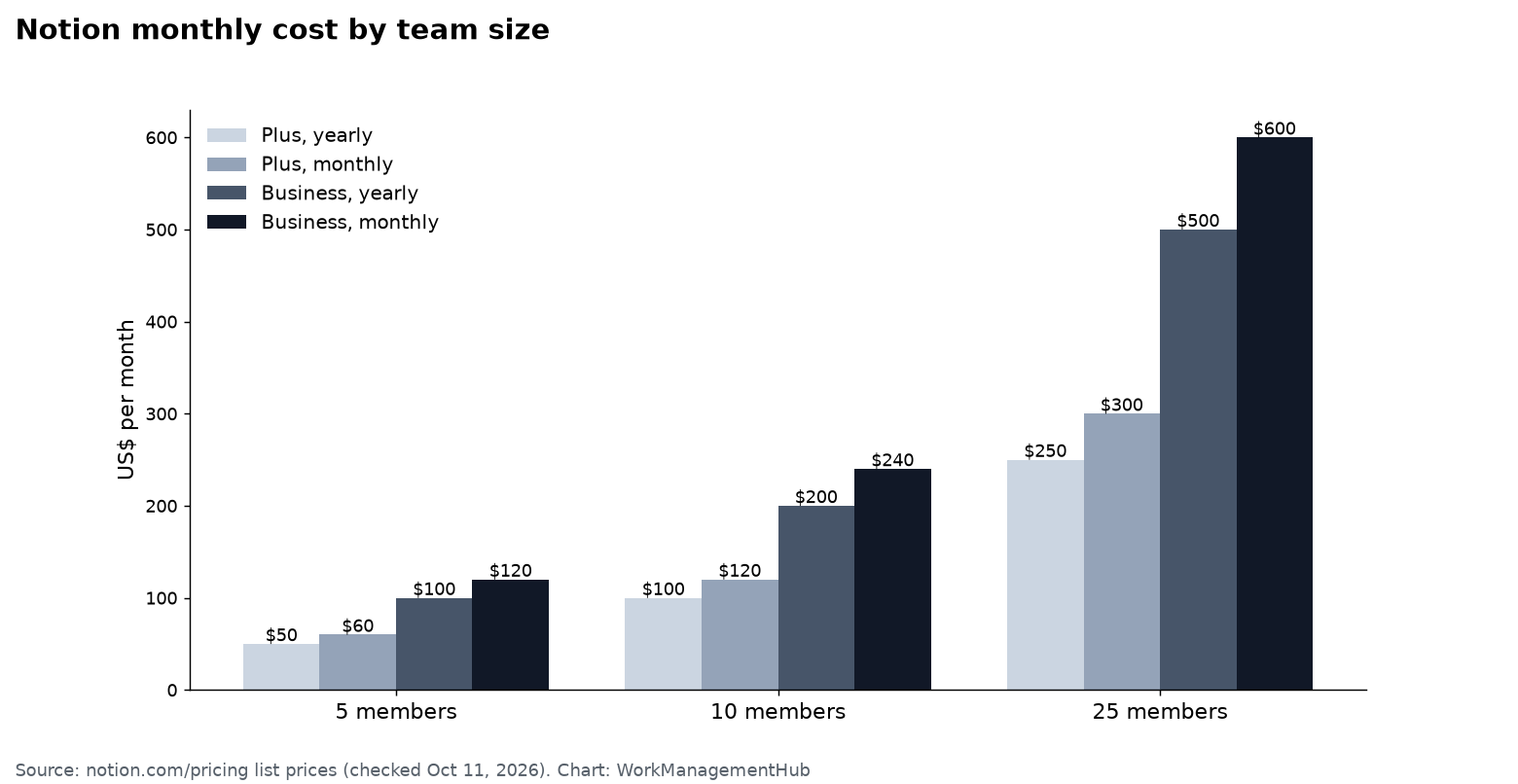
What a team actually pays
| Members | Plus, yearly | Plus, monthly | Business, yearly | Business, monthly |
|---|---|---|---|---|
| 5 | $50/month ($600/year) | $60/month | $100/month ($1,200/year) | $120/month |
| 10 | $100/month ($1,200/year) | $120/month | $200/month ($2,400/year) | $240/month |
| 25 | $250/month ($3,000/year) | $300/month | $500/month ($6,000/year) | $600/month |
Yearly billing saves $24 per member per year on Plus and $48 on Business.
Free: great for one person, tight for a team
Free gives a single user unlimited pages and blocks, Notion Calendar, databases with subtasks and dependencies, basic forms and a basic public site. Once a second member joins, the workspace gets a block limit. When you hit it you can still read and edit what’s there, but you can’t add new content. Uploads are capped at 5 MB per file and page history at 7 days. For a team that’s a trial, not a long-term plan.
Plus: the right plan for most small teams that don’t need AI
Plus removes the block limit and adds unlimited file uploads, 30-day page history, unlimited guests and charts, custom forms (without Notion branding), custom sites, and custom database automations. That last one is the feature most teams upgrade for. Our Notion automations troubleshooting guide covers how they behave.
What Plus doesn’t include is full Notion AI. You get a limited trial of the Notion Agent and AI Meeting Notes, then those features stop.
Students and educators can get Plus free for a single-member workspace by signing up with a school email.
Business: for Notion AI and company-level controls
Business ($20 yearly, $24 monthly) adds the Notion Agent (chat, writing, database autofill and multi-step tasks across your workspace and connected apps), AI Meeting Notes, Enterprise Search across connected tools like Slack and GitHub, plus SAML SSO, private teamspaces, granular database permissions, 90-day history and premium connections such as GitHub and Asana syncs.
Choose Business when:
- Your team will use AI every week, especially meeting notes and search across Slack or GitHub.
- You need SSO or private teamspaces for HR, finance or leadership docs.
- You want people to collaborate in a database without seeing every row.
Our Notion AI guide walks through what each AI feature does in practice.
Enterprise: custom pricing for large organizations
Enterprise adds SCIM user provisioning, an audit log, advanced security controls (such as blocking external sharing or disabling guests), workspace analytics, unlimited page history, zero data retention with Notion’s AI providers, and a customer success manager. Pricing is quoted by Notion’s sales team.
AI credits are changing: From November 2, 2026, Notion Business and Enterprise members get 1,500 Standard and 500 Select AI credits a month, with no rollover. Our Notion AI credits guide explains what each credit covers.
Extra costs to budget for
- Custom Agents. These AI agents run automatically on schedules or triggers. They need Business or Enterprise, are free to try, and are then billed at $10 per 1,000 Notion credits a month. Heavy agents add up quickly, so start with one job and watch usage for a month.
- Custom domains for Notion Sites. $8 per domain per month billed yearly, or $10 monthly. Our Notion Sites setup guide covers the rest of the setup.
- Workers (beta). Custom code that extends agents also uses Notion credits.

Which Notion plan should you choose?
- Just you: Free is enough.
- Small team, no AI needed: Plus.
- Team that wants AI meeting notes and search, or needs SSO: Business.
- Large company with IT and compliance requirements: Enterprise.
If Notion’s pricing pushes you to look elsewhere, our Notion alternatives roundup and Notion vs ClickUp comparison cover the main options.
Common questions
How much does Notion cost per user?
Plus is $10 per member per month billed yearly or $12 monthly. Business is $20 yearly or $24 monthly. Enterprise is custom.
Is Notion AI included in the Plus plan?
No. Plus includes only a limited trial of Notion AI. The Notion Agent, AI Meeting Notes and Enterprise Search are included on Business and Enterprise.
Are Notion guests free?
Yes. Guests are free on every plan. Free workspaces allow up to 10 guests; paid plans allow unlimited guests.
Do I get a refund if I remove members?
No credit is given for removed members, but the empty seat stays available for someone else until your next renewal, when the seat count resets.
How much do Notion Custom Agents cost?
They require Business or Enterprise. After a free trial, they use Notion credits billed at $10 per 1,000 credits a month.
Prices and features checked against Notion’s pricing page on October 11, 2026. Notion changes AI packaging often, so confirm current prices before you buy.
Sponsored