Notion AI Credits Change on November 2, 2026: What Business Teams Need to Know

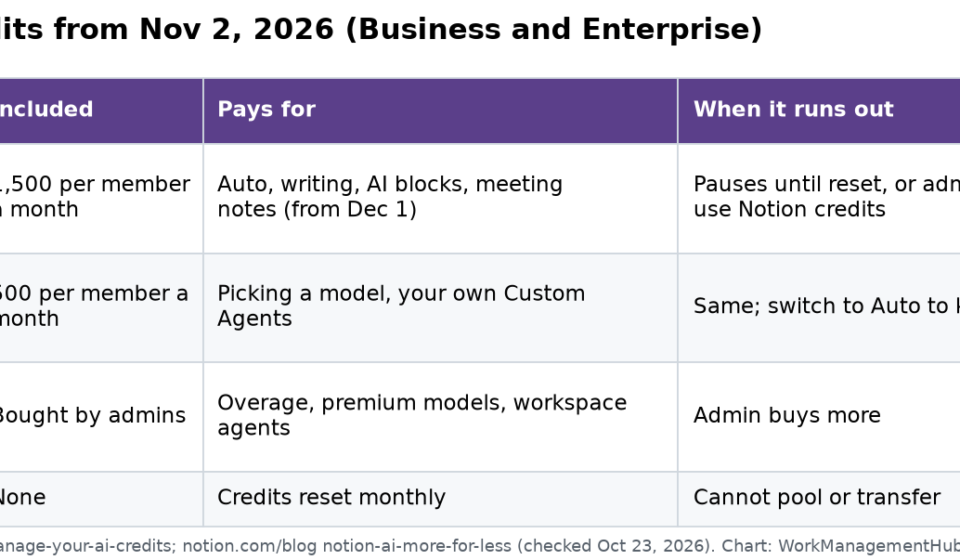
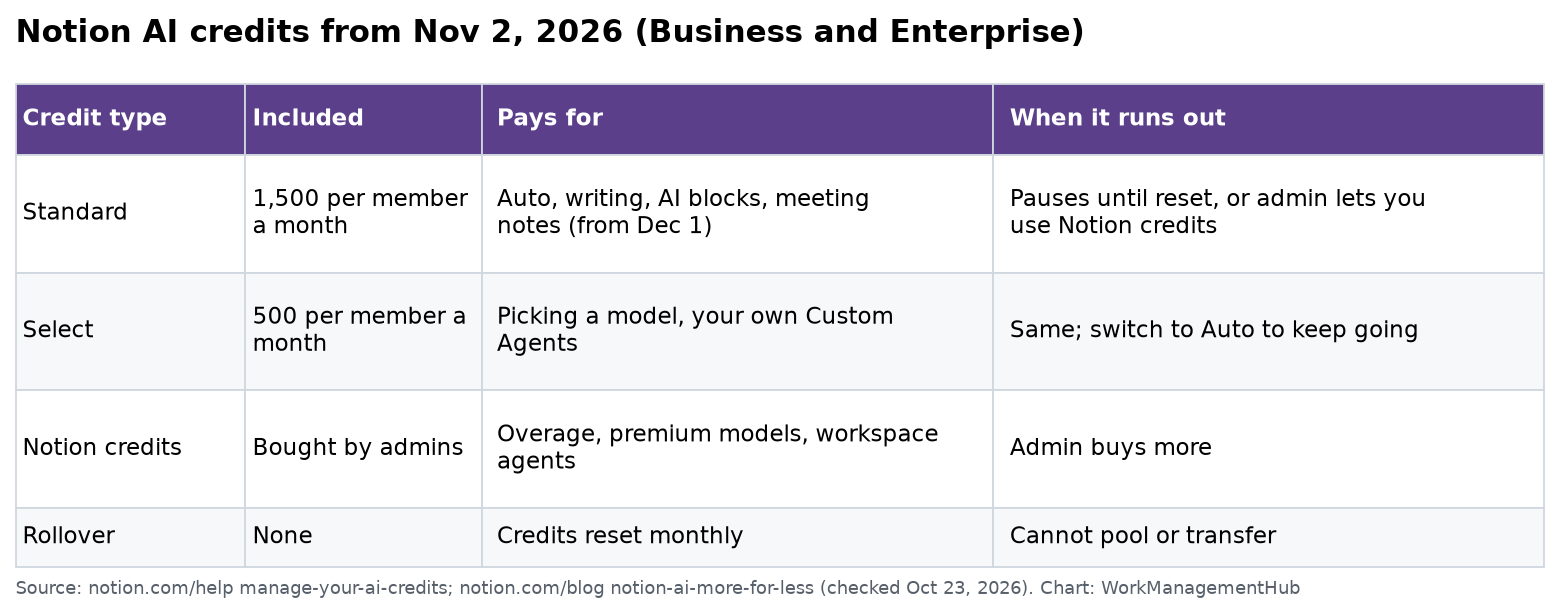
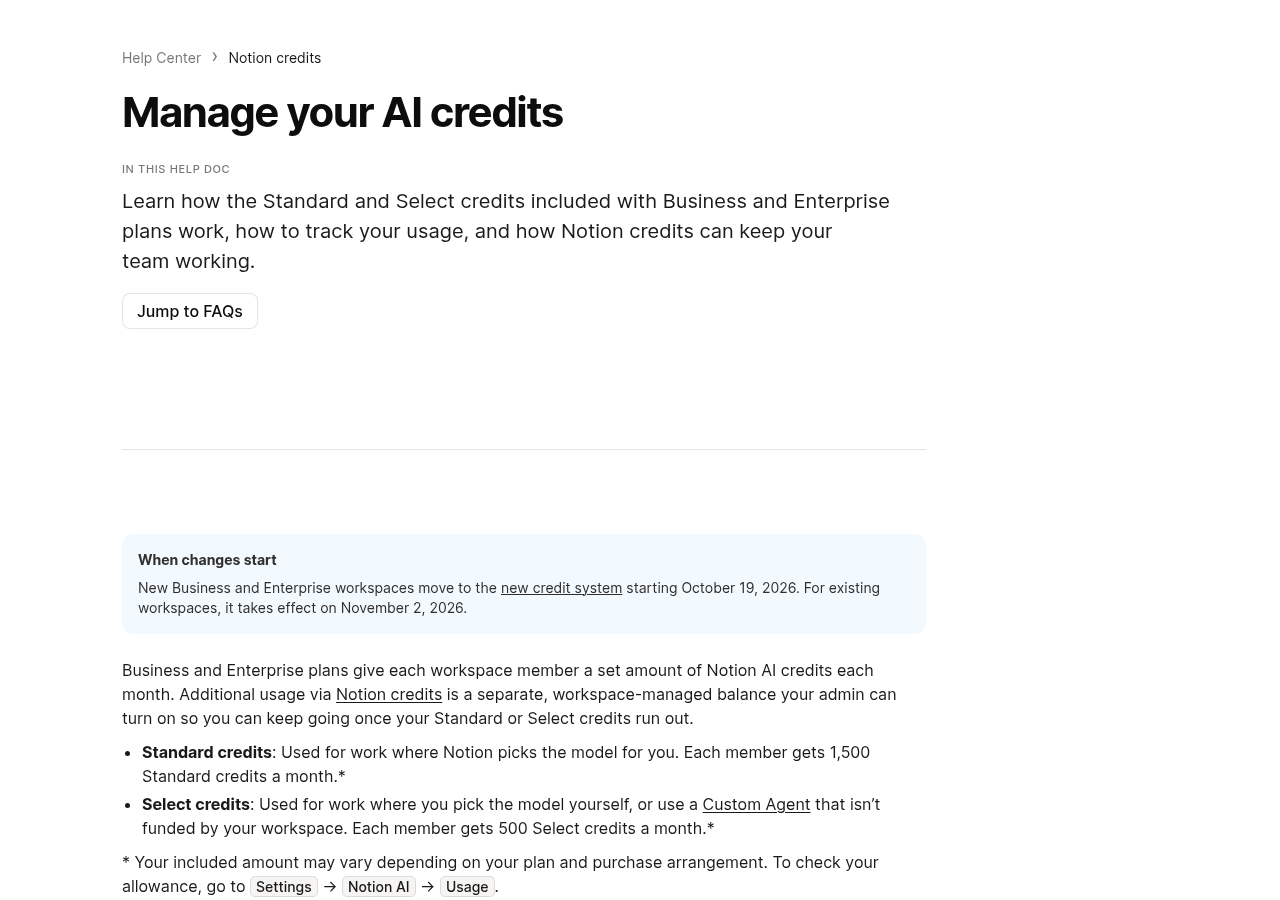
On November 2, 2026, every existing Notion Business and Enterprise workspace moves to a new AI credit system. Each member gets 1,500 Standard credits and 500 Select credits a month. Standard credits pay for work where Notion picks the model, and Select credits pay for picking a model yourself or running your own Custom Agents. Credits reset monthly, don’t roll over and can’t be shared. When they run out, AI pauses unless an admin turns on paid Notion credits.
New workspaces have been on this system since October 19, 2026, when Notion announced it with a big agent update. I read Notion’s October 19 release notes, its blog post Notion AI: more for less and the help page Manage your AI credits on October 23, 2026. This change matters for US teams because Business is the plan most companies buy for Notion AI, listed at $20 per seat a month on Notion’s pricing page.
What changes and when
| Date | What happens |
|---|---|
| October 19, 2026 | New Business and Enterprise workspaces start on the new credit system |
| November 2, 2026 | Existing Business and Enterprise workspaces switch over |
| December 1, 2026 | AI Meeting Notes start counting against Standard credits |
The new allowances apply to Business and Enterprise. Free and Plus plans do not get the monthly Standard and Select credits.
The three kinds of credits
Standard credits (1,500 per member a month). These cover work where Notion’s Auto router picks the model for you. That includes Notion Agent on Auto, chat, writing and translation, AI blocks, AI formulas and inline editing, and AI Meeting Notes from December 1.
Select credits (500 per member a month). These cover choosing a specific model yourself in Notion Agent, and running Custom Agents that you set up for your own use.
Notion credits (bought by the workspace). These are a shared balance that admins buy and manage. They cover use beyond your included credits if an admin allows it, high-cost models such as Fable and Astra, Custom Agents funded by the workspace, and agents run through the Notion API or a connected app.
Standard and Select credits are separate pools. Using one does not touch the other, you can’t combine them, and you can’t give yours to a teammate. Your exact allowance may vary by contract, and you can see it under Settings, then Notion AI, then Usage.
How far 1,500 credits go
Notion publishes estimates of how many credits common tasks use. Here they are, with the number of tasks a single member’s monthly Standard credits would cover.
| Task size | Examples from Notion | Credits on Auto | Credits on Opus 5.5 | Tasks per 1,500 on Auto |
|---|---|---|---|---|
| Simple | Polish an email, translate a message | 5 | 50 | 300 |
| Medium | Write a work report, summarize a 1-hour meeting | 10 | 85 | 150 |
| Complex | Draft a performance review, set up a database | 25 | 150 | 60 |
The math shows why Auto matters. A simple task on Auto uses one tenth of the credits it would use on a top model you pick yourself. Notion says its new Auto router cuts the cost of a typical task by about 90%, so credits go about 10 times further. Your real use will vary with the length of the page or thread the agent has to read.
A one-hour meeting is estimated at about 10 Standard credits. A person with 5 hours of recorded meetings a week would use about 200 credits a month on meeting notes alone from December 1.
What else came with the October 19 update
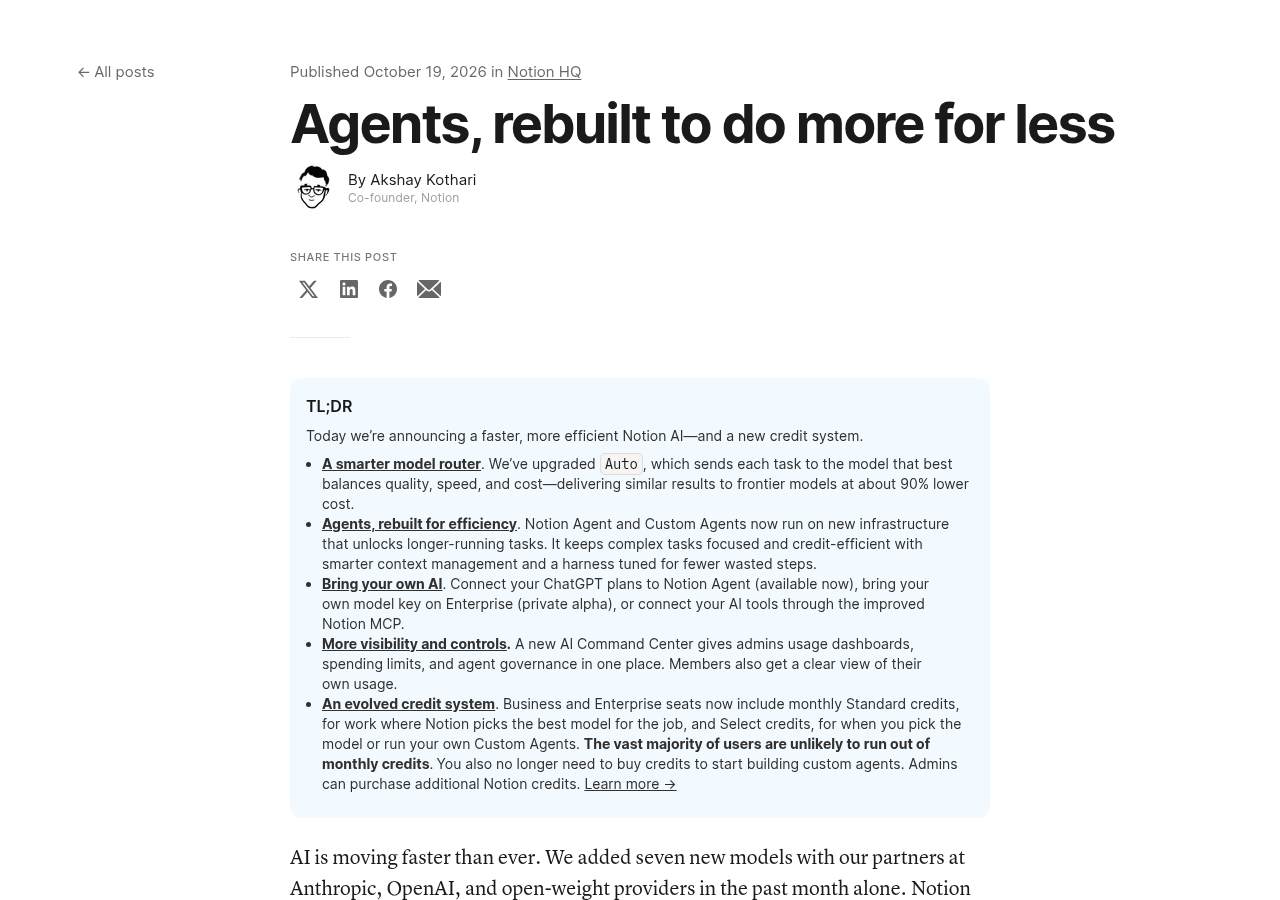
The credit change arrived with a large agent update. According to Notion’s release notes and blog:
- Agents can now work on a single task for more than 24 hours, up from five minutes.
- People with ChatGPT Plus, Pro or Go can connect that account to their personal Notion Agent.
- Bring your own model key is in private alpha for Enterprise.
- The Notion MCP server was rebuilt, and an AI Command Center for admins is coming soon.
Pros and cons of the new system
Pros
- Clear monthly allowances per person, shown in one usage page.
- Auto makes everyday tasks much cheaper in credits.
- Admins can set a paid overflow instead of hard stops.
- Heavy users of premium models are paid for by the workspace, not hidden in everyone’s seat price.
Cons
- Credits don’t roll over, so a quiet month is lost.
- You can’t pool or move credits, so a power user can run out while others have plenty left.
- Picking a model yourself burns through 500 Select credits fast.
- Meeting notes start using credits on December 1, which could surprise teams that record many calls.
- When credits run out with no overflow, work pauses in the middle of the month.
What admins should check before November 2
- Open Settings, then Notion AI, then Usage, and look at who uses AI the most today.
- Decide whether members may continue on Notion credits when they run out, and set a budget.
- Tell your team to leave Notion Agent on Auto unless a task really needs a specific model.
- Move shared Custom Agents to workspace funding if they serve the whole team, so they don’t drain one person’s Select credits.
- Estimate meeting-note use for heavy meeting users before December 1.
- Check any agent you run through the API or a connected app, because those always use workspace Notion credits.
Who this affects most
Teams of 10 to 200 people on Business will feel it most. Most members will likely stay well inside 1,500 Standard credits if they use Auto. The people to watch are power users who pick models by hand, people who run their own Custom Agents, and anyone who records many meetings.
Related guides
- Notion pricing 2026
- Notion AI 2026 complete guide
- Notion 3.8 update, October 2026
- Notion vs Coda 2026
- monday.com vs Notion 2026
Common questions
When does the new Notion AI credit system start?
New Business and Enterprise workspaces started on October 19, 2026. Existing ones switch on November 2, 2026.
How many AI credits do I get on Notion Business?
Each member gets 1,500 Standard credits and 500 Select credits a month. Your contract may differ, so check Settings, then Notion AI, then Usage.
Do unused Notion AI credits roll over?
No. Standard and Select credits reset each month, and unused credits are lost. You also can’t transfer them to another member.
What happens when I run out of credits?
AI work pauses until next month, unless your admin lets you continue using the workspace’s paid Notion credits.
Do AI Meeting Notes use credits?
Yes, from December 1, 2026. They use Standard credits, at about 10 credits for a one-hour meeting.
Is Notion Plus affected?
The new monthly allowances apply to Business and Enterprise. Free and Plus do not get Standard and Select credits.
Sources
- Notion release notes, October 19, 2026 (checked Oct 23, 2026)
- Notion blog: Notion AI, more for less (checked Oct 23, 2026)
- Notion Help: Manage your AI credits (checked Oct 23, 2026)
- Notion Help: Standard, Select and Notion credits, eligible features (checked Oct 23, 2026)
- Notion pricing (checked Oct 23, 2026)
Sponsored