Notion 3.8 Update (October 2026): Column Permissions, MCP, ChatGPT Plans and the October 30 Jira Sync Deadline

Notion 3.8 shipped on October 13, 2026. The parts most teams will feel are column permissions for databases, MCP connections for agents, the option to pay for Notion AI with a ChatGPT plan, and rebuilt syncs for GitHub, Jira and Salesforce. If your team syncs Jira into Notion, act now: the old Jira sync stops updating after October 30.
Here is what each change does, who can use it, and the limits buried in Notion’s help docs. Sources: the Notion 3.8 release notes, plus help pages on property access, using a ChatGPT plan, database syncs, Jira sync and Notion MCP, all checked on October 16, 2026.
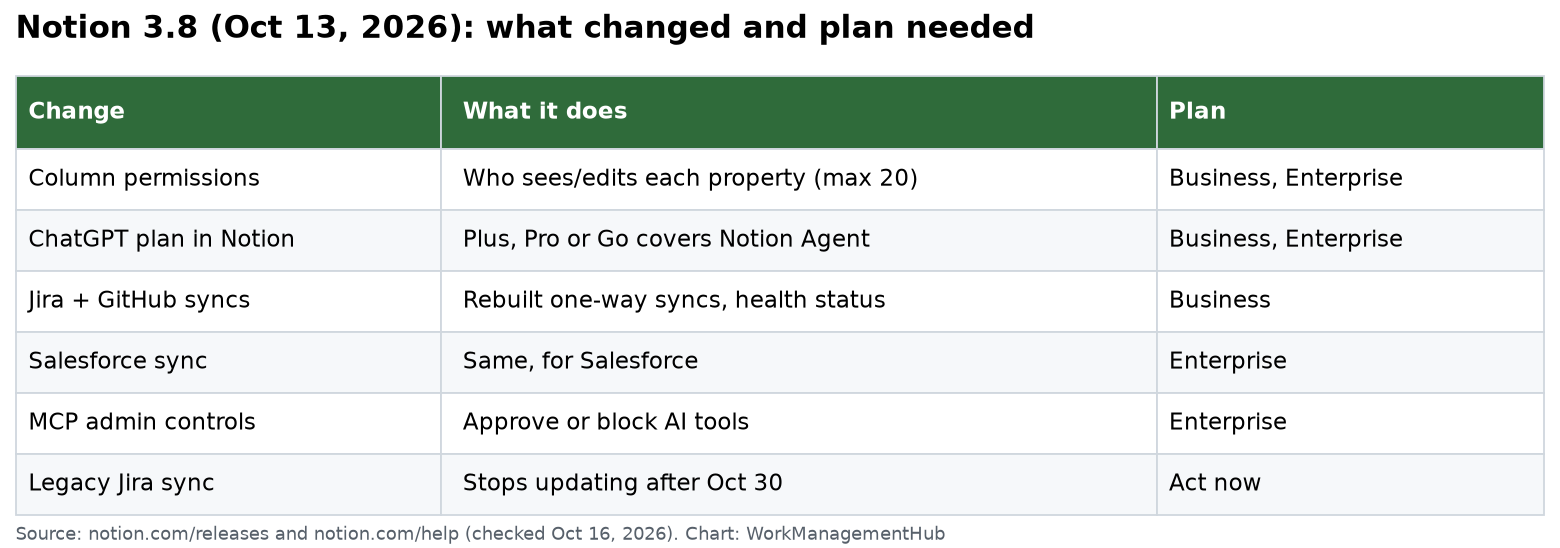
Notion 3.8 at a glance
| Change | What it does | Plan needed |
|---|---|---|
| Column permissions | Control who sees or edits each database property | Business or Enterprise |
| ChatGPT plan in Notion | Use ChatGPT Plus, Pro or Go to cover Notion Agent use | Business or Enterprise |
| Rebuilt Jira and GitHub syncs | Faster one-way syncs with a live health status | Business |
| Salesforce sync | Same, for Salesforce accounts | Enterprise |
| MCP admin controls | Approve or block AI tools that connect | Enterprise |
| MCP for Notion Agents | 150+ tool connections | Not stated in the release |
| Version history upgrade | Highlighted edits and who (or which agent) made them | Not stated in the release |
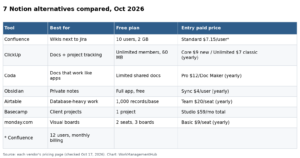
For reference, the Notion pricing page showed Plus at $10 and Business at $20 per member a month on October 16, 2026. Agent use beyond the free trial costs $10 per 1,000 Notion credits. Our Notion pricing guide explains the plans.
Action item: move your Jira sync by October 30
Notion’s Jira help page says the new Jira integration replaces the legacy version. You need to set up new syncs by October 30. Old synced databases stay in Notion, but they stop updating after that date.
What to know before you switch:
- It is one-way. Data flows from Jira to Notion. Synced properties are read-only in Notion. Make changes in Jira.
- Plan: managed Jira and GitHub syncs need Business (or the mobile Business option). Salesforce needs Enterprise. Lower plans can connect an account, but can’t create or resume a sync.
- Pick a history window with care. You can sync all history or only items updated in the last 30, 90 or 365 days. The window uses the last update time, not the creation date.
- A window can delete pages. When an item falls outside the window, its Notion page is removed, along with any Notion-only notes on it. An open Jira item that nobody touched for 91 days leaves a 90-day sync.
- Permissions: synced databases start private. Once shared, Notion permissions control who sees the data. Jira permissions are not checked for each Notion viewer.
My advice: choose all available history unless the database is huge. Then add your own Notion properties (like a team priority) on top. Those values stay in Notion.
Column permissions: the big one for HR and sales
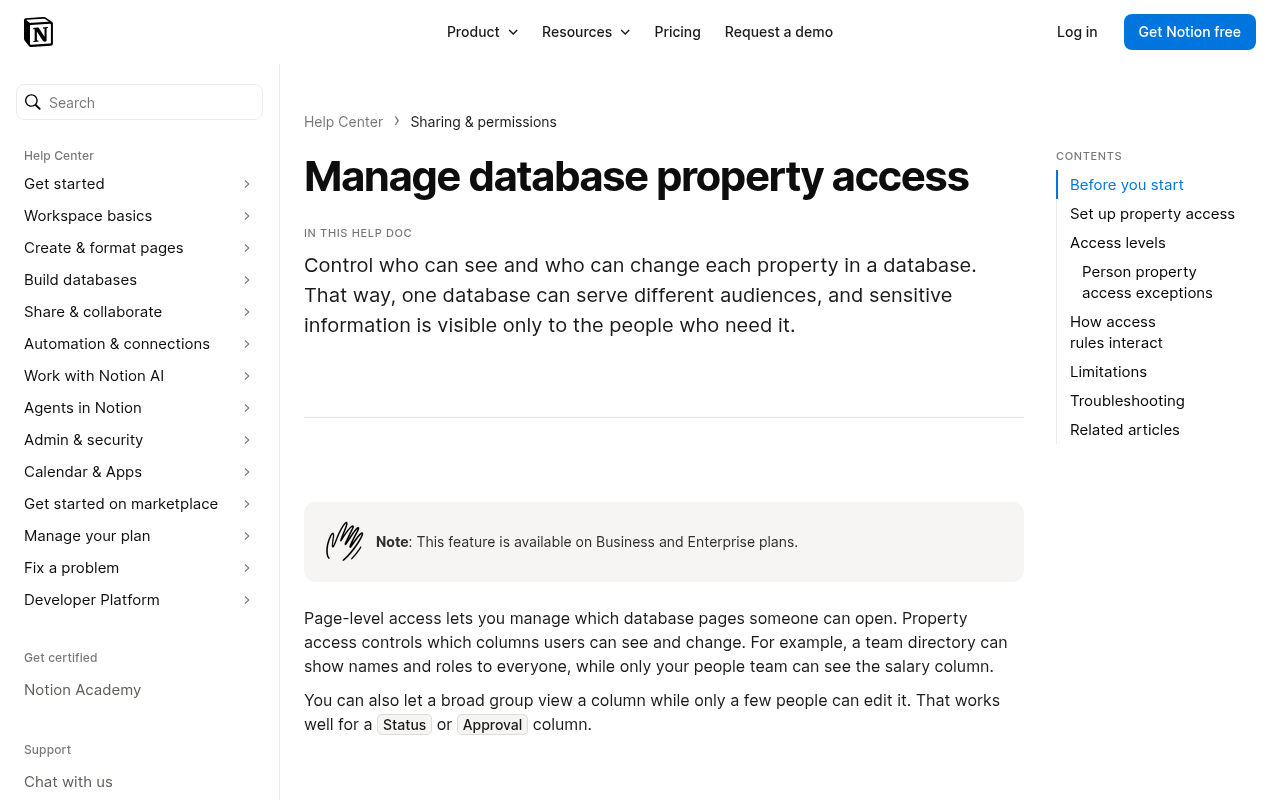
Database owners can now set who can view or edit each property (column). A team directory can show names and roles to all, while only the people team sees salary.
The six access levels:
- Full access: follows the person’s database access.
- Can edit property and values.
- Can edit values only.
- Can see the column, but not values.
- Can view.
- Hidden: column and values are gone for that person.
Rules from the help page that will trip people up:
- Business or Enterprise only. Max 20 properties with rules.
- Set rules on web or desktop, not mobile. Rules still apply on mobile.
- People with Full access to the database are never restricted by a column rule. Test with someone else.
- A column rule never grants access to a page someone can’t already open.
- If a person matches more than one exception, the least restrictive one wins.
- A view that filters, sorts or groups by a hidden column may not open for that person.
- Not available in wiki databases. Some synced and relation properties can’t be restricted.
- Agents follow the user’s access. If the user can’t see a column, Notion AI may say the column “does not exist.”
If a column is still visible to someone after you restrict it, check their database access level first. Our Notion permissions fixes cover the page-sharing side.
Use your ChatGPT plan in Notion
If your workspace is on Business or Enterprise and you pay for ChatGPT Plus, Pro or Go, you can connect it so Notion Agent uses your ChatGPT plan. Notion says it adds no markup.
The fine print:
- Each person connects their own ChatGPT account. Guests can’t.
- Your ChatGPT plan is used only when you pick a specific GPT model. Auto or non-GPT models use the Notion plan.
- It does not work with Custom Agents.
- If you run out of ChatGPT usage, Notion asks you to switch to the workspace plan, then switches back later.
- Notion says its own AI data terms still apply, and these chats don’t show in ChatGPT history.
- Admins see connect and disconnect events in audit logs, but not usage volume.
MCP: any agent in, 150+ tools out
Two MCP changes landed:
- Outside agents can connect to Notion through MCP to read workspace context and update docs and trackers. The release says admins can see who connected each AI tool, when it was last used, and revoke one person’s access.
- Notion Agents can use 150+ MCP connections to other tools, like pulling HubSpot pipeline data into an account brief.
One gap to note. Notion’s MCP help page (checked the same day) says detailed visibility into which users use each tool is not yet available, and that old tokens for removed tools can’t be revoked, though calls from unapproved tools are blocked. The help page and release notes may update at different speeds. If this matters for your security review, test it in your workspace. MCP admin controls are an Enterprise feature.
For building agents on top of Notion, see our Notion Workers for agents guide.
Smaller changes worth knowing
- Version history: clearer records across pages and databases, with highlighted edits and who made each change, including agents.
- Skills: write a skill once in Notion and sync it to other agents.
- Seven new AI models added to the model picker.
- Connections settings redesigned. Admins can allow only tools verified by Notion, or tools they pick.
- Microsoft Teams notifications: get Notion mentions, comments and access requests in Teams and reply there.
Our Notion AI guide covers the AI features in more depth.
What to do this week
- Jira users: rebuild your Jira sync before October 30. Pick the history window on purpose.
- HR, finance and sales databases: list which columns are sensitive. Add column rules (up to 20) and test with a non-admin.
- ChatGPT payers on Business: connect your account, then pick a GPT model when you want it to bill there.
- Enterprise admins: review the approved MCP tools list.
Common questions
When did Notion 3.8 come out?
October 13, 2026.
Which plan has Notion column permissions?
Business and Enterprise. You can set rules on up to 20 properties per database.
What happens to my old Jira sync after October 30?
The existing Notion databases stay, but they stop updating. Set up a new sync before then.
Can I use ChatGPT Plus to pay for Notion AI?
Yes, on Business or Enterprise workspaces, for Notion Agent sessions where you pick a GPT model. It does not work with Custom Agents.
Are Notion’s new Jira and GitHub syncs two-way?
No. They are one-way from the source tool into Notion, and synced properties are read-only.
Checked against notion.com/releases/2026-10-13 and Notion Help Center pages (property access, ChatGPT plan, database syncs, Jira, Notion MCP) and notion.com/pricing on October 16, 2026.
Sponsored