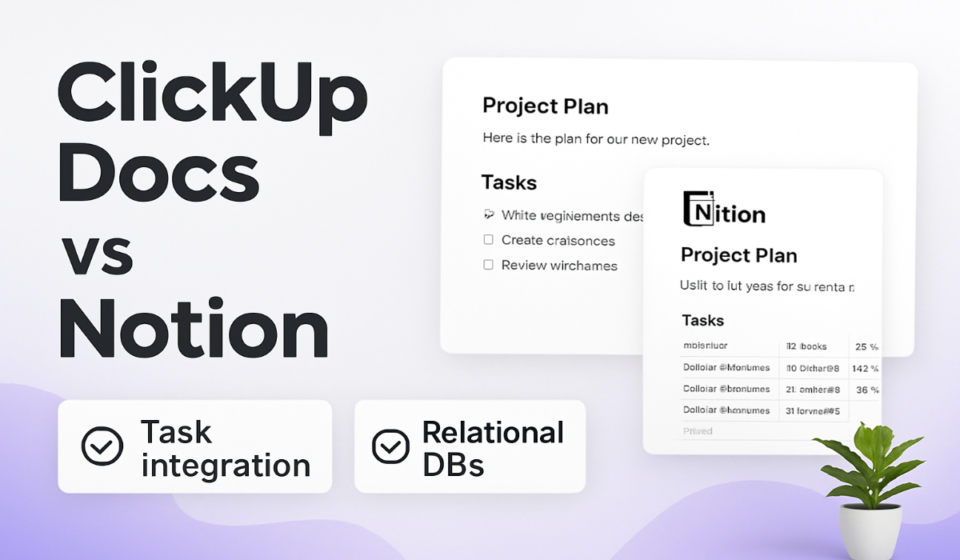

- Notion wins on knowledge base depth, database flexibility, and document-centric workflows — purpose-built for teams that live in documents and want tasks adjacent to their content.
- ClickUp Docs wins on task integration — when documentation needs to be directly linked to, generated from, or actionable within your project workflow, Docs is significantly more powerful.
- The “ClickUp for projects, Notion for docs” split common in 2023–2024 is increasingly unnecessary as ClickUp Docs has matured significantly through ClickUp 4.0.
- ClickUp Brain’s AI doc generation is more workflow-aware; Notion AI is stronger for standalone document creation and summarization without a project context.
- Migrating from Notion to ClickUp Docs is technically possible but Notion’s relational database properties don’t export cleanly — budget time for manual cleanup.
For three years, the standard advice was to use ClickUp for project management and Notion for documentation. In 2026, that advice needs revisiting. ClickUp’s investment in Docs through the 4.0 release has narrowed the gap that justified running both tools simultaneously for many teams. This comparison is about understanding the architectural difference between them and what that means for your specific workflow.
The Core Architectural Difference That Determines Everything
Notion is a document database. Everything in Notion is a page, pages can contain databases, and databases can contain pages. This recursive structure is extraordinarily flexible for building knowledge systems. The task layer is built on top of this document model.
ClickUp is a task graph with documents attached. Tasks are the primary objects; Docs are a feature layer that can reference and be referenced by tasks. The document model is solid, but it’s designed to serve the workflow — not to be the workflow itself. This distinction drives every other difference in the comparison.
Where ClickUp Docs Genuinely Wins
Task-document integration is the standout capability. In ClickUp, you can create tasks directly from highlighted text in a Doc, link Docs to specific tasks, embed task lists inside documents, and use Docs as the hub for project briefs that automatically pull live task status. None of this exists in Notion in any meaningful way. For teams running client projects or product launches where documentation and task execution are tightly coupled, this integration saves significant context-switching.
✅ ClickUp Docs Advantages
- Bidirectional task-doc linking: Docs reference live task data; tasks link back to the docs that inform them.
- Unified search: One search returns tasks, docs, comments, and attachments — no context-switching between search interfaces.
- Permission inheritance: Doc permissions follow Space/Folder/List hierarchy — less configuration overhead than Notion’s per-page sharing.
Where Notion Is Still the Stronger Choice
Notion’s relational database model has no peer for building structured knowledge systems. The ability to create a database of products, link it to customer feedback, which links to engineering tickets, which links back to a product roadmap — all with bi-directional relations, rollup formulas, and filtered views — is a genuinely powerful capability that ClickUp Docs doesn’t replicate. For teams whose primary work product is documentation — research teams, content teams, knowledge management functions — Notion is the right default.
✅ Notion Advantages
- Relational databases: Link any database to any other with bi-directional relations — ClickUp has no equivalent.
- View flexibility: Table, board, gallery, calendar, list, timeline, chart views on any database.
- Public sharing: Notion pages publish as clean public URLs — better for external documentation and client portals.
AI Capabilities: ClickUp Brain vs. Notion AI
ClickUp Brain is deeply integrated with the task graph — it can summarize a project’s task status across a Doc, generate a meeting agenda from assigned tasks, or create a follow-up task from a Doc action item. The AI understands project context because it has access to all the task data. Notion AI is stronger for pure document work: summarizing long pages, translating content, generating structured outlines, and writing standalone documents from scratch. It doesn’t have the task-awareness that makes ClickUp Brain useful for project-adjacent documentation.
Head-to-Head Feature Comparison
Which Tool Fits Which Team
Use ClickUp Docs if: your team already uses ClickUp for project management and you want documentation that lives inside the same tool as your tasks. Engineering teams writing technical specs that reference tickets, agencies managing client deliverables with linked project plans — all benefit from ClickUp Docs’ deep task integration.
Use Notion if: documentation is the primary work product, not a support layer. Research teams, content operations, HR knowledge bases, L&D teams, and any organization that needs to build relational information systems without engineering resources.
Consider both only if: you have genuinely distinct use cases — for example, engineering in Jira and Notion for documentation, while ops manages projects in ClickUp. The bar for adding Notion to an existing ClickUp org should be “the relational database feature is load-bearing for our business” — not “Notion looks nicer.”
FAQ
ClickUp can import Notion exports in Markdown/HTML format, but Notion’s database properties and relational links don’t carry over — they become flat text. Budget time for manual cleanup, especially for database-heavy Notion workspaces.
Notion has a Tasks database type with assignee, date, and status properties, but it lacks dependencies, time tracking, subtasks, and workload views. For teams that need serious task management, Notion’s task layer is a supplement, not a replacement for dedicated PM tools.
📚 Related Reading on WorkManagement Hub
🎯 Expert Bottom Line
The “ClickUp for tasks, Notion for docs” split made sense in 2022. In 2026, ClickUp 4.0’s Docs investment has eliminated most of the gaps that justified the dual-tool approach for teams already inside ClickUp. If documentation supports your project work, consolidate onto ClickUp Docs. If documentation IS your work product — structured knowledge bases, relational systems, public wikis — Notion is still the stronger tool. The worst outcome is running both out of inertia: two sets of documentation, two subscriptions, two places to search. Make a deliberate choice and commit.
Sponsored