
Formulas 2.0 replaced Notion’s old single-line, text-flattening formula language with a multi-line editor, local variables (let / lets), rich return types and the ability to pull properties off related pages without a rollup first. Old formulas mostly still run – Notion auto-converted many of them – but several patterns now return lists where you used to get plain text, and that’s where migration pain starts.
I implement work-management platforms for a living (my firm, SSPM, is a Smartsheet partner). Everything below is checked against Notion’s Formulas 2.0 guide and formula syntax on October 9, 2026.
The short answer
- Use
let/letswhenever you filter the same relation twice. - Prefer
prop("Tasks").filter(...)over a rollup + formula pair when you need a calculated view of related pages. - If a migrated formula looks ugly (
prop("Person").map(current.format()).join(", ")), that was Notion preserving old text output – delete the conversion when you want rich people/page outputs. - Formulas still cannot write to other properties or other databases. Automations and Notion AI Autofill cover that job.
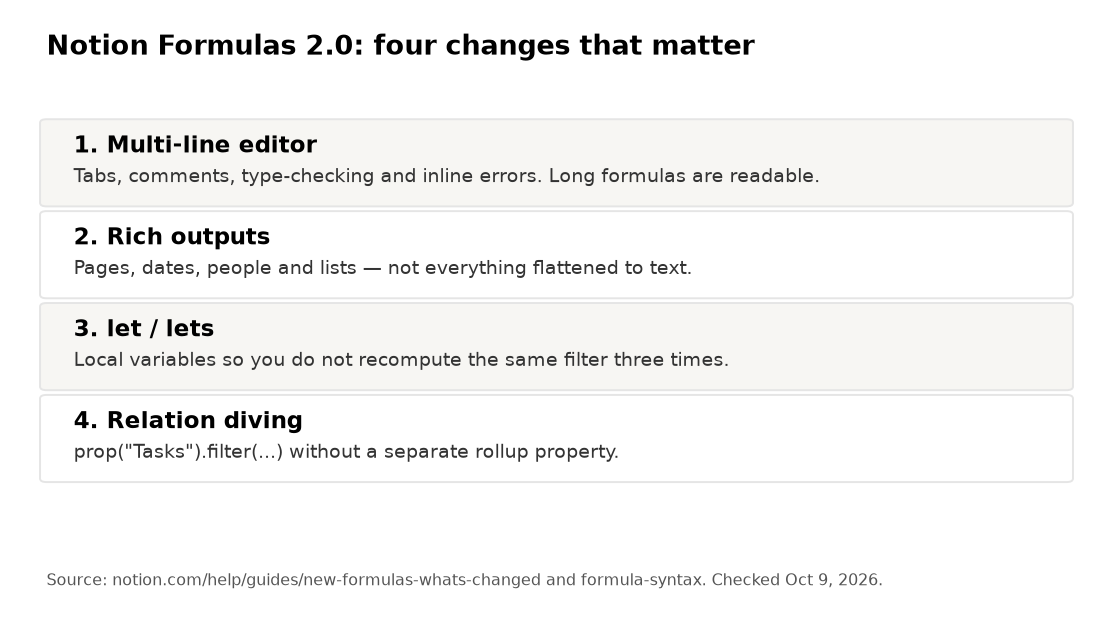
What actually changed from 1.0
- Multi-line editor with tabs, comments, type-checking and inline errors.
- Rich outputs: pages, dates, people and lists – not everything forced to text.
let/letsfor local variables (same idea as JavaScriptlet).- Relation diving: read related-page properties with
current.prop("Status")insidefilter/map.
Notion also expanded date helpers, style(), match(), ifs() and list tools (filter, find, some, every, flat, …). The full function list lives on the syntax page.
Why prop() references feel different
People, relations, multi-selects and similar properties now return lists (or rich objects), not pre-joined text. During migration, Notion wrapped many existing formulas so the displayed output stayed texty. Example from Notion’s own guide: old prop("Person") (text names) became something like prop("Person").map(current.format()).join(", ").
If you want the rich type – for example to keep people chips clickable – remove the .map(...).join(...) wrapper and return prop("Person") directly.
Person fields also expose .name() and .email():
prop("Created By").email()
prop("Assignee").map(current.name()).join(", ")
Syntax essentials before anything complex
| Idea | Example |
|---|---|
| Property | prop("Status") |
| Compare | prop("Priority") == "High" |
| Lists | prop("Tags").includes("Finance") |
| Filter relation | prop("Tasks").filter(current.prop("Status") == "Done") |
| One variable | let(tax, prop("Subtotal") * 0.099, prop("Subtotal") + tax) |
| Several variables | lets(a, "Hello", b, "world", a + " " + b) |
| Multi-branch if | ifs(cond1, "A", cond2, "B", "C") |
| Empty check | empty(prop("Due")) |
Empty treats 0, "" and [] as empty. Ternary cond ? a : b works alongside if().
Seven formulas worth copying
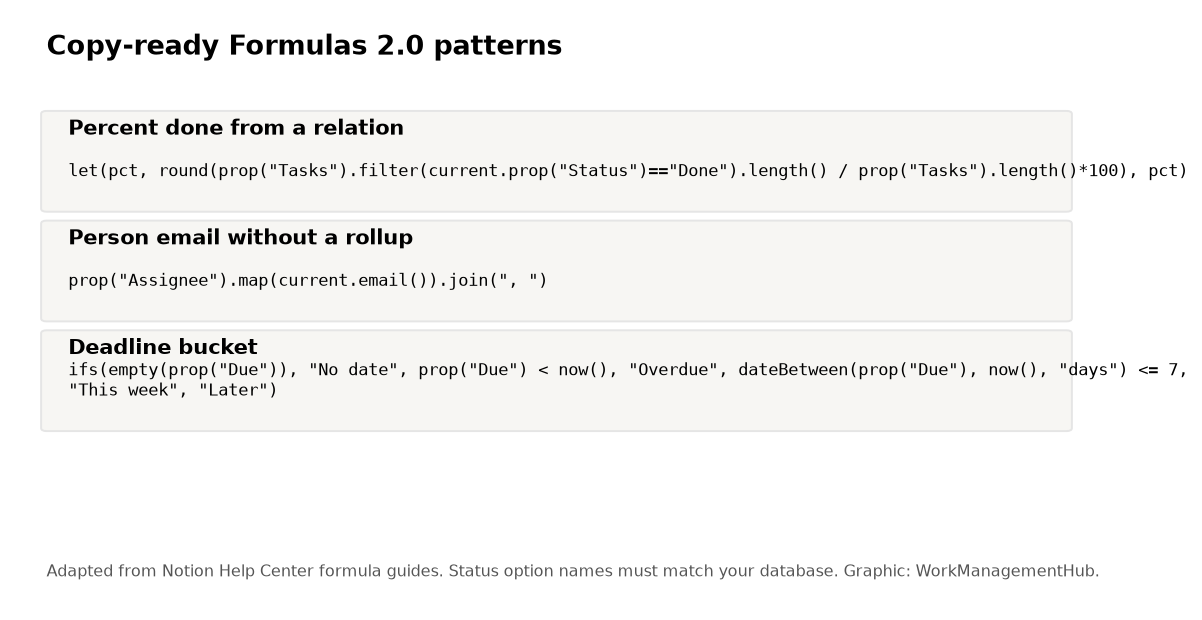
Adapt property and select-option names to your workspace. Status options especially must match exactly.
1. Percent complete from a Tasks relation
let(
pct,
round(
prop("Tasks").filter(current.prop("Status") == "Done").length()
/ prop("Tasks").length()
* 100
),
pct
)
Traffic-light variant (from Notion’s own Formulas 2.0 guide pattern):
let(
percentComplete,
round(
prop("Tasks").filter(current.prop("Status") == "Done").length()
/ prop("Tasks").length()
* 100
),
ifs(
percentComplete == 100, "✅ All tasks complete",
percentComplete > 0, "⚠️ In progress (" + percentComplete + "%)",
"❌ Not started"
)
)
2. Deadline bucket
ifs(
empty(prop("Due")), "No date",
prop("Due") < now(), "Overdue",
dateBetween(prop("Due"), now(), "days") <= 7, "This week",
"Later"
)
3. Text progress bar
lets(
done, prop("Tasks").filter(current.prop("Status") == "Done").length(),
total, prop("Tasks").length(),
filled, total == 0 ? 0 : round(done / total * 10),
repeat("█", filled) + repeat("░", 10 - filled) + " " + done + "/" + total
)
4. Assignee name and email without a rollup
lets(
names, prop("Assignee").map(current.name()).join(", "),
emails, prop("Assignee").map(current.email()).join(", "),
names + " <" + emails + ">"
)
5. Flag tasks whose assignee left the People property empty
empty(prop("Assignee")) ? "Unassigned" : "Assigned"
Or, if you maintain an Active checkbox on a People database related in:
prop("Assignee").filter(current.prop("Active") == false).length() > 0
? "Inactive assignee"
: "OK"
6. Weighted priority score
lets(
impact, prop("Impact"),
urgency, prop("Urgency"),
effort, prop("Effort"),
round(impact * 0.5 + urgency * 0.3 + (10 - effort) * 0.2, 1)
)
7. First matching tag with find
prop("Tags").find(current == "Blocked")
Returns empty when nothing matches – pair with empty(...) if you want a boolean.
Migrating old formulas and debugging
- Open the formula → check the type chips Notion shows for each sub-expression.
- If you expected text and got a list, add
.map(current.format()).join(", ")(or.name()for people). - If you expected a list and got text, remove the migration wrapper.
- Divide-by-zero: guard with
prop("Tasks").length() == 0 ? 0 : .... - Select comparisons are exact strings. Renaming a status breaks formulas silently.
Formulas still can’t reach a property on an unrelated database with no relation path. Link the databases first; see our relations and rollups guide. For broader workspace setup, use the Notion project management setup guide. Seat and AI plan gates are in Notion pricing and the Notion AI 2026 guide.

What formulas still can’t do
- Write values into another property or another database (use automations or AI Autofill).
- Cross-query unrelated databases with no relation.
- Replace a proper BI tool for heavy analytics – chart views help, but they’re not a warehouse.
- Stay readable if you avoid
letand nest fivefilters inline. Use variables.
FAQ
Do my old Notion formulas still work after 2.0?
Yes, with automatic conversion for many property types so the visible output stays text-compatible. You can simplify them once you want rich types.
Why does my formula return a list instead of text?
People, relations and multi-selects are lists in 2.0. Join them explicitly, or return the list if the property panel should show rich tokens.
Can formulas reference a property in a completely separate database?
Only through a relation (or a rollup built on one). There is no arbitrary cross-database lookup.
Rollup vs prop("Relation").filter(...)?
Rollups are simpler for single aggregations you want as their own column. Formulas win when you need conditional logic, variables or multiple calculations without polluting the schema with rollup properties.
How do I see what type a piece of my formula returns?
Use the 2.0 editor’s type hints and error highlighting while you select sub-expressions. That’s the main reason the multi-line editor exists.
Syntax checked against Notion Help Center on October 9, 2026. Option names in examples are placeholders – match your database.
Sponsored