Notion AI in 2026: Agents, Autofill, Credits and What Actually Costs Money
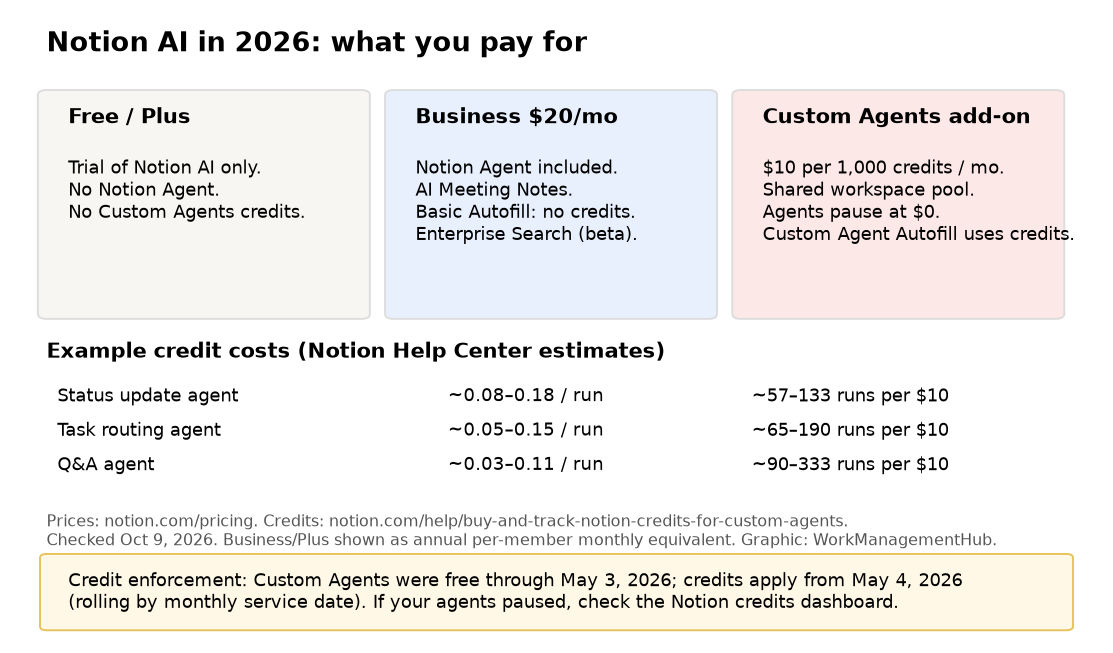
Notion AI in 2026 is not the 2024 writing assistant. Business plans include Notion Agent, AI Meeting Notes and (in beta) Enterprise Search. Custom Agents are a separate, usage-metered add-on at $10 per 1,000 Notion credits per month. Free and Plus still only get a trial.
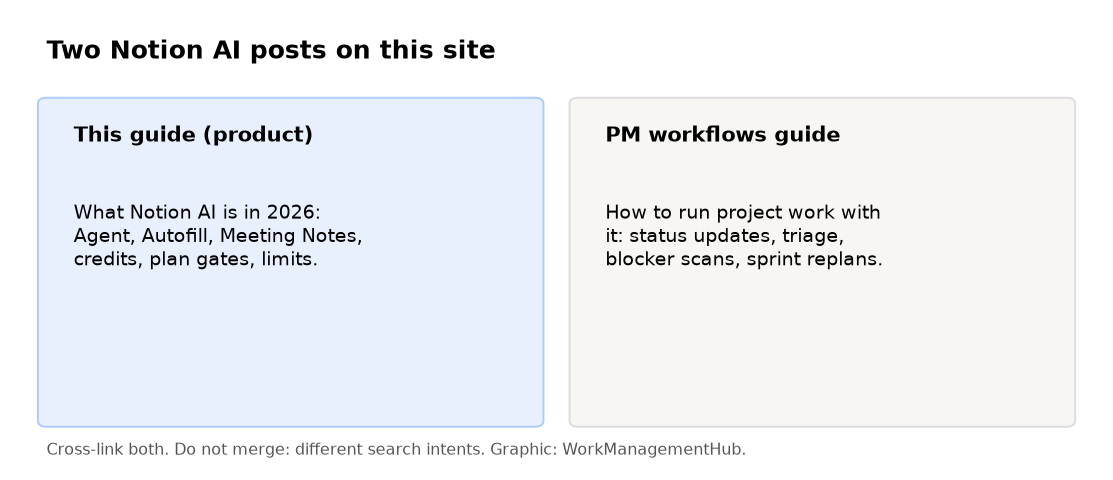
This page is the product and pricing guide: what each feature is, which plan gates it, and how credits work. For project-management playbooks (status updates, triage, blocker scans), use our separate Notion AI for project management guide – different intent, deliberately not merged.
I implement work-management platforms for a living (my firm, SSPM, is a Smartsheet partner). Figures below are from notion.com/pricing and Notion’s credits help pages, checked October 9, 2026.
The short answer
- Need Agent + Meeting Notes for the whole team? Budget Notion Business at $20 per member/month (annual pricing as shown on Notion’s site).
- Need always-on Custom Agents? Add credits: $10 per 1,000 / month, shared across the workspace. Agents pause when credits hit zero.
- Only dabbling? Free/Plus trial is enough to evaluate. You will not get full Agent.
- Database Autofill: Basic Autofill on Business/Enterprise uses no credits. Custom Agent Autofill does.
What you get by plan
| Capability | Free / Plus | Business ($20/member/mo annual) | Enterprise |
|---|---|---|---|
| Notion AI trial | Yes (limited) | Full Notion Agent | Full + zero data retention with LLM providers |
| Notion Agent (chat, generate, translate, autofill) | Trial only | Included | Included |
| AI Meeting Notes | Trial / not full | Included | Included |
| Enterprise Search | No | Beta | Yes |
| Custom Agents | No | Add-on (credits) | Add-on (credits) |
| Basic Autofill | Trial | Included, no credits | Included, no credits |
| Custom Agent Autofill | No | Uses credits | Uses credits |
Plus is $10 per member/month on the pricing page; Business is $20. Enterprise is custom. Guests remain free but only see pages they’re invited to.
Notion Agent vs Custom Agents
Notion Agent is the assistant you chat with inside Notion: draft pages, fill properties, translate, answer questions with workspace context. On Business it’s part of the seat.
Custom Agents are the always-on automations: scheduled or triggered runs that can read databases, create tasks, draft updates and call tools. They left beta with usage-based pricing. Notion’s own framing: a flat seat fee would make light users subsidize heavy automation, so credits scale with work done.
Credit usage goes up when the agent reads more, takes more steps, runs more often, or uses a heavier model. Notion recommends Auto model selection for most cases.
New credit system: Existing Business and Enterprise workspaces moved to Standard and Select credits on November 2, 2026, and AI Meeting Notes start using credits on December 1. See our Notion AI credits change guide for the numbers.
What credits cost in practice
Notion publishes example ranges (help center, checked Oct 9, 2026):
| Example agent | Cost per run (approx.) | Runs per $10 (1,000 credits) |
|---|---|---|
| Q&A | $0.03–$0.11 | ~90–333 |
| Task routing | $0.05–$0.15 | ~65–190 |
| Status update | $0.08–$0.18 | ~57–133 |
| Mail triage | $0.04–$0.10 | ~100–250 |
| Daily brief | $0.10–$0.30 | ~33–100 |
A status-update agent at 60 runs/month is roughly $4.80–$10.80. Your dashboard after a few real runs beats any table.
When credits run out: Custom Agents pause until the monthly reset or an admin buys more. Admins get alerts at 80% and 100% usage. Mid-month increases apply immediately; decreases apply next service period.
Important date: Custom Agents ran free through May 3, 2026; credit enforcement started May 4, 2026 on a rolling basis by monthly service date. If agents unexpectedly paused this spring, check the credits dashboard before rebuilding anything.
Autofill, Meeting Notes and Skills
Basic Autofill fills database properties from page context on Business/Enterprise without burning credits. Use it for tidy enrichment (summary, category, owner guess).
Custom Agent Autofill is the heavier path – richer context, more reasoning, uses credits.
AI Meeting Notes lands on Business; treat it as a note-taker that should still be reviewed before it becomes source-of-truth in a client database.
For reusable instructions your team shares across Agent runs, see our Notion Skills library guide. For database structure that AI can actually read, start with linked databases, relations and rollups and the project management setup guide.

New in Notion 3.8 (October 13, 2026): members on Business and Enterprise can now cover Notion Agent use with a ChatGPT Plus, Pro or Go plan when they pick a GPT model. Our Notion 3.8 update guide explains the fine print.
Honest limits
- Free/Plus will not replace a Business seat if Agent is core to the workflow.
- Custom Agents are only as good as the databases and permissions underneath them. Garbage properties in, confident garbage out.
- Credits are workspace-wide. One noisy scheduled agent can pause everyone else’s automations.
- App Store / Google Play billed workspaces cannot buy credits in-product; Notion says to move billing to notion.com first.
- Downgrading to Free/Plus turns Custom Agents off (not deleted). They return if you upgrade again.
- If you need Gantt, resource loading and portfolio rollups as the system of record, look at Smartsheet – that’s my home turf, so weigh the bias. Notion AI won’t turn a docs tool into a full controls platform.
What I’d actually buy
Solo or 3-person trial. Free or Plus. Exhaust the AI trial. Don’t buy Business until Agent is in the daily path.
A 10–40 person product/ops team living in Notion. Business for everyone who edits. Start with Basic Autofill and one Custom Agent (status digest). Buy the smallest credit pack, watch the dashboard for two billing cycles, then right-size.
A company that only needs a wiki with light AI. Plus + trial may be enough. Don’t pay Business seats for people who never open Agent.
Setting up your first Custom Agent
Custom Agents are the part of Notion AI that runs on its own. Per Notion’s Custom Agents help page, you need the Business or Enterprise plan, and you build them on desktop or web.
- Create it. In the sidebar, go to Agents and select +. Describe the job in plain language, start from a template, or choose Create blank and write the instructions yourself.
- Write narrow instructions. Say what goes in, what comes out, and where it goes (“Every Friday, summarize closed tasks in Projects and post the summary to the Weekly Updates page”). Vague instructions waste credits.
- Add triggers. You can run it on a schedule (daily, weekly or monthly, at a set time and time zone), on Notion events (a page added to a database, a property changed, a comment added, an AI meeting note finished) or on Slack events (a message in a channel, an emoji reaction, or a mention). Slack triggers need a Slack admin to connect Slack to the workspace first.
- Limit access. Agents only see the pages, databases and apps you add under Tools and access. Linking a page in the instructions doesn’t grant access. Keep web access off for internal-only jobs.
- Check the activity log after the first few runs. You can see what the agent did and restore an earlier version of its setup.
Start with one weekly report or triage job and watch your credit use for a month before adding more agents. The pricing section above explains how credits are billed.
FAQ
Is Notion AI included in Business?
Yes. Notion’s pricing page lists Notion Agent, AI Meeting Notes and Enterprise Search (beta) on Business. Custom Agents are the credit add-on on top.
Do Autofill columns burn credits?
Basic Autofill does not. Custom Agent Autofill does. Prefer Basic until you have a clear reason for the heavier path.
What happens when Notion credits hit zero?
Custom Agents pause automatically until credits reset or an admin adds more. Premium models pause too. Your main Business subscription keeps running.
Notion AI vs ChatGPT for workspace work?
ChatGPT is stronger as a general reasoner with browsing plugins. Notion Agent wins when the answer has to come from your pages and databases without a separate paste step. Many teams use both.
Plans and credit rules checked against notion.com/pricing and Notion Help Center on October 9, 2026. Confirm in-product before you buy.
From our team: OneSmar for Smartsheet Teams