
How to Set Up Monday.com AI Agents in 2026 (Agent Factory Complete Guide)
- Monday.com relaunched as an AI Work Platform on May 6, 2026 — native AI agents are now built directly into boards, no developer needed.
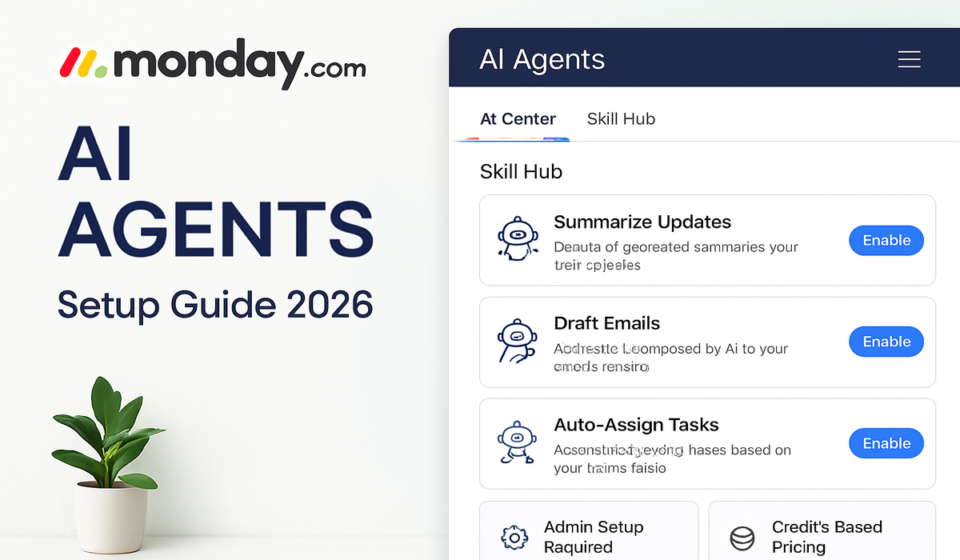
- Agent Factory is the no-code builder where any team member can create, configure, test, and deploy agents in minutes using a plain-language chat interface.
- New seat-plus-credit pricing applies from May 6, 2026: minimum 1,000 AI credits/month on Basic, 2,000 on Standard, 3,000 on Pro — agent credit consumption begins June 8, 2026.
- Pre-built use cases cover lead qualification, campaign drafting, support ticket triage, employee onboarding, and purchase order processing — all running 24/7 without human handoffs.
- Most competitor guides predate the May 2026 relaunch and miss Agent Factory entirely — this guide reflects the current platform as it actually works today.
To set up a Monday.com AI agent in 2026, navigate to My Digital Workforce in your account, click + Create Agent, describe what you want the agent to do in plain language, assign it a board and trigger, test it, then publish. The entire process takes under 15 minutes and requires no technical background.
- What Changed on May 6, 2026: The AI Work Platform Shift
- What Is Agent Factory (and Why It Matters)
- Credit Pricing Explained: What You Are Actually Paying For
- How to Set Up Monday.com AI Agents: Step-by-Step
- 5 High-Impact Agent Use Cases You Can Deploy This Week
- Agent Permissions and Governance: What to Lock Down First
- Credit Consumption Strategy: Avoiding Surprise Overages
- Verdict
- Frequently Asked Questions
What Changed on May 6, 2026: The AI Work Platform Shift
Monday.com’s May 6, 2026 announcement was not a feature update. It was a complete repositioning of what the product is. The company described it as the biggest change in its history: a formal transition from a work management platform to an AI Work Platform where people and agents get work done side by side.
For operations leaders, this distinction matters more than the marketing framing suggests. Previous versions of Monday.com’s AI were bolted-on assistants — they summarized, suggested, and drafted, but humans still had to act. The 2026 platform ships agents that close the loop autonomously. An agent does not just draft a response to a support ticket; it files the ticket, checks the knowledge base, writes the reply, and marks the item resolved — without a human in the chain.
Three structural changes define the new platform:
- Native agents on every board — agents are no longer an add-on; they are a first-class entity alongside people, items, and automations.
- Agent Factory as the build environment — a no-code builder accessible to any account member, not just admins or developers.
- Consumption-based pricing layered onto seats — a new economic model that ties platform cost directly to agent activity, not just headcount.
Teams that treat this as “Monday.com with a chatbot” will underutilize it. Teams that rethink which workflows genuinely require human judgment — and which ones simply require human availability — will compound the advantage quickly.
What Is Agent Factory (and Why It Matters)
Agent Factory is Monday.com’s no-code environment for designing, deploying, and managing AI agents. It sits at the center of the new platform strategy and is the primary place where most teams will spend their configuration time.
Each agent you build has four configurable layers:
- Instructions — the agent’s role definition, behavioral rules, tone, escalation logic, and task scope, written in plain language.
- Tools — the Monday.com capabilities the agent can invoke: updating items, sending emails, posting to Slack, querying boards, generating content, and more.
- Triggers — the conditions that activate the agent: a new item added to a board, a scheduled time, an inbound webhook, an embedded chat widget, or a manual run.
- Permissions — what the agent can read, write, or modify, and which boards or workspaces it has access to.
The My Digital Workforce dashboard gives account admins and team leads a single view of every active agent: its status, recent activity, credit consumption, and a one-click option to pause or edit.
Credit Pricing Explained: What You Are Actually Paying For
The new pricing model is the single biggest operational question for teams evaluating Monday.com agents in 2026. Understanding it now prevents budget surprises after June 8, when agent credit consumption begins.
- Basic — 1,000 AI credits/month
- Standard — 2,000 AI credits/month (upgradeable to 4,000 or 8,000)
- Pro — 3,000 AI credits/month (upgradeable to 4,000, 8,000, or 20,000)
Two things are critical: agent credit consumption does not begin until June 8, 2026, and credits are pooled, not per-user.
How to Set Up Monday.com AI Agents: Step-by-Step
Phase 1: Access Agent Factory
- Navigate to My Digital Workforce — Click your account avatar or the main navigation menu and select My Digital Workforce.
- Click + Create Agent — The button appears in the top-right corner. This opens the Agent Factory builder.
- Choose your starting point — Use a pre-built template or start from scratch with a blank agent.
Phase 2: Define Agent Instructions
- Open the Instructions tab — The builder loads with an agent chat on the left and a canvas on the right.
- Describe the agent’s role in plain language — Type into the chat box explaining what you want the agent to do. Be specific about tasks, tone, resources, and escalation rules.
- Review the auto-generated canvas — Agent Factory converts your instructions into a visual workflow. Click any node to edit its parameters.
- Iterate in the chat — Ask questions, request changes, or add escalation rules. The canvas updates in real time.
Phase 3: Configure Tools and Resources
- Navigate to the Tools tab — Enable only the tools the agent requires.
- Connect board resources — Specify which boards the agent can read from or write to.
Phase 4: Set Up Triggers
- Click the Triggers tab — Choose: Board event, Schedule, Embedded widget, or Webhook.
- Configure trigger conditions — Add filters to avoid unnecessary runs.
Phase 5: Test and Publish
- Click the Test button — Simulate an agent run with real or sample data.
- Run the test and review outputs — Inspect each step in the output log.
- Click Publish — Once testing is complete, publish the agent to make it live.
5 High-Impact Agent Use Cases You Can Deploy This Week
1. Lead Qualification Agent
Evaluates every inbound lead against your ideal customer profile, assigns qualification status, drafts outreach for qualified leads, and routes disqualified leads to nurture — eliminating the 2–4 hour daily lag between lead capture and first human contact.
2. Support Ticket Triage Agent
Handles first-line ticket processing: reads incoming tickets, detects sentiment, consults your knowledge base, drafts a relevant response, and either resolves or escalates with full context attached.
3. Campaign Drafting Agent
When a new campaign brief is created and filled out, generates copy variants for email subject lines, ad headlines, and social posts — replacing the first-draft cycle that typically consumes 30–60 minutes per brief.
4. Employee Onboarding Agent
Triggers on new hire creation, sends welcome messages with first-week schedule, creates IT provisioning tasks, assigns mandatory training, and schedules check-ins — shifting coordinators from task execution to exception handling.
5. Purchase Request Processing Agent
Evaluates purchase requests against policy rules. In-policy requests are auto-routed; out-of-policy requests are flagged with specific reasons and escalated to finance.
Agent Permissions and Governance: What to Lock Down First
- Board-level access restriction — Lock each agent to the specific boards it needs.
- External communication controls — Define approved recipient lists for email-sending agents.
- Human escalation thresholds — Define conditions where the agent must pause and hand off to a human.
- Credit consumption limits — Set per-agent credit caps to prevent pool depletion.
- Activity logging — Enable full activity logging for every agent in production.
Credit Consumption Strategy: Avoiding Surprise Overages
Use the June 8 grace window to model usage before costs accrue. Start with Standard plan minimums and scale based on real 30-day data. Monitor the pooled credit dashboard weekly in the first 60 days. Use AI blocks for discrete, low-complexity tasks — reserve agents for multi-step judgment-intensive workflows.
Monday.com’s May 2026 AI Work Platform relaunch is the most substantive product change the company has made since launching monday.com Work OS. Agent Factory delivers on the no-code promise: any team lead can build a working agent in under 15 minutes. The use cases are immediately practical, the governance controls are mature, and the My Digital Workforce dashboard gives operations teams the visibility they need. The right move is to configure two to three high-impact agents before June 8, use the grace period to validate behavior under real conditions, and model your credit budget from observed data. Teams that wait will spend Q3 catching up.
Frequently Asked Questions
Do I need technical skills to build a Monday.com AI agent?
No. Agent Factory is a no-code builder. You describe what you want the agent to do in plain language and the system generates the agent’s instruction set and workflow canvas automatically.
When does agent credit consumption start?
Agent credit consumption begins on June 8, 2026. Before that date, you can configure and test agents without consuming credits from your monthly allocation.
What is the difference between Monday.com AI agents and automations?
Automations handle deterministic if-this-then-that logic. Agents handle judgment-intensive tasks where the right action depends on context and content. Use automations for predictable steps and agents for tasks that previously required human review.
Can Monday.com agents communicate with external tools?
Yes. Agents can send emails, post to Slack, and trigger webhooks connecting to external systems, depending on the integrations active on your account.
How do I monitor agent performance after publishing?
The My Digital Workforce dashboard shows each agent’s activity log, activation history, credit consumption, and current status. Review daily for the first 5–7 business days after go-live.
📚 Related Reading on WorkManagement Hub
Sponsored