monday.com Pricing 2026: Every Plan, What 10 Seats Really Cost, and the Limits That Force an Upgrade

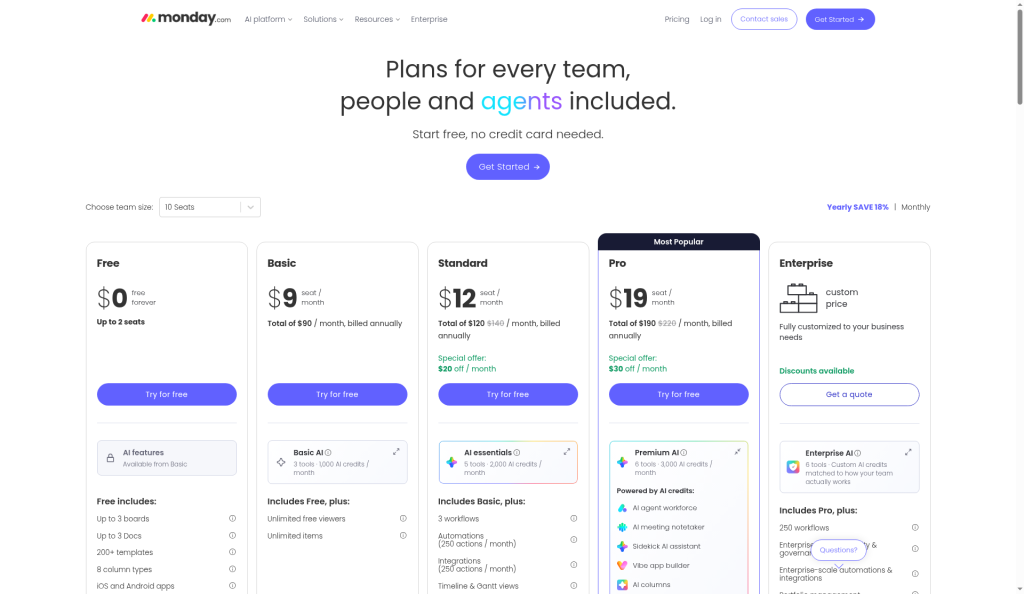
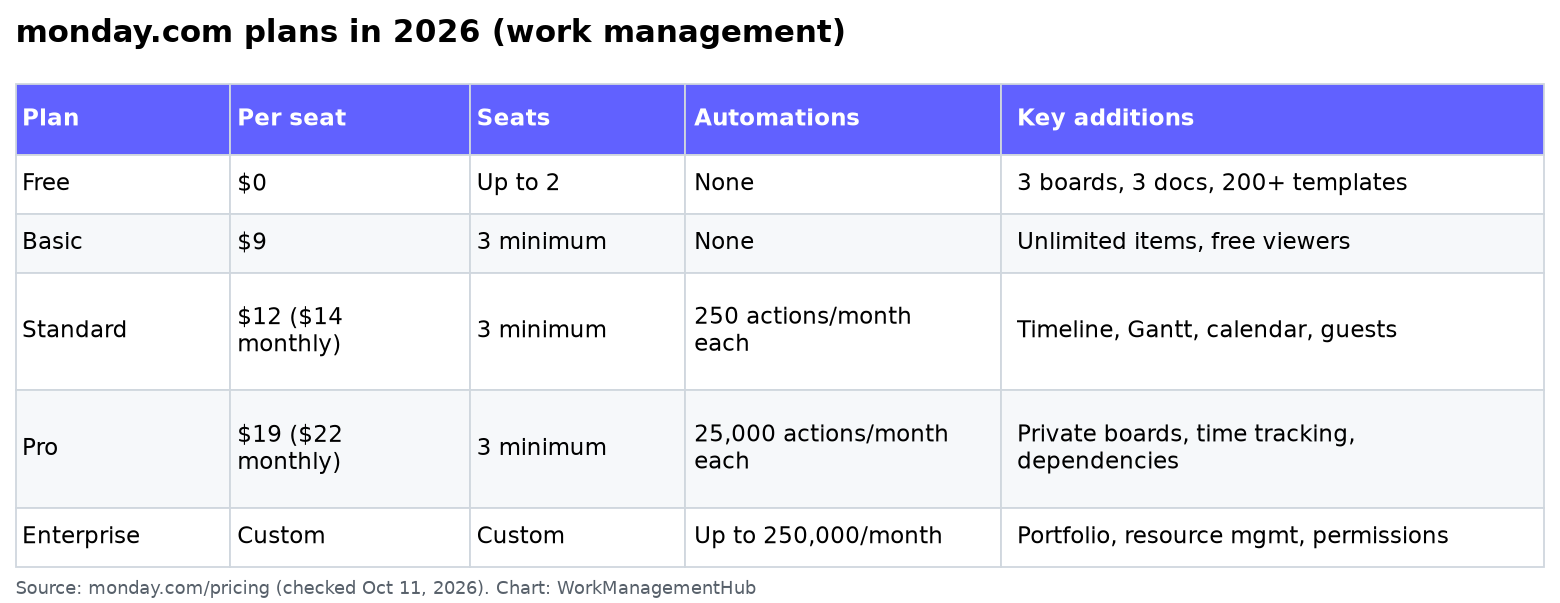
monday.com work management has five plans in 2026: Free (up to 2 seats), Basic at $9 per seat per month, Standard at $12, Pro at $19, and Enterprise with custom pricing. Those prices assume yearly billing; paying month to month costs about 18% more (Standard works out to $14 and Pro to $22 per seat). Paid plans start at 3 seats, so the cheapest paid option is $27 a month on Basic.
For most teams the real decision is Standard vs Pro. Standard is the first plan with automations, integrations, Gantt and guest access. Pro is where the automation cap goes from 250 actions a month to 25,000, and where private boards, time tracking and dependencies show up.
Everything below comes from monday.com’s pricing page, checked October 11, 2026. monday.com changes its packaging often, especially around AI, so check the page before you buy.
monday.com plans at a glance
| Free | Basic | Standard | Pro | Enterprise | |
|---|---|---|---|---|---|
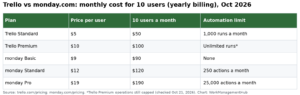
| Price per seat, billed yearly | $0 | $9 | $12 | $19 | Custom |
| Price per seat, billed monthly | $0 | About 18% more | $14 | $22 | Custom |
| Seats | Up to 2 | 3 minimum | 3 minimum | 3 minimum | Custom |
| Boards / items | 3 boards | Unlimited items | Unlimited | Unlimited | Unlimited |
| Automation actions per month | None | None | 250 | 25,000 | Up to 250,000 |
| Integration actions per month | None | None | 250 | 25,000 | Up to 250,000 |
| Timeline, Gantt and calendar views | No | No | Yes | Yes | Yes |
| Guests | No | No | Yes | Yes | Yes |
| Private boards, time tracking, dependency columns | No | No | No | Yes | Yes |
| API calls per day | — | — | 1,000 | 10,000 | 25,000 |
Read-only viewers are free on every paid plan, which is the easiest way to keep the bill down. Anyone who only needs to look at boards or dashboards doesn’t need a seat.
How seats and billing work
Three billing details catch people out:
- The 3-seat minimum. A solo consultant or a two-person shop pays for 3 seats on any paid plan. If that’s you, the Free plan (2 seats, 3 boards) or a per-user tool may fit better.
- Seats come in set team sizes. You choose a team size from a list (3, 5, 10, 15 and so on) rather than an exact number, so an 11-person team usually pays for 15. Above 40 seats, monday.com asks you to request a quote.
- Annual is paid upfront. If you pay yearly and cancel within 30 days, monday.com refunds the remaining balance. After that, downgrades aren’t refunded.
There’s a 14-day free trial of Pro, and qualifying nonprofits can apply for discounted pricing.
What a team really pays
| Seats | Basic (yearly) | Standard (yearly) | Pro (yearly) |
|---|---|---|---|
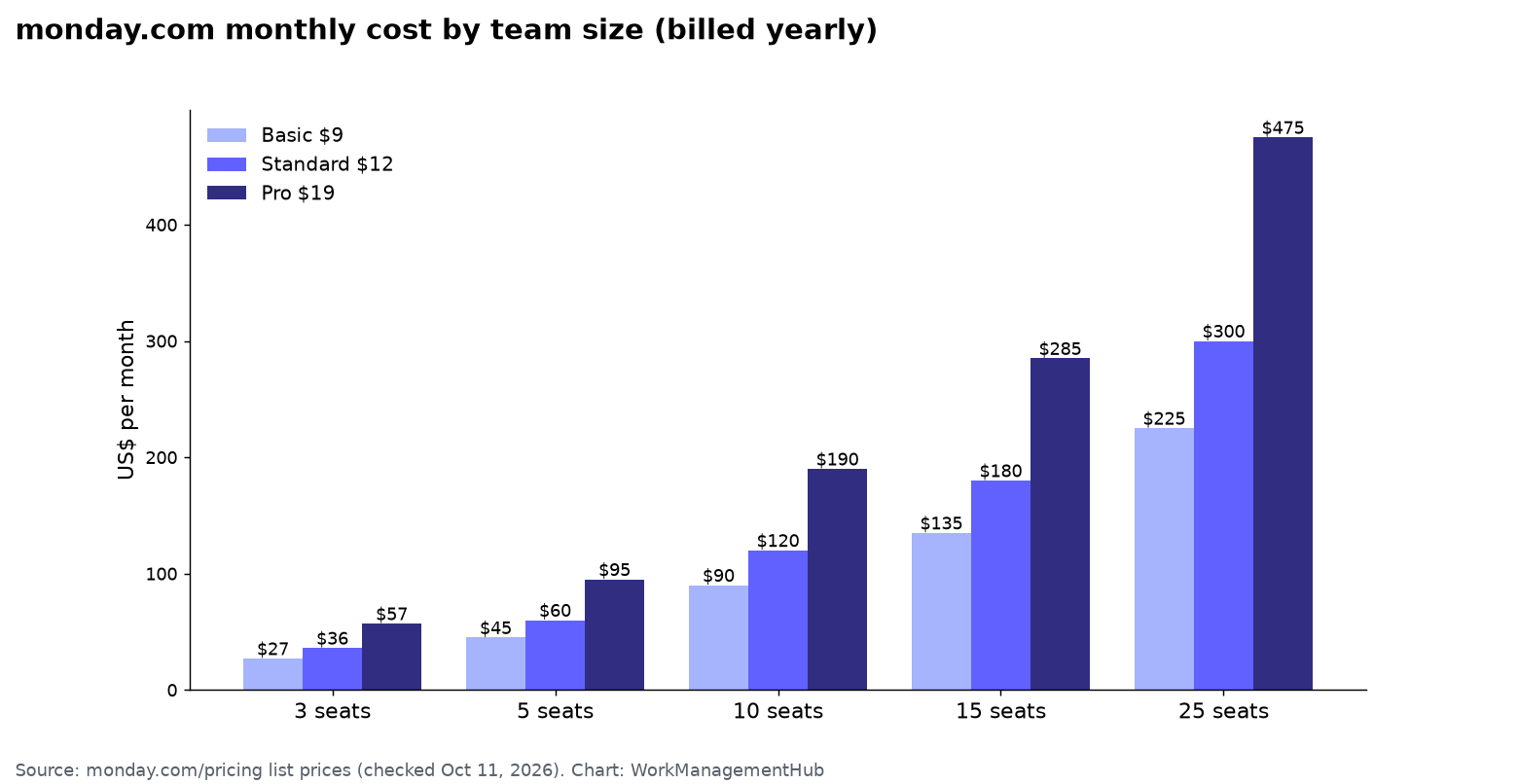
| 3 | $27/month ($324/year) | $36/month ($432/year) | $57/month ($684/year) |
| 5 | $45/month ($540/year) | $60/month ($720/year) | $95/month ($1,140/year) |
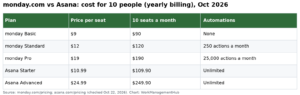
| 10 | $90/month ($1,080/year) | $120/month ($1,440/year) | $190/month ($2,280/year) |
| 15 | $135/month ($1,620/year) | $180/month ($2,160/year) | $285/month ($3,420/year) |
| 25 | $225/month ($2,700/year) | $300/month ($3,600/year) | $475/month ($5,700/year) |
On monthly billing, 10 seats on Standard cost $140 a month and on Pro $220, according to monday.com’s calculator. Over a year that’s $240 to $360 more than paying annually.
Free: fine for one or two people
Free covers up to 2 seats, 3 boards, 3 docs, 200+ templates and 8 column types. It’s enough to see whether the board layout clicks for you. It isn’t enough to run a team: no automations, no integrations, no timeline or Gantt, and the 3-board cap disappears after one or two projects.
Basic: cheap, but missing the reason most teams buy monday.com
Basic ($9) adds unlimited items, unlimited free viewers and a small monthly allowance of AI credits. What it doesn’t add is automations, integrations or Gantt. If your team just needs shared boards to track work by status, Basic is fine. If someone on the team says “can it notify me when…”, you need Standard.
Standard: where most small teams land
Standard ($12) is the first plan with automations and integrations, each capped at 250 actions a month for the whole account, plus timeline, Gantt and calendar views, guest access, and a few cross-board workflows.
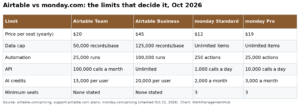
That 250-action cap is the limit most teams hit first. Every time an automation or integration runs and does something, it uses an action. One busy “when status changes, notify someone” rule across a 10-person team can use 250 actions in a couple of weeks. Before upgrading, check which automations actually matter; our monday.com automations troubleshooting guide covers how to see what’s burning through your quota.
Pro: for heavier automation and real project scheduling
Pro ($19) raises automation and integration actions to 25,000 a month each, adds private boards and docs, time tracking, advanced columns (including dependencies and formulas that work across a board), chart views and 10,000 API calls a day.
Move to Pro when:
- You keep hitting the 250-action cap on Standard.
- You need task dependencies that shift dates automatically. Our monday.com Gantt guide shows how they work.
- You need private boards for HR, finance or client work.
- You bill by the hour and want time tracking built in. See our time tracking setup guide.
Enterprise: custom pricing
Enterprise adds up to 250,000 automation and integration actions a month, portfolio and resource management, multi-level permissions, enterprise security controls and 24/7 support with a 99.9% uptime SLA. Pricing is quoted. Get one-year and multi-year quotes, and ask what the renewal price will be.
AI credits
Every paid plan now includes a monthly pool of AI credits that power monday.com’s AI agents, Sidekick assistant, AI columns and meeting notetaker. The pricing calculator shows 1,000 credits a month for 10 seats on Basic, 2,000 on Standard and 3,000 on Pro. monday.com says a typical 3-person team uses about 800 to 1,200 credits a month, and you can buy more at any time. Treat AI as a metered cost: AI columns that run on every new item are the usual reason credits run out. Our monday.com AI agents guide explains what uses credits.
monday CRM and monday dev are priced separately from work management. If you’re comparing CRMs, see our monday CRM review.

How to keep your monday.com bill down
- Make occasional users viewers. Viewers are free and can see boards and dashboards.
- Pick the team size carefully. If you’re at 11 people, check whether a viewer or guest could cover someone instead of jumping to the next bucket.
- Audit automations before upgrading. Merging or deleting noisy rules often keeps a team on Standard.
- Pay yearly once you’re sure. It saves about 18%, and the 30-day refund window limits the risk.
- Use the Pro trial on real work to confirm you need dependencies or the higher automation cap before paying for them.
Is monday.com worth it?
For teams that want visual boards that non-technical people will actually use, Standard is good value. It gets expensive when you need Pro features for a large team, and the 3-seat minimum is a poor fit for solo users. Compare it with ClickUp’s pricing if per-seat cost matters most, or read monday.com vs ClickUp and monday.com vs Asana for a feature comparison.
Common questions
How much does monday.com cost per user?
On yearly billing, Basic is $9, Standard $12 and Pro $19 per seat per month. Monthly billing costs about 18% more, for example $14 for Standard and $22 for Pro.
Is there a minimum number of seats on monday.com?
Yes. Paid plans start at 3 seats, and seats are sold in set team sizes, so you may pay for a few more seats than you have people.
Is monday.com free?
Yes, for up to 2 seats. The Free plan includes 3 boards and 3 docs but no automations, integrations or Gantt view.
Do viewers count as paid seats?
No. Viewers with read-only access are free and unlimited on paid plans.
What happens when I run out of automation actions?
Automations and integrations that need actions stop running until your monthly allowance resets, unless you upgrade. Standard includes 250 actions a month and Pro 25,000.
Prices and limits checked against monday.com’s pricing page on October 11, 2026. monday.com updates plans often, so confirm current prices before you buy.
Sponsored