Linear Initiatives in 2026: How to Plan Strategy, Track Health and Use Sub-Initiatives

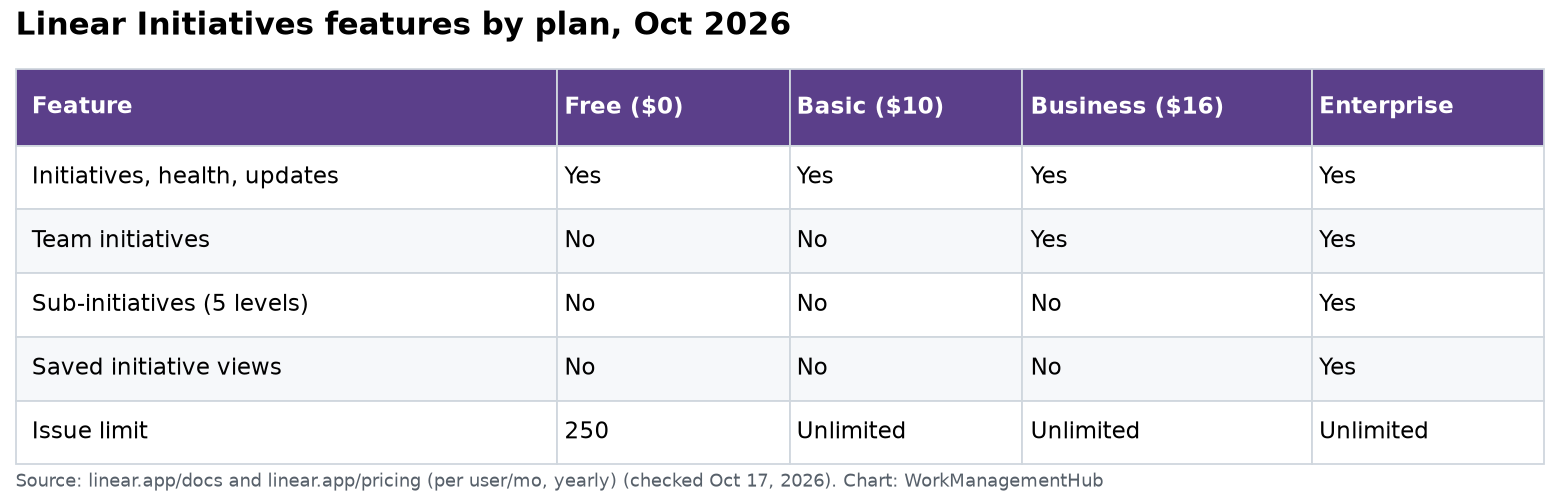
Linear Initiatives group several projects under one company goal, so leaders can see progress without opening every project. They are included on every Linear plan, even Free. You turn them on in Settings, then Initiatives. Two extras cost more: sub-initiatives (nesting up to five levels) need the Enterprise plan, and team-owned initiatives need Business or Enterprise.
I checked everything here against Linear’s own docs on October 17, 2026: Initiatives, Sub-initiatives, Initiative and project updates and Linear pricing.
Where Initiatives sit in Linear
Linear has three layers of work:
- Issues are single tasks.
- Projects are pieces of work with a finish line, like “New onboarding flow.”
- Initiatives are the goals those projects serve, like “Cut new-user churn.”
An initiative doesn’t hold issues directly. It holds projects. Everything you see on it (progress, health, the graph) comes from those projects. You never update an initiative’s progress by hand.
Each initiative gets an ID that starts with “I” and a number, such as I12. That makes it easy to mention in docs and Slack.
Which plan do you need?
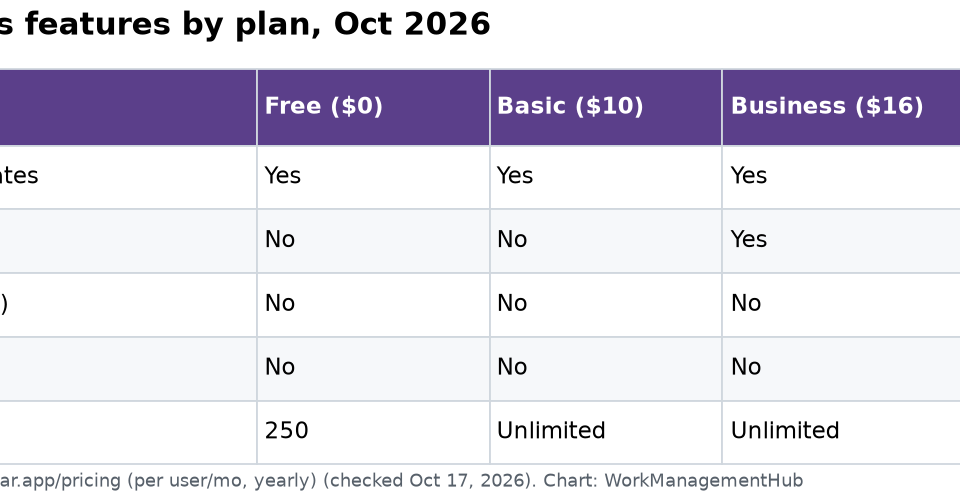
| Feature | Free ($0) | Basic ($10) | Business ($16) | Enterprise |
|---|---|---|---|---|
| Initiatives, health, updates | Yes | Yes | Yes | Yes |
| Team initiatives (private if team is private) | No | No | Yes | Yes |
| Sub-initiatives (5 levels) | No | No | No | Yes |
| Saved initiative views | No | No | No | Yes |
| Issue limit | 250 | Unlimited | Unlimited | Unlimited |
Prices are per user a month, billed yearly, from Linear’s pricing page on October 17, 2026. Enterprise is custom and billed yearly only.
My advice: don’t upgrade for initiatives alone. Free and Basic get the core feature. Upgrade when you truly need private team goals (Business) or a deep goal tree (Enterprise).
How to set up your first initiative
- Go to Settings, then Initiatives, and turn the feature on. It is a workspace-wide switch.
- Open Initiatives in the sidebar. Click the + in the top-right corner, or press N then I.
- Give it a clear outcome name. “Reduce churn 15% by Q2” beats “Retention stuff.”
- Set an owner. This matters more than it looks. Update reminders only go out when an initiative has an owner.
- Add a target date, a short description, and any resources (links to the strategy doc or brief).
- Add the projects that move this goal.
Only a name is required. But an initiative with no owner and no date turns into a label that nobody watches.
The five statuses
Linear now offers five statuses: Proposed, Planned, Active, Completed and Canceled. Older guides list only three. Use Proposed for ideas leaders haven’t approved yet, and Canceled for goals you dropped. Keeping canceled work visible is honest, and it stops the same idea from coming back every quarter with no history.
You can also set priority and labels. Labels live in Workspace Settings, then Initiatives. They help with themes that cut across goals, like region or product line.
How health works (and what it doesn’t do)
The Initiatives list shows two columns that matter most:
- Initiative Health shows what the latest initiative update said: On track, At risk or Off track. Click it to read the update.
- Active Projects shows a colored dot for each project, based on that project’s latest update. Green is on track, yellow is at risk, red is off track, and gray means no current update.
Here is the catch. Initiative health is not calculated from the projects. It is whatever the owner picked in their last update. Three red project dots can sit next to a green initiative. When I review a roadmap with a team, I always read the dots, not just the health label. If they disagree, that’s the first question for the owner.
Update reminders that actually work
Health is only as good as the updates behind it. Linear lets admins automate the nagging:
- In Workspace Settings, admins set reminder timing for initiative updates, such as weekly or biweekly, plus the day and time.
- Reminders go only to the owner (for initiatives) or lead (for projects), and only for active work.
- If nobody posts, Linear sends a follow-up 1 working day later, and another 2 working days after that.
- Admins can pick a default Slack channel for updates. Comments sync both ways between Linear and Slack.
The owner or lead posts the first update. After that, any workspace member can post one.
For projects, Linear also flags staleness. A project is marked Update Missing when its last update was On track and the next one is one reminder cycle plus 3 days late. This stops a project from looking green forever just because no one wrote anything.
Tip: Put the update day the day before your planning meeting. Then the meeting reads fresh updates instead of chasing them.
Reading the initiative graph
Each line on the initiative graph is one project. It shows the rate of completed issues over time. A rising line means the team is shipping. A flat line means the project is quiet or done.
Use it to spot a project that went flat while still marked “on track.” Hover over a week to see which projects were most active.
Who can see initiatives
Workspace-level initiatives are visible to all members except guests. That is on purpose. Linear wants strategy to be open.
If you need a private goal (an audit, say, or a reorg), use a team initiative led by a private team. Only people with access to that team can see it. This needs Business or Enterprise.
One more rule. If a project from a private team sits inside a public initiative, the project’s details stay private. But the initiative itself is still listed for everyone.
Sub-initiatives (Enterprise only)
Sub-initiatives let you nest initiatives up to five levels deep. A parent automatically includes its own projects plus all projects from its children. An initiative can also have more than one parent.
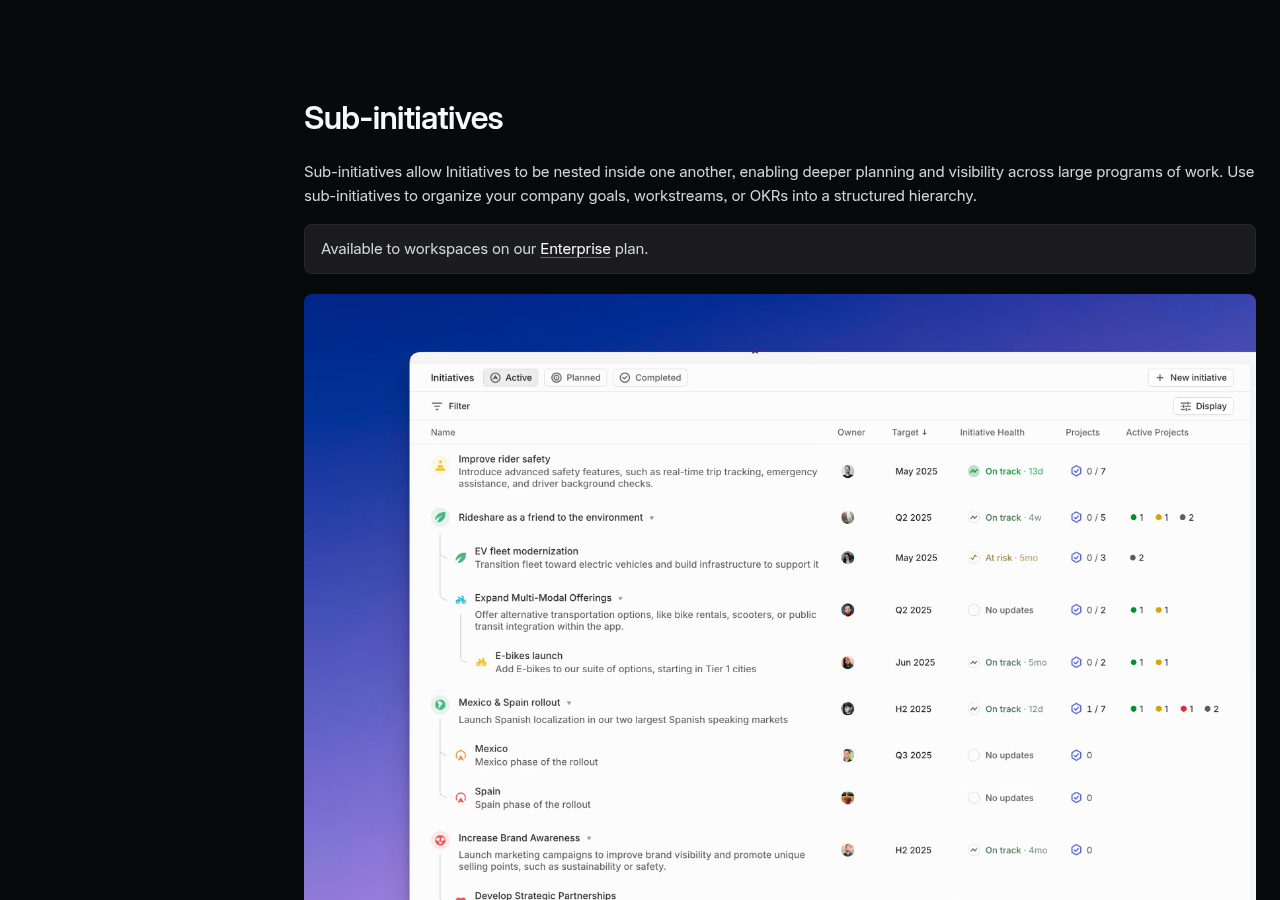
Ways to build the tree:
- When creating an initiative, choose a parent.
- Hold Option (Alt on Windows) and drag one initiative under another.
- Use Cmd + Shift + P to set or change a parent.
- Press T to collapse or expand a nested list. This only changes your own view.
When not to nest: five levels is a limit, not a goal. In my experience, two levels (company goal, then team goal) covers most companies. Deep trees mean more owners writing more updates, and the top level gets stale fast. Multiple parents are handy, but they can make one project look like it serves three goals. Keep it to one parent unless the work truly splits.
A simple quarterly rhythm
Here’s a plan that fits most product teams of 20 to 200 people:
- Before the quarter: create 3 to 5 initiatives as Proposed. Leaders review and move the keepers to Planned.
- Week 1: set each to Active, add owners, dates and projects. Turn on weekly reminders.
- Every week: owners post updates. Leads post project updates. Review the dots in one short meeting.
- Mid-quarter: cut or cancel what isn’t working. Use Canceled, don’t delete.
- End of quarter: mark Completed and write a final update with what shipped.
Our guide to Linear projects and roadmaps covers the project layer below this. For day-to-day delivery, see Linear cycles for sprint planning.
Honest limits
- Health is manual. It reflects the owner’s last word, not the data.
- No private workspace initiatives on Free or Basic. Everything is open to members.
- Sub-initiatives and saved views are Enterprise only. Mid-size teams can’t nest goals.
- No budgets or headcount. Initiatives track work, not money. Use a finance or portfolio tool for that.
Weighing Linear against bigger tools? Our Jira vs Linear comparison and Linear pricing guide can help.
Common questions
Are Linear Initiatives free?
Yes. Initiatives, initiative health and updates are part of Linear’s core features on every plan, including Free.
How is initiative health calculated in Linear?
It isn’t calculated. Initiative Health shows the status from the latest initiative update. The Active Projects dots show each project’s own latest update.
Can Linear Initiatives be private?
Workspace initiatives are visible to all members except guests. For a private goal, use a team initiative led by a private team, which needs Business or Enterprise.
How deep can sub-initiatives go?
Up to five levels, and one initiative can have more than one parent. Sub-initiatives need the Enterprise plan.
What statuses can a Linear initiative have?
Proposed, Planned, Active, Completed and Canceled.
Features and plans checked on linear.app/docs and linear.app/pricing on October 17, 2026.
Sponsored