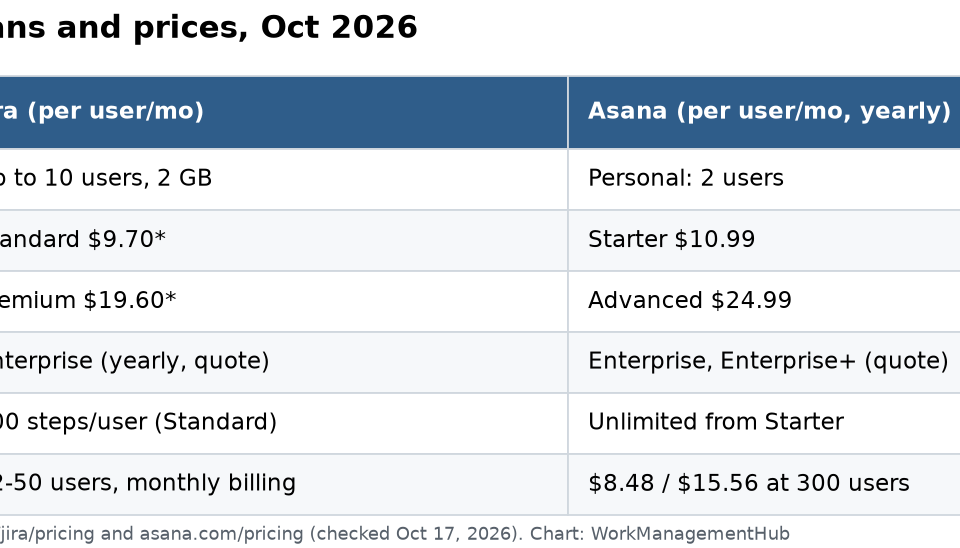

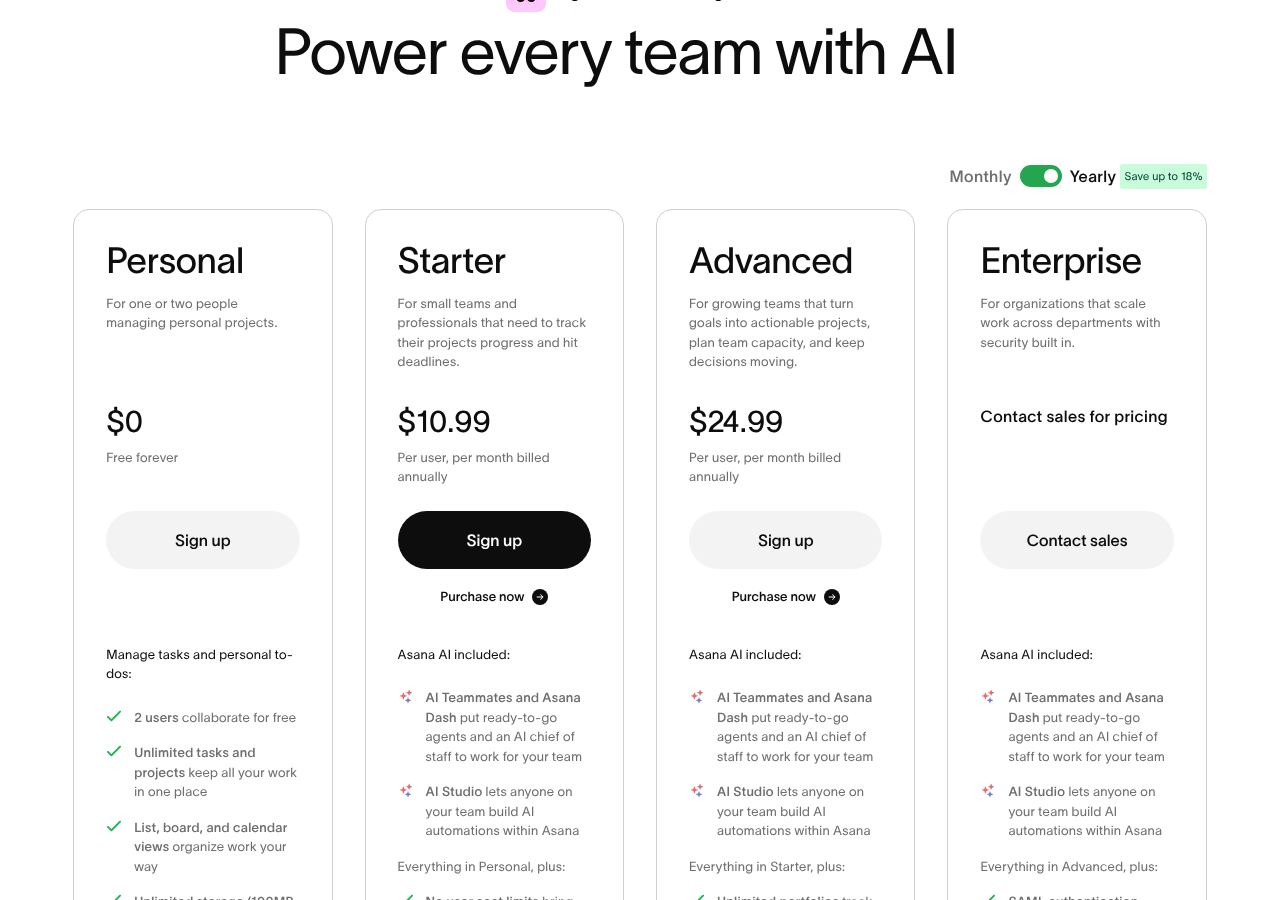
Pick Jira if your team builds software and runs sprints, backlogs and code reviews. Pick Asana if your team is marketing, operations, HR or a mix of departments that need clear tasks, timelines and goals. Prices are close at the entry level: Jira Standard showed $9.70 per user a month for a 12-person team on monthly billing, and Asana Starter showed $10.99 per user a month billed yearly, on October 17, 2026. The free plans are very different, though. Jira Free covers 10 users. Asana’s free Personal plan covers only 2.
I checked both pricing pages today: Jira pricing and Asana pricing. Jira now calls projects “spaces” and issues “work items,” so this post uses those words.
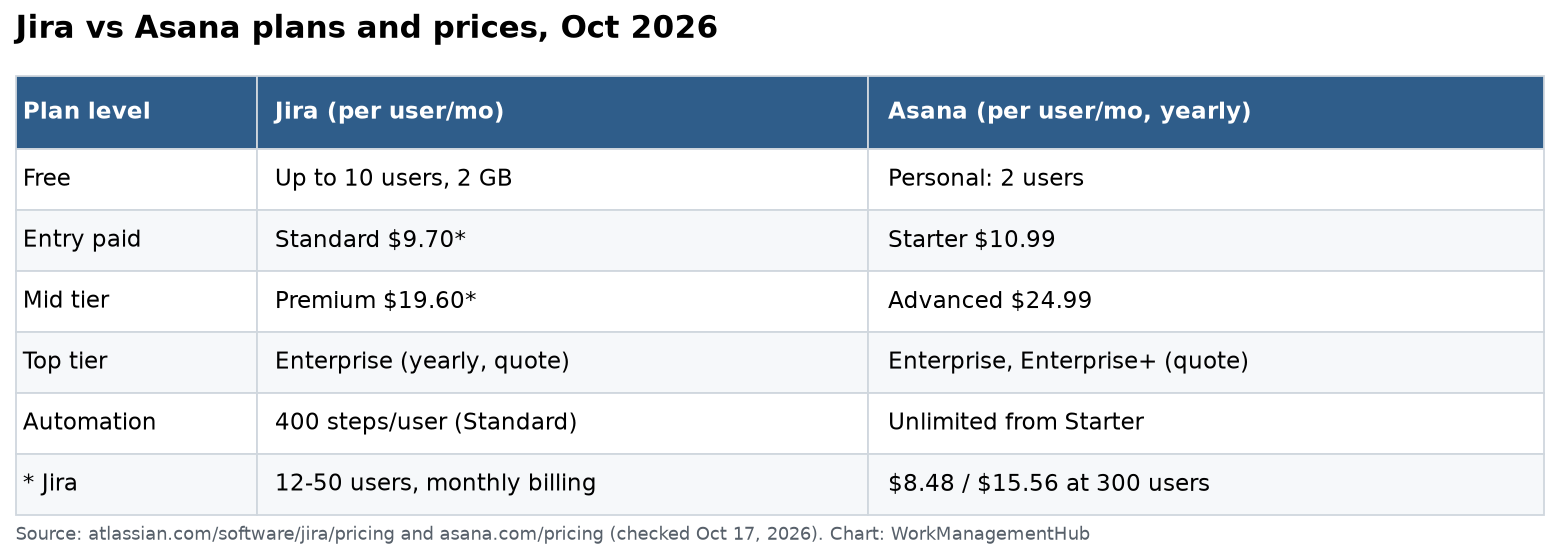
Prices side by side
| Plan level | Jira (per user / month) | Asana (per user / month, yearly) |
|---|---|---|
| Free | Up to 10 users, 2 GB | Personal: 2 users |
| Entry paid | Standard $9.70 (12 to 50 users, monthly) | Starter $10.99 |
| Mid tier | Premium $19.60 (12 to 50 users, monthly) | Advanced $24.99 |
| Top tier | Enterprise, yearly, by quote | Enterprise and Enterprise+, by quote |
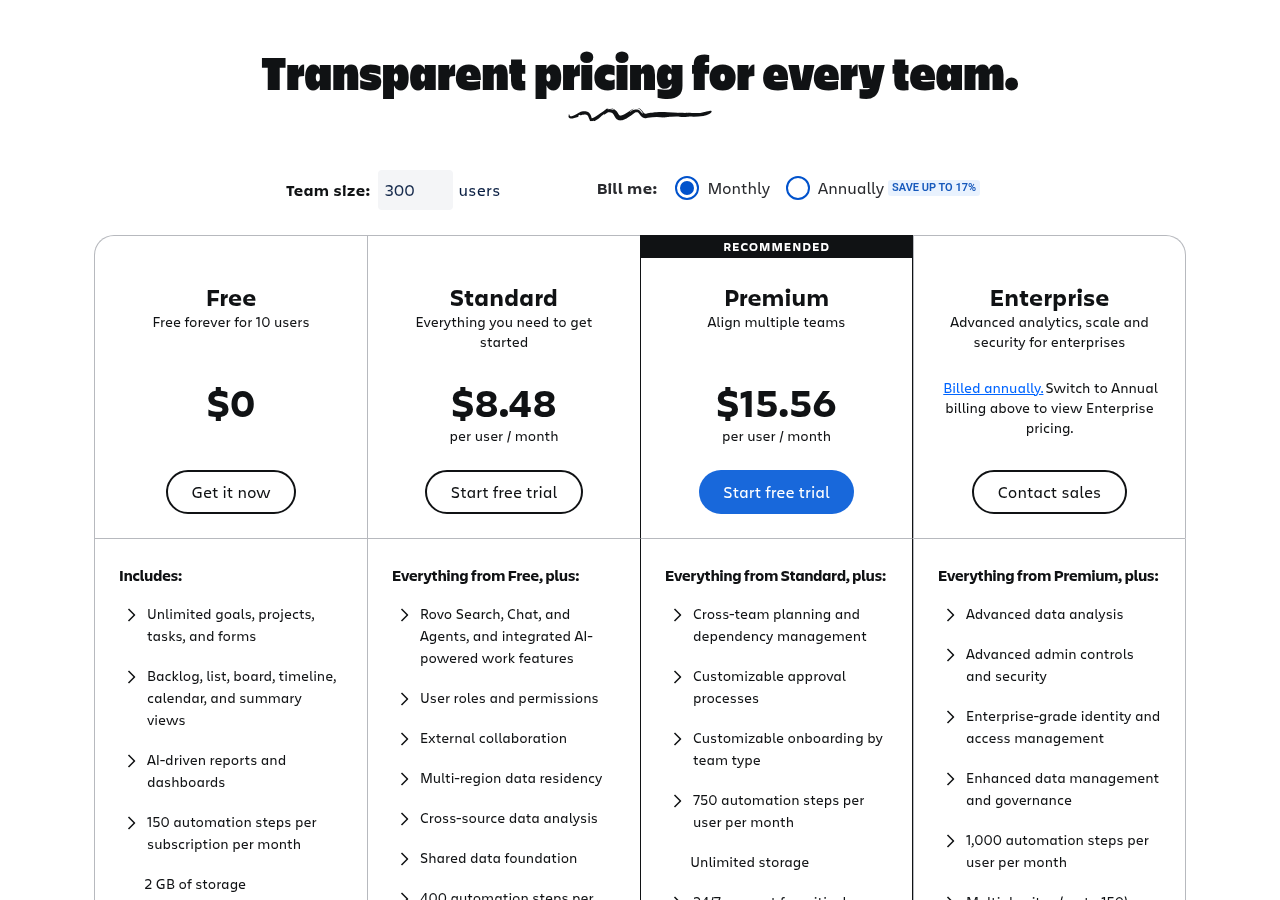
Jira’s per-user price depends on team size. The page opens at 300 users, where Standard is $8.48 and Premium is $15.56. When I entered 12, 25 or 50 users, it showed $9.70 and $19.60. Yearly billing saves up to 17%. Asana’s toggle says yearly saves up to 18%.
What a 12-person team pays
- Jira Standard: 12 × $9.70 = about $116 a month (monthly billing).
- Asana Starter: 12 × $10.99 = about $132 a month (billed yearly).
- Asana Advanced: 12 × $24.99 = about $300 a month (billed yearly).
The free plans are not alike
Jira Free gives you up to 10 users, 2 GB of storage, 150 automation steps a month for the whole site, and 100 notification emails a day. A small dev team can run real sprints on it.
Asana Personal is now for one or two people. It has unlimited tasks and projects, list, board and calendar views, and unlimited storage with a 100 MB cap per file. It’s good for trying Asana. It is not a team plan.
So for a 6-person team with no budget, Jira wins by default. For a team that will pay, look at fit, not the free tier.
What each tool is built for
Jira is built around a workflow. Each work item moves through statuses you design. You get a backlog, sprint planning, story points, velocity charts and sprint reports, and links to branches, commits and pull requests. Admins can set strict permission schemes. Our Jira sprint planning guide shows the setup.
Asana is built around clear ownership. Each task has one owner and a due date. Starter adds timeline and Gantt views, dashboards, forms, custom fields, templates and unlimited automations. Advanced adds portfolios, goals, resource management within a portfolio, approvals and proofing, and time tracking that compares estimated and actual effort.
Here’s how I explain it to clients. Jira asks “what state is this work in?” Asana asks “who is doing this, and by when?”
Automation and AI
| Jira | Asana | |
|---|---|---|
| Automation | 150 steps a month (Free); 400 per user (Standard); 750 (Premium); 1,000 (Enterprise) | Unlimited automations from Starter |
| AI included | Rovo search, chat and agents from Standard; 25 / 70 / 150 credits per user a month | AI Teammates, Asana Dash and AI Studio on paid plans |
| Extra AI | Higher tiers include more Rovo credits | $0.50 per AI request prepaid, or $0.60 on demand billed monthly |
Jira caps automation by steps per user. A 20-person team on Standard gets 8,000 steps a month. Most teams never hit that.
Asana gives unlimited automations on paid plans. Its AI is priced per request once you go past what’s included. Asana’s page says administrative tasks in Asana Dash, like prioritizing your day, don’t cost extra. If you plan heavy AI use, set a monthly spend cap. Asana lets you do that for on-demand billing.
Our Asana AI Studio guide shows how Asana’s AI rules work in practice.
Planning across teams
Jira Premium adds cross-team planning and dependency management across spaces. On Free and Standard, dependency management works within a single space.
Asana Advanced adds portfolios and goals, so leaders can see many projects at once and tie them to company goals. Asana Enterprise adds universal resource management and capacity planning across the whole company.
If your leaders want one roll-up view of many teams, both tools need their middle tier.
Honest pros and cons
Jira pros – Best tool for sprints, backlogs and code links – Generous free plan for 10 users – Automation that grows with your team
Jira cons – Hard for non-technical people to learn – Docs need Confluence, a separate bill – Price changes with team size
Asana pros – Easy for any department to pick up – Unlimited automations from Starter – Strong goals, portfolios and approvals on Advanced
Asana cons – Free plan is only for 2 users – Advanced is a big step up at $24.99 – Weaker for sprint-heavy engineering
When to use both
Many companies do. Engineering plans in Jira. Marketing, product marketing and support plan in Asana. It works if you keep one rule: each piece of work lives in one tool. Link to it from the other, but don’t copy it. Copies drift out of date within a week.
A two-week test that settles it
- Choose one real project with three or more people.
- Set it up in both tools using free trials and the same steps or statuses.
- Use only one tool per week. No side spreadsheets.
- Score five things from 1 to 5: setup time, daily use, reporting, help requests and fit with your process.
- Price your real head count on both pages, monthly and yearly.
Which should you pick?
- Dev team of 10 or fewer, no budget: Jira Free.
- Dev team over 10 running Scrum: Jira Standard; Premium if many teams plan together.
- Marketing, ops or HR team: Asana Starter.
- Leaders who need goals and portfolios: Asana Advanced.
- Mixed company: Jira for engineering, Asana for everyone else.
For more, see our Jira pricing guide, our Asana pricing guide and our Asana alternatives list.
Common questions
Is Jira cheaper than Asana?
Slightly, for small teams. On October 17, 2026, Jira Standard showed $9.70 per user a month for 12 to 50 users on monthly billing. Asana Starter was $10.99 per user a month billed yearly.
Does Asana have a free plan for teams?
Not really. Asana’s free Personal plan is for up to 2 users. Jira Free covers up to 10 users.
Which is better for marketing teams?
Asana. Its timelines, forms, approvals and goals fit campaign work better than Jira’s developer-focused workflows.
Does Asana limit automations?
No. Asana’s pricing page lists unlimited automations on Starter and above. Jira limits automation steps by plan.
Can Jira and Asana work together?
Yes. Many companies use Jira for engineering and Asana for business teams. Keep each piece of work in one tool and link to it from the other.
Prices and limits checked on atlassian.com/software/jira/pricing and asana.com/pricing on October 17, 2026.
Sponsored