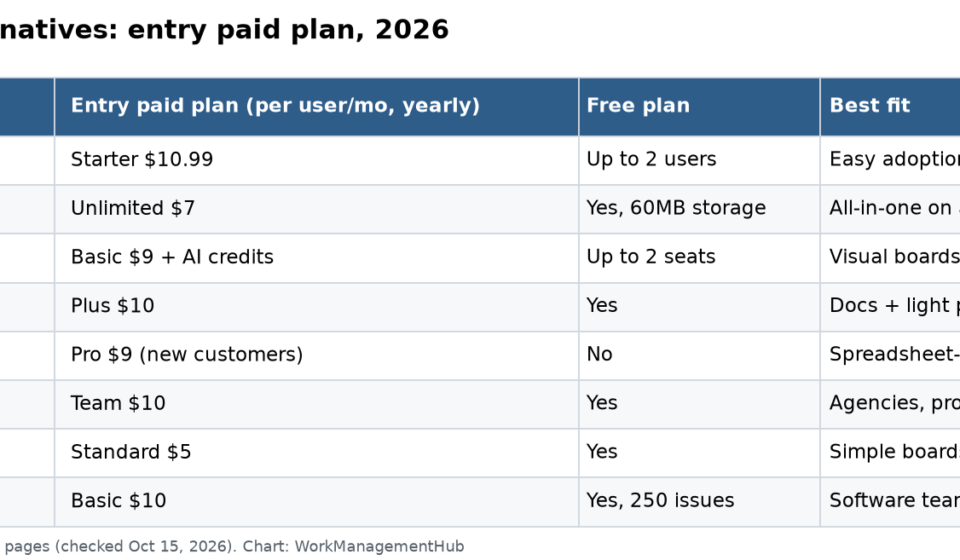

The best Asana alternative depends on why you are leaving. For more features per dollar, pick ClickUp ($7 per user a month, yearly). For visual boards, monday.com. For docs plus projects, Notion. For software teams, Jira or Linear. For spreadsheet-style PMOs, Smartsheet. For simple boards on a budget, Trello at $5. Asana itself starts at $10.99 per user a month on Starter.
I have moved teams onto Asana and moved a few off it. The reasons to leave are usually the same: the 2-user free plan, the price jump to Advanced, or a team that thinks in tickets or spreadsheets, not tasks. Every price below comes from the vendor’s own pricing page, checked on October 15, 2026.
ClickUp pricing note (checked October 16, 2026): ClickUp is changing its plans. New Workspaces, all Free Forever Workspaces and some paid ones now get Core at $9 and Business at $17 per user a month billed yearly ($12 and $25 monthly), with AI credits included and a new Max plan at $100. Many existing Workspaces still have the classic plans: Unlimited at $7 and Business at $12 billed yearly ($10 and $19 monthly), with ClickUp Brain as a $9 add-on. Prices in this article use the classic plans unless noted. See ClickUp’s new plans help article.
Quick comparison
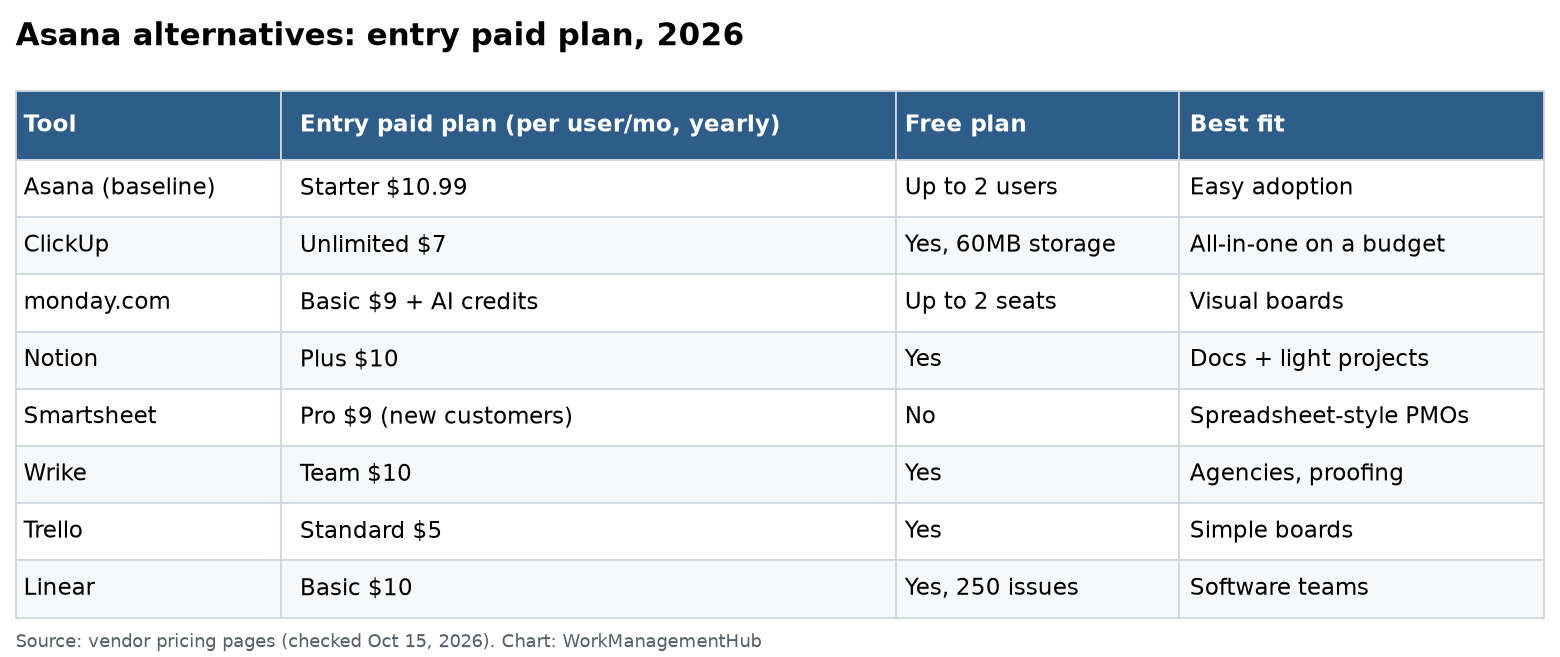
| Tool | Entry paid plan (per user/mo, yearly) | Free plan | Best for |
|---|---|---|---|
| Asana (baseline) | Starter $10.99 | Up to 2 users | Easy adoption |
| ClickUp | Unlimited $7 | Yes | Most features per dollar |
| monday.com | Basic $9, plus AI credits | Up to 2 seats | Visual, non-technical teams |
| Notion | Plus $10 | Yes | Docs-first teams |
| Jira | Standard, per-user sliding scale | Up to 10 users | Software teams with process |
| Linear | Basic $10 | Yes, 250 issues | Fast-moving product teams |
| Smartsheet | Pro $9 | No free plan listed | Spreadsheet-style PMOs |
| Wrike | Team $10 | Yes | Agencies and proofing |
| Trello | Standard $5 | Yes | Simple boards |
What you are leaving behind
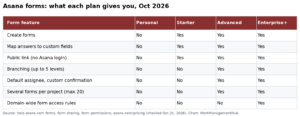
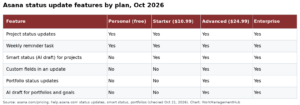
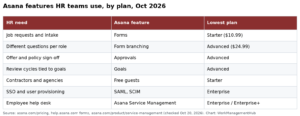
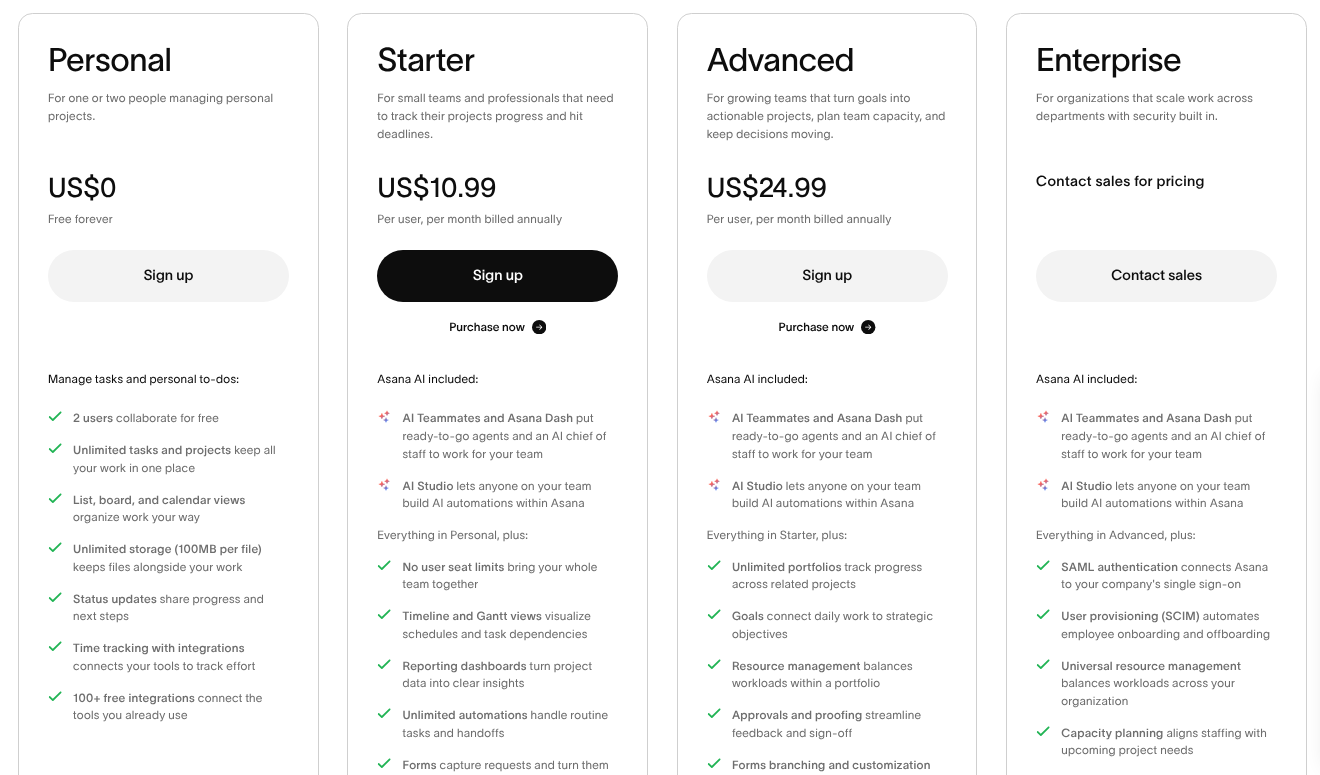
Be fair to Asana first. Its pricing page lists the free Personal plan for 2 users, Starter at $10.99 ($13.49 monthly) and Advanced at $24.99 ($30.49 monthly). Starter has timelines, Gantt, dashboards, unlimited rules and forms. Paid plans now include AI Teammates and AI Studio.
Asana is still one of the easiest tools to roll out. If adoption is your main risk, think twice before you switch. Our Asana pricing guide shows what teams really pay.
1. ClickUp: most features per dollar
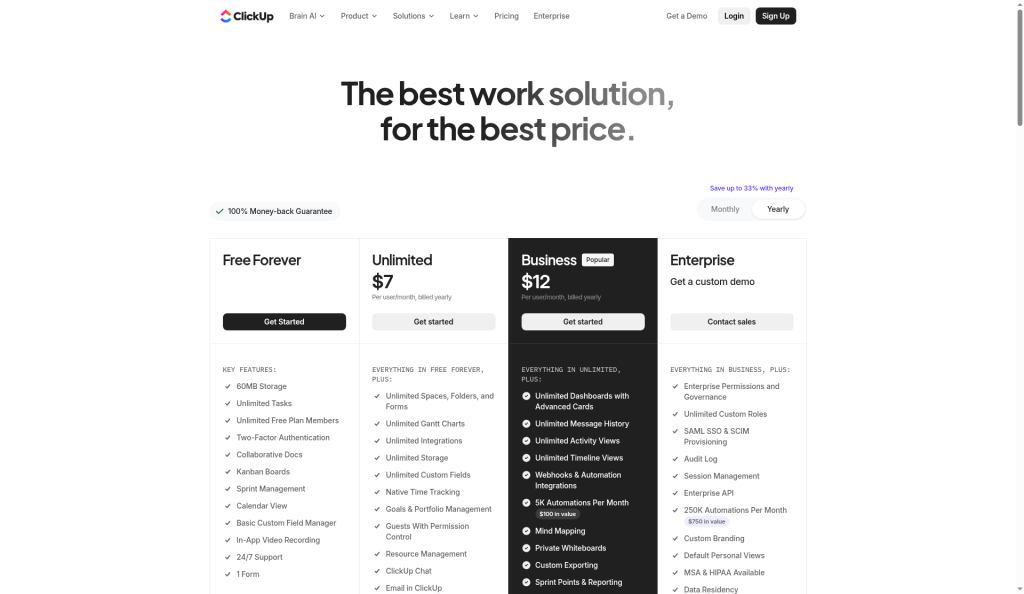
ClickUp pricing: Free Forever, Unlimited $7 ($10 monthly), Business $12 ($19 monthly), Enterprise on request. The Brain AI add-on is $9 per user a month.
Pick it if you want tasks, docs, whiteboards, goals and dashboards in one place, and you will spend time setting it up.
Skip it if your team gets lost in options. ClickUp can feel busy. Private Docs need Business, for example. Our ClickUp vs Asana comparison goes deeper.
2. monday.com: best for visual teams
monday.com pricing: Free for up to 2 seats and 3 boards. Basic $9, Standard $12 ($14 monthly), Pro $19 ($22 monthly) per seat, yearly. New plans also include a monthly AI credit bucket: 1,000, 2,000 or 3,000 credits by tier.
Pick it if your team is in marketing, ops or sales and likes colorful boards and simple automations.
Skip it if you want to avoid usage-based AI costs. Credits are part of the bill now. See our monday.com vs Asana comparison.
3. Notion: best for docs-first teams
Notion pricing: Free, Plus $10, Business $20 per member a month, yearly. Full Notion AI comes with Business. Free allows 10 guests.
Pick it if your projects live next to specs, wikis and meeting notes, and someone on the team enjoys building databases.
Skip it if you need workload views, approvals or true scheduling. Notion projects are flexible but light.
4. Jira: best for software teams with process
Jira is free for up to 10 users, per Atlassian. Standard and Premium are priced per user on a sliding scale, so check the calculator for your team size. Atlassian raised cloud list prices on October 13, 2026, which our Jira pricing guide tracks.
Pick it if you run sprints, bugs and releases, and need workflows, permissions and reports that scale.
Skip it if your team is mostly non-technical. Jira asks for admin time.
5. Linear: best for fast product teams
Linear pricing: Free (unlimited members, 2 teams, 250 issues), Basic $10, Business $16 per user a month, yearly. Enterprise is annual only.
Pick it if you are a product and engineering team that wants speed, keyboard shortcuts and clean roadmaps.
Skip it if marketing or ops teams must work in the same tool. Linear is built for software work.
6. Smartsheet: best for spreadsheet-style PMOs
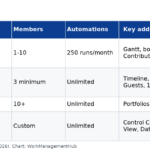
Smartsheet pricing: Pro $9 per member a month, yearly, for 1 to 10 members, and only for new customers. Business $19 needs at least 3 members. Enterprise and Advanced Work Management are quote-only.
Pick it if your team lives in Excel, needs grid, Gantt and dashboards, and reports to a PMO. Full disclosure: my firm is a Smartsheet partner, so weigh my view with that in mind.
Skip it if you want a modern, card-first feel. Smartsheet is grid-first.
7. Wrike: best for agencies and proofing
Wrike pricing: Free, Team $10 per user a month for 2 to 15 users, Business $25 for 5 to 200 users. Pinnacle and Apex are quote-only. Business and above bill yearly.
Pick it if you run client work with proofing, request forms and resource planning.
Skip it if you are a small team on a budget. The jump to Business is steep.
8. Trello: best for simple boards
Trello pricing: Free, Standard $5 ($6 monthly), Premium $10 ($12.50 monthly), Enterprise $17.50 per user a month, yearly.
Pick it if you want Kanban boards with almost no training.
Skip it if you need dependencies, portfolios or deep reporting. Trello stays simple on purpose.
Also worth a look: Basecamp
Basecamp charges a flat monthly price, not per user. $25 a month for 3 active projects, $59 for 10, and $99 for 25. For client teams with many guests, flat pricing can beat any per-seat tool.
How to choose in one afternoon
- Name the reason you are leaving. Price, features, or fit?
- Pick two tools from the table that match that reason.
- Rebuild one real project in each. Same tasks, same people, one week.
- Count the clicks for your three most common jobs.
- Price the real team size, including guests, add-ons and AI credits.
Do not migrate everything at once. Move one team, learn, then move the rest. For a wider list, see our best project management software roundup.
Common questions
What is the cheapest Asana alternative?
Trello Standard at $5 per user a month, yearly, is the cheapest paid plan here. ClickUp Unlimited at $7 offers more features for a little more.
Is ClickUp better than Asana?
ClickUp has more features per dollar. Asana is easier to adopt. If your team will invest in setup, ClickUp often wins on value.
Which Asana alternative is best for software teams?
Jira for teams with formal sprints and workflows. Linear for smaller product teams that want speed and a clean interface.
Does any Asana alternative have a bigger free plan?
Yes. Jira is free for up to 10 users, and ClickUp’s Free Forever plan has unlimited members. Asana’s free Personal plan allows only 2 users.
Is Smartsheet a good Asana alternative?
Yes, for teams that think in spreadsheets and report to a PMO. Pro starts at $9 per member a month, yearly, for up to 10 members.
Prices checked on each vendor’s pricing page on October 15, 2026. Vendors change plans often; confirm before you buy.
Sponsored