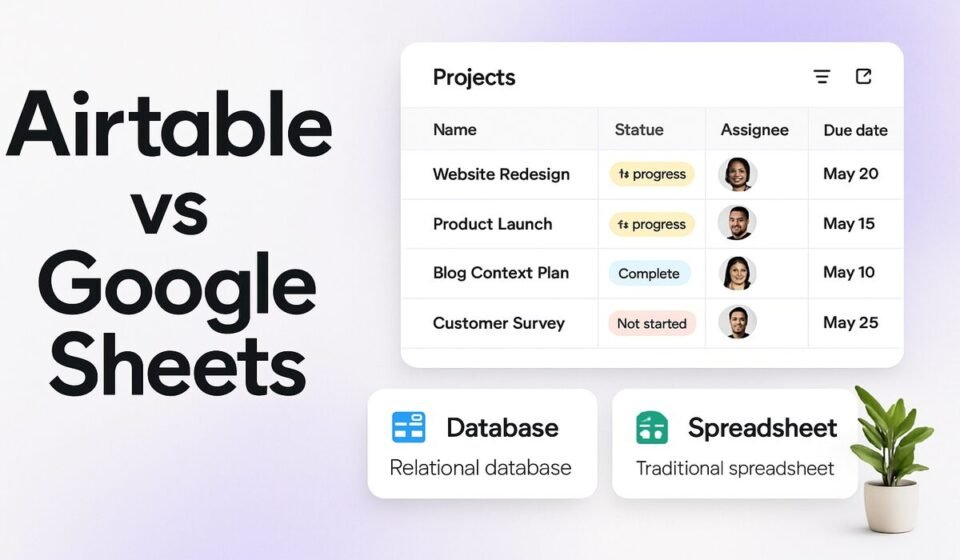

Use Google Sheets when your work is calculation, ad-hoc analysis, or a single tab a few people edit. Move to Airtable when the same data needs linked tables, per-record attachments, forms, and views built for people who should never touch the raw grid. Cost usually decides the rest.
Cells versus records, and why it decides everything else
Google Sheets stores values in cells. A column is a position, not a promise: nothing stops someone typing next Tues into a date column or pasting three phone numbers into one cell. That looseness is the reason Sheets is quick for analysis. You can restructure a model over lunch because nothing is enforced.
Airtable stores records made of typed fields. A date field holds dates, a link field points at records in another table, an attachment field holds files with previews. Structure gets enforced up front, which costs you flexibility and buys you data you can still trust three months later. Every practical difference below follows from that one split.
Airtable vs Google Sheets at a glance
| What you are comparing | Airtable | Google Sheets |
|---|---|---|
| Data ceiling | Records per base: 1,000 (Free), 50,000 (Team), 125,000 (Business), counted across all tables in the base | 10 million cells or 18,278 columns per spreadsheet |
| Entry price | Team $20 per collaborator/month billed annually, $24 billed monthly | Comes with Google Workspace: Business Standard $14 per user/month on the annual plan, $16.80 on Flexible |
| Who gets billed | Team bills Commenter permission and above; self-serve Business bills Editor and above; read-only collaborators, form submissions and share links are free | Every licensed Workspace user; viewers and commenters you share a file with need a Google account, not a licence |
| Attachments and storage | 1 GB (Free), 20 GB (Team), 100 GB (Business) per base | Pooled Drive storage, 30 GB to 5 TB per user depending on edition |
| Automation | Built-in automations on every plan (100 runs/month Free, 25,000 Team, 100,000 Business); extensions from Team up | Formulas plus Apps Script: 6 minutes per execution, 30 seconds for custom functions |
| Built-in AI | Omni on all plan types, metered in AI credits | Gemini in Sheets from Business Standard up, not included on Business Starter |
How much data each one really holds
Airtable counts records, and the count is cumulative across every table in a base. Per Airtable’s plans overview, one table with 50,000 records and two tables with 25,000 records each both sit exactly at the Team ceiling. A base also caps at 1,000 tables, 1,000 views and 500 fields per table. Hitting a record limit does not delete anything; Airtable stops accepting new records until you upgrade, which is a better failure mode than most tools offer.
Sheets counts cells instead: 10 million cells or 18,278 columns per file, according to Google’s Drive file limits. Twenty columns by 100,000 rows is only two million cells, so narrow tables scale further than people expect. The ceiling is rarely what stops a team. Recalculation is. Stacked QUERY, ARRAYFORMULA and cross-file IMPORTRANGE chains get sluggish long before ten million cells, and sluggish is what makes people quietly stop opening the file. If the data genuinely lives in a warehouse, Connected Sheets is the honest route, with pivot tables capped at 200,000 rows and extracts at 500,000 rows or 5 million cells.
Giving people a view without handing over the grid
This is where Airtable earns its line item. Filtered and locked views, personal views, restricted share links, field and table permissions, and Interface Designer all let one dataset serve several audiences. A coordinator gets a filtered list, a client gets a form, and nobody sees the rate column. If you need more than Interface Designer ships with, the next step is building custom Airtable interface extensions.
In Sheets the unit of sharing is the file. Protected ranges and hidden tabs help, but a hidden tab is one right-click away for anyone with edit access, and the usual workaround, a second clean sheet fed by FILTER or IMPORTRANGE, is another artifact to maintain and another thing to break on a Friday. When you catch yourself maintaining three near-identical spreadsheets so three audiences each see a slice, that is the migration signal. Not the row count.
Automations versus formulas and Apps Script
Airtable automations are trigger-and-action recipes configured in the UI and run server-side: when a status changes, send the Slack message, update the linked record, write the timestamp. No code needed for the common cases, with a scripting action for the rest. The honest downside is debuggability. When a multi-condition automation misfires, you are reading a run-history log, and branching logic becomes hard to follow faster than you would like.
The Sheets equivalent is formulas plus Apps Script, which is more capable and much more your problem. Google’s Apps Script quota page sets script runtime at 6 minutes per execution, custom functions at 30 seconds, and total trigger runtime at 90 minutes a day for consumer accounts versus 6 hours a day for Workspace accounts. Those limits are generous. The real cost is ownership: a script written by someone who has since left the team is a liability nobody will admit to inheriting.
What ten seats actually costs
- Airtable Team, annual billing: $20 per collaborator per month, so $200 a month or $2,400 a year for ten.
- Airtable Team, monthly billing: $24 each, so $240 a month.
- Airtable Business, annual billing: $45 each, so $450 a month or $5,400 a year.
- Google Workspace Business Standard on the annual plan: $14 per user per month, so $140 a month or $1,680 a year, and that figure covers Gmail, Meet, Calendar and 2 TB of pooled storage per user, not just Sheets. Flexible billing is $16.80. Business editions cap at 300 users.
The billing detail that catches teams sits in the permission model. On the Team plan, Airtable bills anyone with Commenter permission or higher, so six editors plus four commenters is ten billed seats. On the self-serve Business plan commenters are non-billable and charges start at Editor, which means the pricier plan can work out cheaper for a comment-heavy group. The catch: Business requires a private email domain, so Gmail addresses are ineligible. Read-only collaborators, form submissions and share links are free on both, and seat charges are prorated. Confirm current numbers on Airtable’s pricing page and against Google’s Business edition pricing before you budget, and see our full Airtable pricing breakdown for the tier-by-tier view.
AI on both sides, minus the marketing
Omni, Airtable’s assistant, is available on all plan types and metered in AI credits: 500 per editor per month on Free, 15,000 per billable collaborator on Team, 20,000 per paid user on self-serve Business. It builds tables, fields, automations and interface elements from plain language and answers questions about your records. Read the limits before planning around it. Airtable’s own Omni documentation states that Omni cannot perform complex calculations or compute statistics such as sums, averages or variance, beyond counting records and using pre-computed numeric fields. It also cannot set up table syncs or export data, and you cannot point it at your own API key. Anyone expecting spreadsheet math from the AI layer will be disappointed.
On the Google side, Gemini in Sheets is included from Business Standard upward and is marked unsupported on Business Starter in Google’s own edition comparison. Smart Fill, Smart Cleanup and Answers appear across the Business editions. If you buy Starter at $7 a user expecting Gemini to help clean data in Sheets, you bought the wrong tier.
When Google Sheets is enough
Plenty of database migrations should never happen. Sheets is the right call when:
- The dataset is a few thousand rows and one team owns it end to end.
- The work is arithmetic: budgets, forecasts, variance, scenario models. Airtable formulas handle row-level math fine and are poor at modelling, and Omni explicitly will not do the statistics for you.
- One or two people edit and everyone else reads.
- Outside collaborators need to comment and you have no appetite for licensing them.
- The file is temporary. Nobody should model a schema for something with a two-week lifespan.
- The process still changes weekly. Enforced structure is a tax when the shape is not settled.
Sheets also wins whenever the alternative is a tool nobody adopts. A messy shared spreadsheet that the whole team actually updates beats an elegantly modelled base that three people log into. If budget is the real constraint, work through what free tiers can genuinely do first; our roundup of free project management tools worth using covers where those limits bite.
Where each one hurts
Airtable’s pain is architectural. Record ceilings are per base, so a growing dataset eventually gets split across bases, and stitching bases back together means sync, with two-way sync sitting on Business. The Free plan, at 1,000 records per base, 1 GB of attachments and two weeks of revision history, is a trial rather than a tier. AI credits reset monthly, so heavy AI use is a capacity question, not just a feature question. And the seat model punishes exactly the pattern most ops teams want, which is wide low-touch access.
Sheets hurts differently. Nothing enforces structure, so data quality decays in proportion to headcount. There is no record-level permission model, so access is all-or-nothing per file. Formulas quietly become undocumented business logic that only their author understands. And reconstructing who changed which number across a busy shared sheet is slow work, whereas Airtable keeps one year of revision and snapshot history on Team and Business. That difference matters the first time someone asks you to prove an edit.
Questions people ask before switching
Can Airtable replace Google Sheets completely?
Rarely. Airtable handles structured operational data well, but Airtable’s own documentation says Omni cannot compute sums, averages or variance, and heavy financial modelling still belongs in a spreadsheet. Most teams end up running both: Airtable as the source of record, Sheets for analysis and one-off math.
Is Airtable’s free plan enough for a small team?
For testing, yes. For running anything, no. Free gives 1,000 records per base, 1 GB of attachments per base, two weeks of revision history, five editor or creator seats, 100 automation runs a month, and no extensions per Airtable’s plans page. Teams that pass the pilot usually need Team within weeks.
Do viewers and commenters cost money in Airtable?
Read-only collaborators, form submissions and share links are free on every plan. Commenters are not: on the Team plan Airtable bills anyone with Commenter permission or higher. On the self-serve Business plan commenters are non-billable and billing starts at Editor. Check your permission mix before choosing a plan.
Which one handles a large dataset better?
Depends on shape. Sheets allows 10 million cells or 18,278 columns per file, so narrow tables scale far, though recalculation slows first. Airtable caps records per base, 50,000 on Team and 125,000 on Business, counted across all tables in that base, but stays responsive at those volumes.
Sponsored