Smartsheet Form Conditional Logic in 2026: Step-by-Step Setup and the Rules That Trip People Up

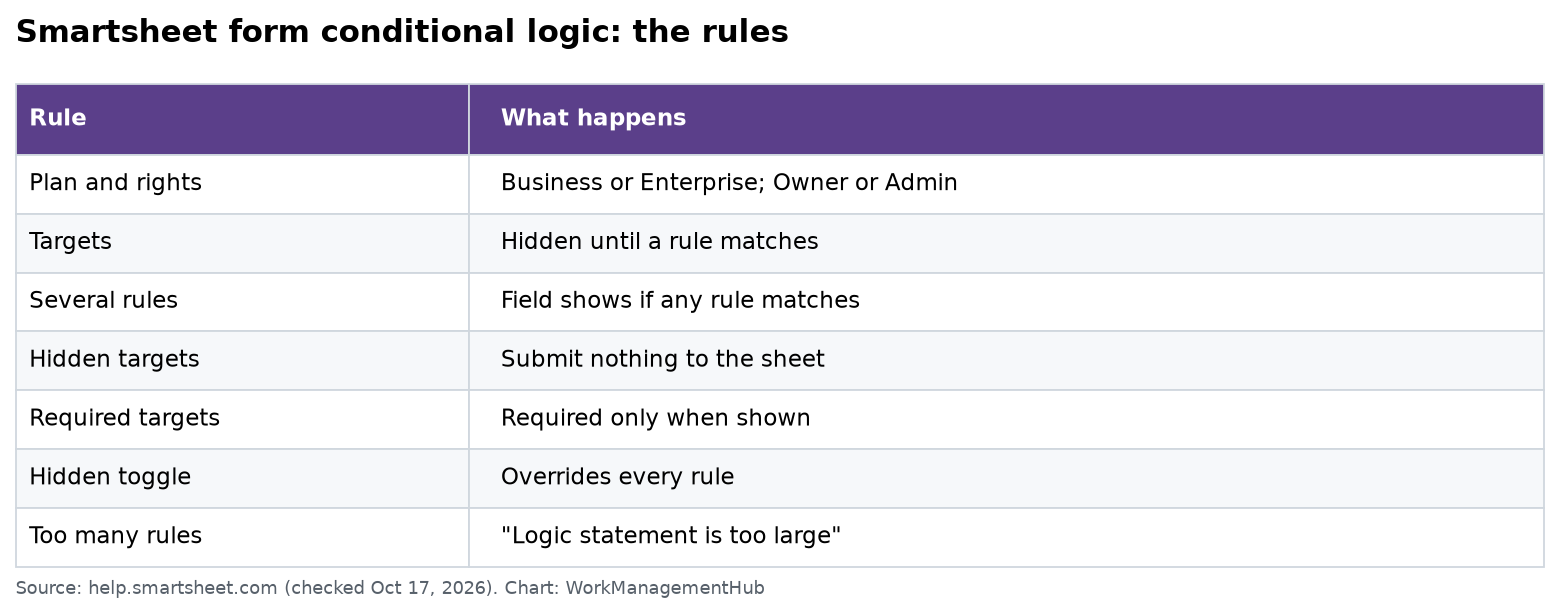
To add conditional logic to a Smartsheet form, open the form builder and select the field that should control the others. In the panel on the right, open the Logic tab and select Add Logic. Set the When condition, choose the Then fields to show, select Add, and save. You need a Business or Enterprise plan and Owner or Admin rights on the sheet. Business was $19 per member a month billed yearly on October 17, 2026.
If your Logic tab won’t work on Pro, nothing is broken. It’s a plan limit. Everything below comes from Smartsheet’s conditional logic help page, its form builder guide and the pricing page, all checked today.
What conditional logic does
It shows a question only when an earlier answer makes it relevant. Smartsheet’s own example is an IT help desk form. When someone picks IT Equipment as the request type, the equipment questions appear. The IT Support questions stay out of sight.
You can show more than fields. Headings, dividers and attachment fields can also be targets.
Before you start: set up your columns
Logic works best with dropdown and checkbox fields. A free-text field gives you messy answers that are hard to match.
- Turn “Request type” into a single-select dropdown.
- Turn numbers into ranges. Smartsheet suggests a budget dropdown with options like “Over $10,000” instead of a typed amount.
- Fix your dropdown values before you build rules. Changing a column’s type or values later can affect existing rules.
Build a rule in 7 steps
- Open the sheet and select Forms > Create form, or open an existing form and select Edit.
- Select the source field. This is the question whose answer decides what comes next.
- Open the Logic tab in Field Settings on the right. Select Add Logic.
- Set the When part. Pick an operator, such as “is any of,” and the values that should trigger it.
- Set the Then part. Choose the target fields and elements to show.
- Select Add at the bottom right of the rule. Use +Add rule for more rules on the same field.
- Save and test. Select Open Form at the top right and try every path.
Source fields get one icon in the builder. Target fields get another. Hover over a target’s icon to see every rule that affects it.
The rules that surprise people
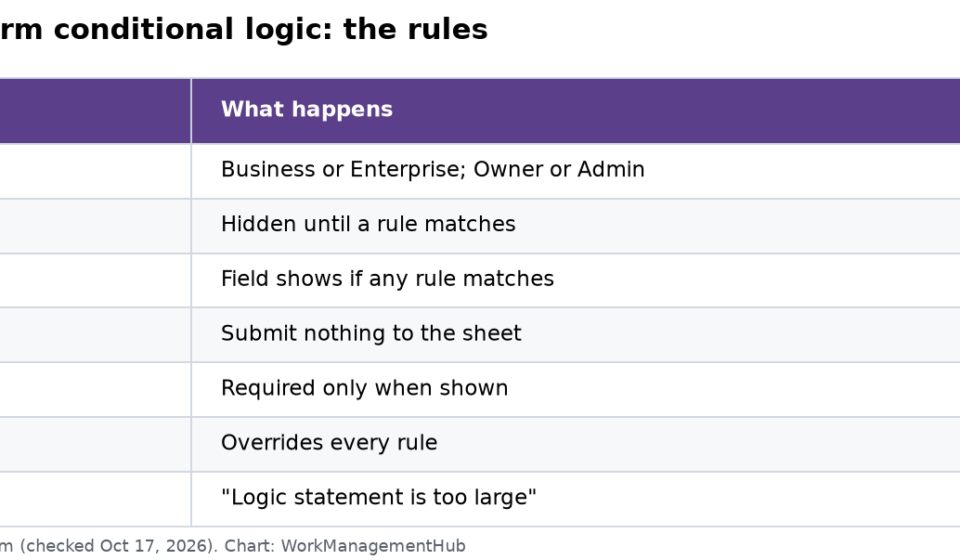
| Behavior | What it means for you |
|---|---|
| Targets start hidden | A target field shows only when at least one of its rules is met |
| Any rule wins | If several rules point at one field, it shows when any one of them matches |
| Hidden targets don’t submit | A field that never appeared sends nothing to the sheet |
| Required only when shown | A required target only blocks the form if it is on screen |
| The Hidden toggle wins | A field set to Hidden in Field Settings stays hidden, whatever the rules say |
| Removing a field removes its logic | Delete a source field and its rules go with it |
The “hidden targets don’t submit” rule matters most. If you planned to fill a column with a default value from a hidden target, it won’t save. Use a separate field with the Hidden toggle for system data instead. The form guide says Hidden fields can store “system-generated data or internal information.”
Nested logic
A target can also be a source. Question 1 can show Question 2, and Question 2 can show Question 3. If someone changes Question 1 so that Question 2 hides, Question 3 hides too.
This is also how you handle “show this only when both answers are true.” Each rule belongs to one source field. So put the second question behind the first. Then add a rule on the second question that shows the final field.
Write shorter rules
There is a limit on the size and number of rules on one source field. If you pass it, you’ll see this error:
Sorry, there was a problem saving this logic. Logic statement is too large.
Two tricks from Smartsheet keep you under it:
- Use “is any of.” If three dropdown answers should show the same fields, write one rule with all three values. Don’t write three rules.
- Flip the condition. If a field should show in every case but one, write a rule for that one case using a “not” style operator. Don’t list every other value.
A worked example: IT request form
| Source answer | Fields shown |
|---|---|
| Request type is “IT Equipment” | Equipment type, Quantity, Cost center |
| Request type is “IT Support” | Device, Problem summary, Screenshot (attachment) |
| Request type is any of “IT Equipment,” “Software” | Manager approval needed? (checkbox) |
| Manager approval needed? is checked | Manager email |
The last row is nested. The manager email only appears after someone picks Equipment or Software and checks the approval box.
Form limits worth knowing
From the form builder guide:
- Attachments: up to 30 MB per file and 10 files per submission. One attachment field per form.
- Text limits: 100 characters for the form title and field labels. 4,000 for response fields and the confirmation message.
- Adding a field adds a column to the sheet. Removing a field doesn’t delete the column.
Test every path before you share
A form with logic has more than one path. Test each one, or a real user will find the broken one first.
- List every source answer. For the IT form above, that’s Equipment, Support and Software.
- Open the form with Open Form and pick the first answer. Check that only the right fields show.
- Submit a test entry for each path. Then open the sheet and check the new rows.
- Look for blank columns. A blank where you expected data often means the field was a hidden target.
- Change an answer midway. Pick Equipment, then switch to Support. The Equipment fields should hide, and nested fields should hide with them.
- Try to submit with a required field showing but empty. The form should stop you.
- Delete your test rows from the sheet when you’re done.
It only takes a few minutes, and it saves you from weeks of half-empty rows.
When a form isn’t the right tool
- If people need to see and edit past entries, use a report in a WorkApp instead.
- If the next step is a notice or approval, add an automation after the form. See our Smartsheet automations guide.
- If leaders want totals, feed the sheet into a dashboard.
Check plan costs in our Smartsheet pricing guide.
Common questions
Can I use form conditional logic on the Pro plan?
No. Smartsheet’s help page lists conditional logic for the Business and Enterprise plans, with Owner or Admin rights.
Does a hidden target field still save a value?
No. Target fields only send data to the sheet if they appeared when the form was submitted.
Can one answer show several fields at once?
Yes. Pick as many targets as you need in the Then part of one rule.
What does “Logic statement is too large” mean?
You’ve hit the size limit for rules on one source field. Combine values with “is any of” or flip the condition to shorten it.
Can I require a field that only shows sometimes?
Yes. A required target field only counts as required when it is showing at the time of submission.
Rules and limits checked on help.smartsheet.com and smartsheet.com/pricing on October 17, 2026.
Sponsored