monday.com Elevate ’26 Updates: What Is Live and What Is Beta
monday.com used its Elevate ’26 event on November 3, 2026 to raise some of its biggest limits. A portfolio can now hold 5,000 projects instead of 200. A dashboard can pull from 5,000 boards instead of 50. A new Data Set can hold 10 million items in one table. But most of this is in beta (an early test version) or planned for the first half of 2027, and the big pieces are Enterprise only. If you are on Standard or Pro, very little changes for you this month.
I read monday.com’s Elevate ’26 post, four of its Help Center articles and the live pricing page on November 13, 2026. As a work management implementer, I sort each change into one of three buckets: live now, in beta, or not here yet. Then I say who should act.
What monday.com announced at Elevate ’26
monday.com’s Elevate ’26 recap groups the news into three parts:
- Bigger limits for large projects. Projects per portfolio go from 200 to 5,000. Items per bulk import go from 10,000 to 1 million. Boards in one dashboard go from 50 to 5,000. Board connections go from 60 to 5,000. All four are “now in Beta,” with general release planned for H1 2027.
- New data and admin tools. Datasets hold up to 10 million items, up from the 100,000-item board limit. Organization Hub gives one place to see every account, admin, user count and AI spend. Both have a general release date of H1 2027.
- Daily work features. List View (one list of items from many boards) is out now. So are a workflow sandbox (a safe place to test a workflow), project intake inside workflows and formulas on rollup columns (columns that sum up data from linked items). View management is in beta. My Work 2.0 and a new item card are “on the way.”
monday.com also says these are plans, not promises. The post ends with a note that product plans “may change at any time.”

What is live, what is beta and who gets it
The table above is the short answer. Here is the detail that matters for buying decisions.
Portfolios at 5,000 projects (beta, Enterprise). Portfolio management only shows on the Enterprise column of the pricing page. The Portfolio at scale help article says it is in beta and “being rolled out through a gradual release.” So you may not see it yet, even on Enterprise.
Data Sets at 10 million items (Enterprise, admins only). The Data Set help article says it is on the Enterprise plan across all products. Only account admins can create one.
Dashboards, bulk import and board connections (beta). The Elevate post does not name a plan for these. Today, regular dashboards stay at 50 connected boards.
List View (released). This is the one change most Standard and Pro teams may notice soon. monday.com did not list plan gates for it in the post.
Gemini connector (alpha, read-only). On November 4, monday.com added a Gemini connected app. More on its limits below.

Portfolio at scale: the fine print
The beta portfolio is built for PMOs (project management offices) that run hundreds of projects. Per the help article, it supports:
| Limit | Portfolio at scale |
|---|---|
| Projects per portfolio | Up to 5,000 |
| Items in one portfolio | Up to 5 million |
| Tasks per project | Up to 5,000 |
| Managed templates per portfolio | Up to 20 |
| Unmanaged projects per portfolio | Up to 200 |
| Data refresh | On load, then within 15 minutes |
The catch is the list of things it does not do yet. There are no automations on rollups, no Portfolio Snapshot, no Portfolio Workload, no risk insights, no API access and no mobile app. The All Projects Dashboard only shows battery, pie and bar charts. For Gantt or Workload widgets, you still need a regular dashboard, which is capped at 50 projects.
Two more details I would check before a PMO moves over:
- Everyone sees the same numbers. Portfolio reports show the same data to all portfolio members, even people who cannot open a project’s board. That is good for one source of truth. It is risky for sensitive budgets.
- Item-level permissions block it. If a project limits people to items they created or own, it cannot be marked reportable (allowed into a portfolio).

Data Sets: 10 million rows, fewer board features
A Data Set behaves like a board but holds up to 10 million items. It fits leads, tickets, timesheets or an asset list that every team shares. The table view shows the first 20,000 items at a time. You use search, sort and filter to reach the rest. The batch import API takes up to 20,000 items per call.
To get that scale, monday.com removed a lot. Per the help article, a Data Set has no subitems, no groups, no drag-and-drop order and no Gantt, Kanban or Calendar widgets. It cannot be private, cannot be a template and cannot connect to a dashboard.
My rule: use a Data Set for one big flat list. Keep project work on boards. If your records need nested rows, like accounts with contacts, stay on linked boards.
The Gemini connector is read-only for now
The monday.com app in Gemini lets you ask about your boards from a Gemini chat by typing @monday.com. For Gmail, Docs, Sheets and Slides, the Workspace setup guide lists two steps. First install the monday.com Google Integration app from the monday marketplace. Then install monday.com from the Google Workspace Marketplace.
Know these limits first:
- It is in early alpha and read-only. Gemini can pull board data into a Sheet or a Doc. It cannot create or update items.
- It needs Google Workspace Business Standard, Business Plus, Enterprise Standard or Enterprise Plus.
- An admin may need to approve the monday.com app first.

What it means for your bill
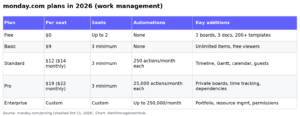
Nothing on the seat price changed at Elevate. On November 13, 2026, with 10 seats and yearly billing, the pricing page showed:
| Plan | Per seat / month (yearly) | AI credits / month shown | Workflows |
|---|---|---|---|
| Basic | $9 | 1,000 | Not listed |
| Standard | $12 (special offer, $14 crossed out) | 2,000 | 3 |
| Pro | $19 (special offer, $22 crossed out) | 3,000 | 20 |
| Enterprise | Custom | Custom | 250 |
The Standard and Pro prices carry a “special offer” tag. Budget for the crossed-out price at renewal unless your quote locks the lower one in.
The AI news is where costs can move. Per monday.com’s AI credits article, the AI Notetaker uses 120 credits per meeting hour. A Sidekick message uses about 10 to 30 credits for a simple ask and 150 or more for a hard one. So 2,000 Standard credits cover about 16 hours of recorded meetings and nothing else. Admins get alerts at 80% and 100% of the credit limit.
You can cap that spend now. Go to Admin > AI governance > Usage limits. There you can set a limit for the whole account, for each AI feature and for each user or department. Our monday.com pricing guide has the full plan breakdown.
Who should act now, and who should wait
Act now if:
- You are on Enterprise and your portfolio is near 200 projects. Ask your account manager to join the beta. Test it with a copy before you move live reporting.
- You keep one huge list split across many boards because of the 100,000-item cap. A Data Set may let you merge them.
- Your team asks for a single list of their items across boards. Try List View.
Wait if:
- You are on Standard or Pro. The big limits are Enterprise or beta. Do not upgrade for features that are not generally released.
- You need Gantt, Workload or API access at the portfolio level. Portfolio at scale does not do those yet.
- You want Gemini to update boards. It only reads data today.
If you are comparing tools for large portfolios, our Smartsheet vs monday.com comparison covers how each handles roll-up reporting. For agent setup, see our monday.com AI agents guide. For dashboard basics, see our monday.com dashboards setup guide.
What I would do this week
- Open Admin > AI governance > Usage limits and set a default credit limit per user.
- Check your Notetaker hours against your monthly credits.
- On Enterprise, count projects per portfolio. If you are near 200, ask about the beta.
- List any board near 100,000 items. Mark it as a Data Set candidate, but check the missing features first.
- Hold any upgrade until the H1 2027 general release dates are firm.
Common questions
When did monday.com Elevate 2026 happen?
monday.com posted its Elevate ’26 updates on November 3, 2026. The Gemini connected app followed on November 4, 2026.
Is the 5,000-project portfolio available to everyone?
No. It is in beta with a gradual rollout, and portfolio management is an Enterprise feature. General release is planned for H1 2027.
What is a monday.com Data Set?
It is a table that holds up to 10 million items. It is on the Enterprise plan, and only admins can create one. It drops subitems, groups and some views to reach that size.
Did monday.com raise prices at Elevate ’26?
No seat price change was announced. On November 13, 2026, Standard showed $12 and Pro $19 per seat per month on yearly billing, both as special offers.
Can Gemini update my monday.com boards?
Not yet. monday.com’s setup guide says the Google Workspace connector is in early alpha and read-only.
How can I stop AI credits from running out?
Go to Admin > AI governance > Usage limits. Set limits per user, department or AI feature. You get alerts at 80% and 100% of your credits.
Sources
- monday.com: Updates from Elevate ’26 (Nov 3, 2026; checked Nov 13, 2026)
- monday.com: monday is now available in Google Gemini (Nov 4, 2026)
- monday.com Help Center: Portfolio at scale (checked Nov 13, 2026)
- monday.com Help Center: Introduction to Data Set (checked Nov 13, 2026)
- monday.com Help Center: Connecting Google Workspace (Gemini) to monday.com (checked Nov 13, 2026)
- monday.com Help Center: AI Credits and AI Permissions and Governance (checked Nov 13, 2026)
- monday.com pricing (checked Nov 13, 2026)
From our team: OneSmar for Smartsheet Teams