Monday.com Work OS vs Traditional Project Management: What Actually Changes in 2026

- Monday.com’s Work OS model isn’t just a UI change — it’s a fundamentally different assumption about what project management software should do: coordinate the entire operating layer of a business, not just track tasks.
- Monday’s Q1 2026 revenue of $351M (24% YoY growth) confirms the Work OS model is winning in the market — but winning market share and being the right tool for your team are separate questions.
- The AI agent layer Monday introduced in 2025–2026 — where agents can sign up, authenticate, and operate as autonomous actors inside Monday — is the most significant architectural shift in PM software in a decade.
- Traditional PM tools (Microsoft Project, Primavera) still win on Gantt depth, resource leveling precision, and earned value management for capital-intensive projects — Monday doesn’t compete there.
- Work OS only delivers its productivity promise if you actually consolidate onto it — adding Monday alongside existing tools without replacing them creates more fragmentation, not less.
- What “Work OS” Actually Means Beyond the Marketing
- Monday’s AI Agent Infrastructure: What Changed in 2026
- Where Monday.com Genuinely Outperforms Traditional PM Tools
- Where Traditional Project Management Tools Still Win
- The Consolidation Reality: What It Takes to Make Work OS Work
- Migrating from Microsoft Project or Asana to Monday.com
- FAQ
Monday.com surpassing $351M in Q1 2026 revenue — 24% year-over-year growth — is the market telling you something: the Work OS model is resonating. But revenue growth tells you about sales motion and brand strength, not whether the product is the right choice for your specific organization. Understanding what Work OS actually means, and where it genuinely changes how teams operate versus where it’s positioning language, requires stripping away the marketing.
What “Work OS” Actually Means Beyond the Marketing
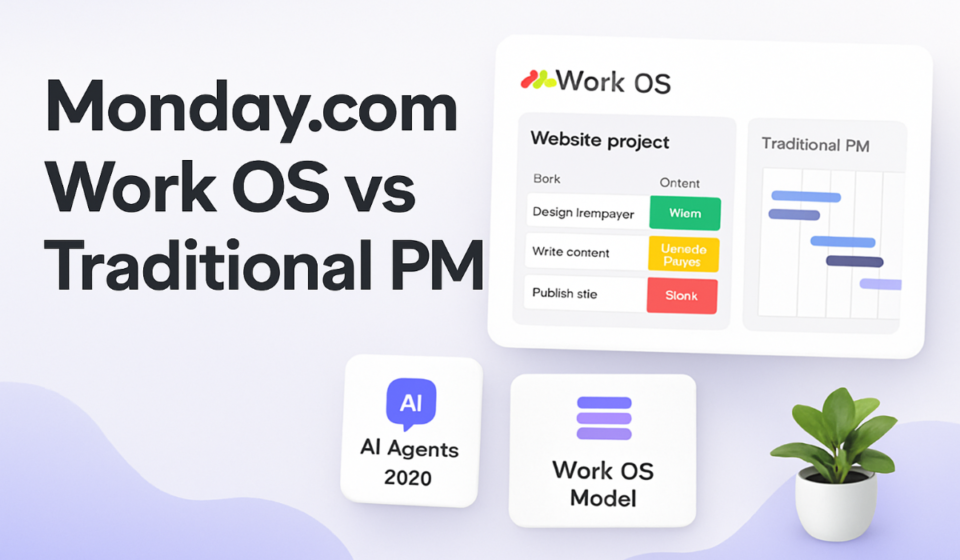
Traditional project management software — Microsoft Project, early Asana, Basecamp — was designed to answer one question: “is the project on track?” It tracks tasks, milestones, dependencies, and deadlines. Work OS starts from a different question: “what is everyone in the organization working on, why, and is it aligned with business objectives?” That broader scope means the platform needs to work for marketing campaigns, sales pipelines, HR onboarding, IT service requests, and product launches simultaneously — not just software development sprints.
Monday’s implementation: a highly configurable board-and-item model with no fixed schema, a workflow automation engine, dashboards that aggregate across boards, 200+ integrations, and now an AI agent layer that can act as an autonomous operator within the system. The flexibility is genuine — Monday can be configured to look completely different for marketing, engineering, and facilities teams, all within the same platform.
Monday’s AI Agent Infrastructure: What Changed in 2026
The most significant architectural change in Monday’s 2025–2026 releases isn’t a feature — it’s infrastructure. Monday built a system where AI agents can be granted their own accounts, authenticate to the platform, and operate as autonomous actors that create items, trigger automations, update fields, and respond to events without human initiation.
✅ What Monday AI Agents Can Do in 2026
- Intake processing: Receive a form submission, extract structured data, create items in the right board, assign to the right person, set due dates based on business rules — all automatically.
- Status synthesis: Scan a project board, identify at-risk items, draft a status report, and post it to Slack — on a schedule, without human initiation.
- Exception handling: Monitor SLA-like time fields, escalate overdue items, and notify responsible parties through the appropriate channel without a human setting up each rule manually.
The practical implication: teams adopting Monday’s AI agent layer are not just using software more efficiently — they’re replacing coordination roles (project coordinators, status reporters, intake managers) with autonomous software processes. This is a significant organizational change, not just a productivity improvement.
Where Monday.com Genuinely Outperforms Traditional PM Tools
Cross-functional work visibility is Monday’s strongest capability. Traditional PM tools are typically scoped to a project — you see what’s happening in Project X but not how it relates to the sales pipeline or the support queue. Monday’s board model, when configured correctly, gives every team member and leader visibility into work across the entire organization from a single platform. Speed of workflow creation is also genuinely superior — building a new process in Monday takes hours, not the days that enterprise PM tool configuration typically requires.
Where Traditional Project Management Tools Still Win
Complex dependency scheduling with resource leveling — required for large construction projects, engineering programs, or government contracts — is not Monday’s strength. Microsoft Project’s Gantt engine, with its constraint types, critical path calculation, and resource leveling algorithms, represents decades of refinement that Monday’s timeline view doesn’t replicate. Earned Value Management (EVM), required by many government and defense contracts, is simply not available in Monday. For these use cases, traditional tools aren’t legacy choices — they’re the right tools. Jira also remains stronger for software development teams that live in sprints and backlogs, where its native CI/CD integrations and sprint planning model are meaningful advantages.
The Consolidation Reality: What It Takes to Make Work OS Work
The productivity gains from reduced context-switching only apply if you actually eliminate the tools you’re switching between. The most common failure mode for Work OS adoption is adding Monday to an existing tool stack without replacing anything, creating one more context to switch into rather than consolidating away from.
⚠️ The Consolidation Trap
- Organizations that buy Monday as a “single source of truth” while keeping existing tools active almost always end up with more fragmentation, not less. The status updates in Monday reflect what people entered there, not what’s actually happening — because actual coordination is still happening in Slack, email, and spreadsheets. Work OS only works if it becomes the primary coordination layer, not one of several.
Migrating from Microsoft Project or Asana to Monday.com
The technical migration from Microsoft Project to Monday is manageable — Monday can import .mpp files, and the timeline/Gantt view replicates most scheduling structures. The harder migration is cultural: teams accustomed to MS Project’s rigid structure find Monday’s flexibility disorienting initially. They need guardrails — standardized board templates and naming conventions — to prevent the blank-canvas flexibility from creating chaos. Migrating from Asana to Monday is structurally simpler but requires remapping Asana’s Projects/Sections to Monday’s Groups/Items model. The biggest loss is Asana’s more mature dependency model — audit how many dependencies are in active use before committing to migration.
FAQ
Monday’s Timeline view supports task dependencies and can visually show the critical path for simple projects, but doesn’t offer the depth of MS Project — no constraint types, no total float display, no automatic schedule compression. For complex schedule analysis, supplement Monday with a dedicated scheduling tool.
Monday Business is approximately $24/user/month (billed annually). Microsoft Project Plan 3 — the comparable full-featured tier — runs $30/user/month. Monday’s consumption-based pricing model introduced in 2025–2026 may shift this for large enterprise teams.
📚 Related Reading on WorkManagement Hub
🎯 Expert Bottom Line
Monday.com’s Work OS model has proven itself for cross-functional organizations that need visibility, flexibility, and high non-technical adoption rates across departments. The AI agent infrastructure is the most significant evolution in PM software architecture since the shift to cloud — and Monday is currently ahead of every competitor in this specific capability. But Work OS is not a replacement for every PM use case. Capital project managers and engineering teams with complex dependency-driven scheduling still need tools built for that precision. The honest framing: Monday is the best platform for organizations whose primary challenge is operational coordination across diverse teams. It is not the best platform for organizations whose primary challenge is precise schedule management on constrained projects. Know which challenge is yours before you commit.
Sponsored