
monday vibe lets you build a custom board view, item view or full app by describing it in plain words. Open a board, click + to add a view, pick Vibe, describe the widget, then refine it in chat and click Publish. Building is open to paying accounts with AI turned on. Publishing needs a separate Vibe app package, and every prompt uses AI credits.
I set up monday.com for operations teams. vibe is the first monday feature that lets a non-developer build the exact view a manager keeps asking for. It is also easy to burn credits on it. This guide follows monday.com’s Get started with monday vibe article, its vibe FAQ and its permissions and pricing page, all checked on October 15, 2026.
What vibe can and cannot build
vibe is “vibe coding” (you write a request, AI writes the code, and you never see the code). In practice it builds:
- Board views: dashboards, charts, maps, time trackers, resource planners, custom forms.
- Item views: a custom panel inside one item.
- Left-pane apps: a full-page app that can use data from several boards.
It reads the board you connect, including columns, items, subitems and connected (relation) columns. It can also connect or disconnect items on another board.
What it cannot do yet, per the FAQ:
- No scheduled or background jobs. An app runs only while someone has it open.
- No external API calls. Outside integrations are “planned.”
- Board views stay inside monday.com. Only full-page apps on the Vibe Growth package can go public with a link.
- Only the creator can edit an app.
- An app cannot fire an automation directly. It can change a status, and that change can trigger your automation.
If you need something to run every night with nobody watching, use an automation or an AI agent instead. Our monday.com AI agents guide covers that.
Who can use it, and what it costs
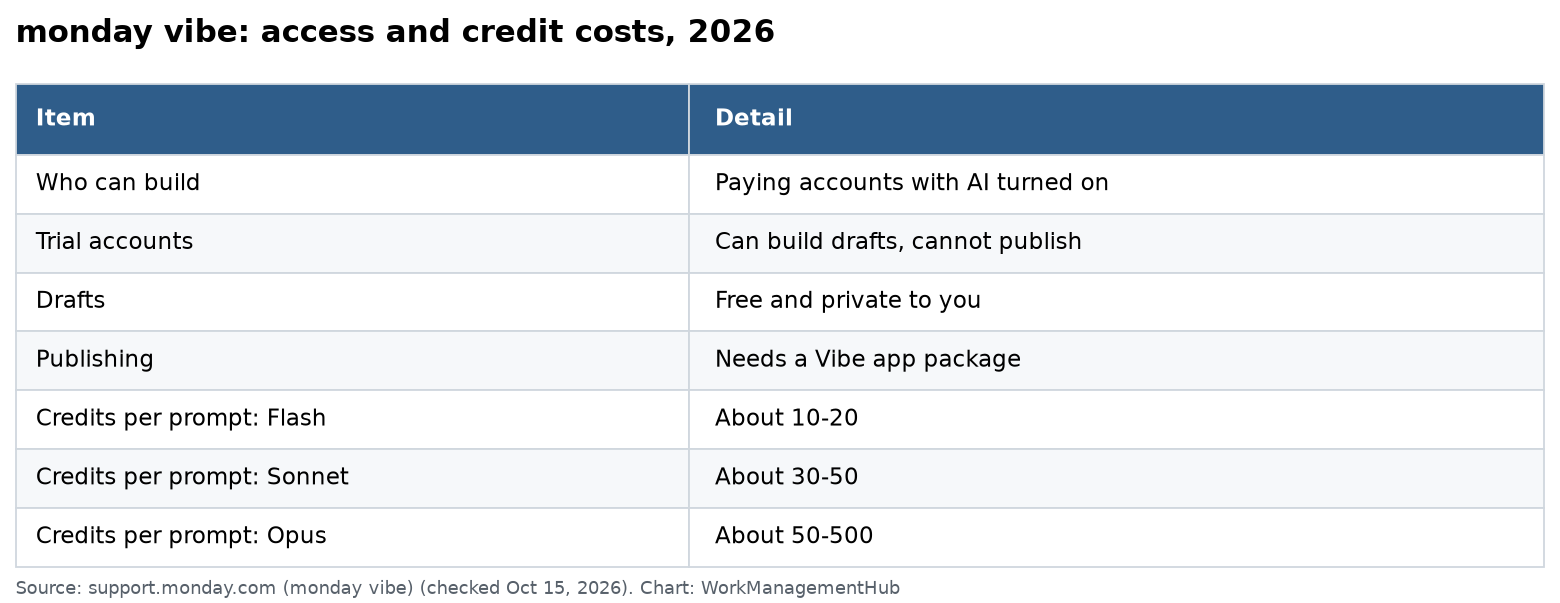
| Item | What monday.com says |
|---|---|
| Who can build | Paying accounts with AI enabled. Trial accounts can build but not publish. Free accounts cannot build. |
| Drafts | Free, visible only to you, do not count toward your limit |
| Publishing | Needs a Vibe app package; published apps count toward your paid limit |
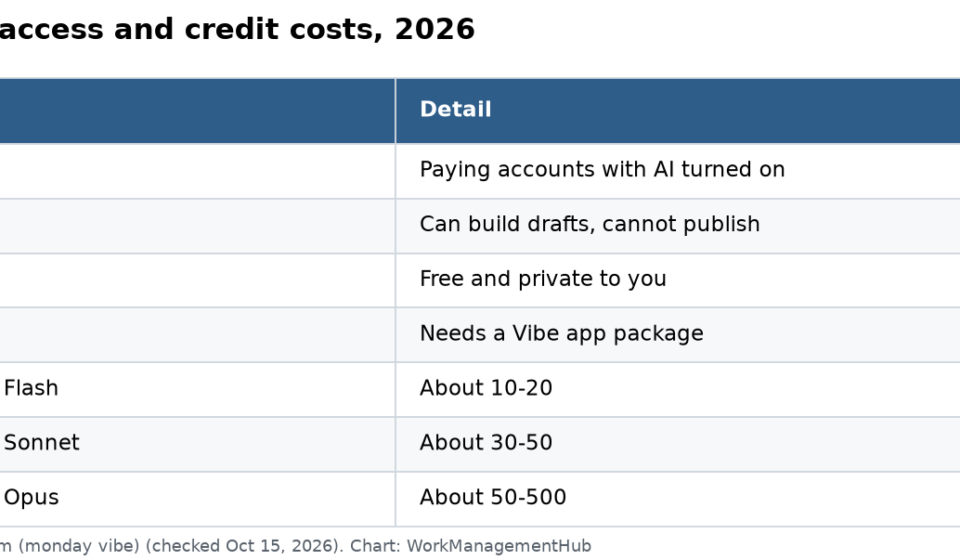
| Prompt cost | Gemini Flash about 10-20 credits, Claude Sonnet about 30-50, Claude Opus about 50-500 |
| Running cost | Apps that use AI spend credits every time they run |
| Restrict builders | Enterprise only, by user role |
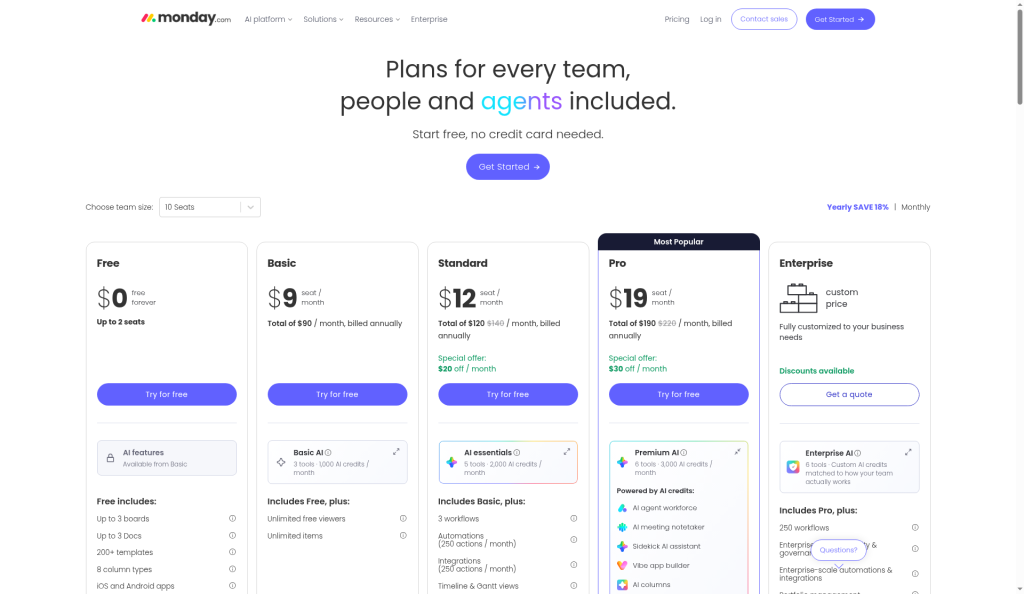
Admins can see the package options under Administration, AI governance, See plans. AI credits come with your seat plan. Paid plans bought on or after May 6, 2026 include at least 1,000 credits a month on Basic, 2,000 on Standard and 3,000 on Pro. Our monday.com pricing guide has the full plan costs.
A quick budget check: monday.com’s own example of a simple one-view tracker used about 140 credits to build. A large app with dozens of screens used about 3,000. Most board widgets land in the first group if you prompt well.
Step by step: build a board widget
1. Prepare the board first
vibe works from your columns. Clean them before you prompt.
- Use clear column names, like “Owner” not “Person 2.”
- Use the right column types: Status for status, Date for dates, Numbers for hours or money.
- Delete test items. Old junk shows up in charts.
2. Open vibe from the board
Open the board. Click the + below the board name to add a view and choose Vibe. You can also click the Vibe button on the board toolbar. monday.com shows suggested apps for that board, which are a good starting point.
3. Write a three-part prompt
monday.com’s best-practice article says a strong first prompt covers what you are building, the tasks it must do, and how it should look. For example:
“Build a board view for my Client Requests board. Show one card per owner with open items, items due this week, and items marked Stuck. Add a bar chart of open items by Status. Clicking a card filters the list below to that owner. Use a clean light design with our blue (#1f4e79).”
Start small. Ask for the core view first, then add features one prompt at a time.
4. Pick the model on purpose
Each prompt costs credits based on the model. Use Gemini Flash for color or text tweaks. Use Claude Sonnet, the default, for most builds. Save Claude Opus for a big multi-page app. You can also ask the chat, “How many credits will this app consume?”
5. Test in preview, then on the board
Some buttons only work on the live board. Before you trust a widget, test it there with real data. Check what a teammate with fewer permissions sees.
6. Publish
Click Publish. The view installs on the board. After that, turn off Auto Update if you want later edits to stay in draft until you click Update changes.
Permissions: who sees what
vibe respects monday.com permissions. People only see data from items and columns they can already access.
- Members and guests can view a vibe app if they have access to the board.
- Viewers cannot see vibe apps that show board data, even with board access.
That viewer rule trips up client-facing boards. If your clients are viewers, they will not see your new widget. Test with a real viewer account before you promise anything.
Speed tips for big boards
Large boards make vibe apps slow. monday.com suggests asking vibe to:
- Cache board data and refresh it hourly or daily.
- Use the aggregation API for totals and counts.
- Load only recent items, like “created in the last 30 days.”
- Load a second board only when someone opens that tab.
- Query only the columns you show.
Mistakes I see most
- Building on a messy board. Fix columns first, or the app inherits the mess.
- One giant prompt. It costs more and is harder to fix. Build in steps.
- Opus for everything. It can use up to 500 credits per message.
- Promising a widget to viewers. They cannot see it.
- Expecting it to copy to other boards. Board views cannot be duplicated. Save the board as a template with the view installed instead.
If your need is a standard chart, a regular dashboard may be enough. Our monday.com dashboards guide shows what built-in widgets already do, at no credit cost. For formulas behind your numbers, see our formula column guide.
Common questions
Do I need to code to use monday vibe?
No. You describe what you want in plain words, and vibe writes the code. You refine it by chatting.
Can a vibe app use data from more than one board?
Yes. Left-pane apps can start with up to 5 boards, and you can connect more from the editor. Board views are tied to their board.
Is monday vibe free?
Drafts are free to build on paid accounts, but each prompt uses AI credits. Publishing needs a paid Vibe app package.
Can I share a vibe app outside my monday.com account?
Only full-page apps on the Vibe Growth package, after an Enterprise admin allows it. Board widgets cannot be made public. Per monday.com’s public app article, anyone with the link can then view and edit board data the app exposes.
Who can edit a vibe app?
Only the creator. Owners and admins can transfer ownership from the app’s three-dot menu.
Checked against support.monday.com and monday.com/pricing on October 15, 2026. vibe changes often; confirm before you plan a budget.
Sponsored