Jira Not Working? Fix the 8 Most Common Jira Cloud Errors (2026)
When Jira Cloud is not working, check three things first: the Atlassian status page, your browser (cookies and extensions), and your access. Most other problems are setup issues with clear fixes. Items missing from a board usually come from the board filter or the “hide completed” setting. Automation errors usually show in the rule’s audit log, often as “Some errors” when a field is missing from a screen.
This guide uses Atlassian’s support docs: debugging an automation flow, fixing “Unknown fields” errors, missing quick filter results, the Atlassian status page and the Jira pricing page. I checked all of them on October 16, 2026.
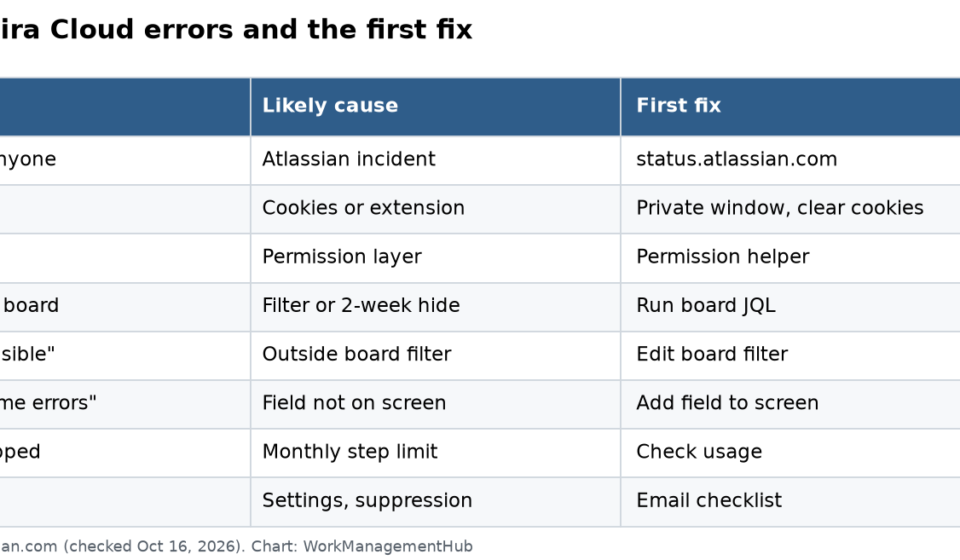
The 8 errors at a glance
| # | Symptom | Most likely cause | First fix |
|---|---|---|---|
| 1 | Jira won’t load for anyone | Atlassian incident | Check status.atlassian.com |
| 2 | Login loop | Old cookies or an extension | Clear Atlassian cookies, try private window |
| 3 | “You don’t have access” | Permission or app access | Check permissions with an admin |
| 4 | Item missing from board | Board filter or 2-week hide | Run the board filter in search |
| 5 | “Created but not currently visible” | Item outside the board filter | Edit the board filter |
| 6 | Automation “Some errors” | Field not on the screen | Add the field to the screen |
| 7 | Automation stopped running | Usage limit reached | Check usage; upgrade or wait |
| 8 | No email notifications | Settings, suppression, scheme | Run the email checklist |

1. Jira won’t load for anyone
If your whole team sees errors at once, it may not be you. Open the Atlassian status page. It lists each product, like Jira, Jira Service Management, Confluence, Trello, Bitbucket and Rovo, with its current state. When I checked on October 16, 2026, all of them showed Operational.
If there is an incident, subscribe to updates and wait. Changing settings during an outage only adds confusion.
2. Login loop
You sign in, see a loading screen, and land back on the login page. Try these in order:
- Open a private or incognito window and sign in. If it works, the problem is in your normal browser.
- Clear cookies for atlassian.net and atlassian.com.
- Turn off extensions, especially ad blockers and privacy tools.
- If your company uses single sign-on, ask IT to check your account in the identity provider.
3. “You don’t have access”
Access in Jira has layers: app access, global permissions, space access, permission schemes, roles and security levels. A gap in any one blocks you. Ask a Jira admin to use the permission helper on the item you can’t open. Our Jira permissions fix guide walks through each layer in order.
4. Items missing from the board
A board only shows what its filter returns. Atlassian’s steps:
- Open the board settings and copy the filter query (JQL).
- Run it in advanced search.
- If the item shows in search but not on the board, check its status. Is it Done and older than 2 weeks?
- Go to Board settings, then General, and look for the setting that hides completed issues older than 2 weeks.
Also check:
- Quick filters. One may be switched on and hiding work.
- Column mapping. A status not mapped to any column will not show.
- Sprint. On a scrum board, items not in the active sprint live in the backlog.
Our JQL advanced filters guide helps you read and fix board filters.
5. “The item has been created but is not currently visible”
This pop-up means the new item does not match the board’s filter. A common case: the board filter covers project “Test,” but you created the item in “Test 2.”
Fix it by adding the project (or the issue type, or label) to the board’s filter. Or create a new board that covers both. On Data Center, Atlassian also says to check that the Sprint field has a global context.
6. Automation shows “Some errors”
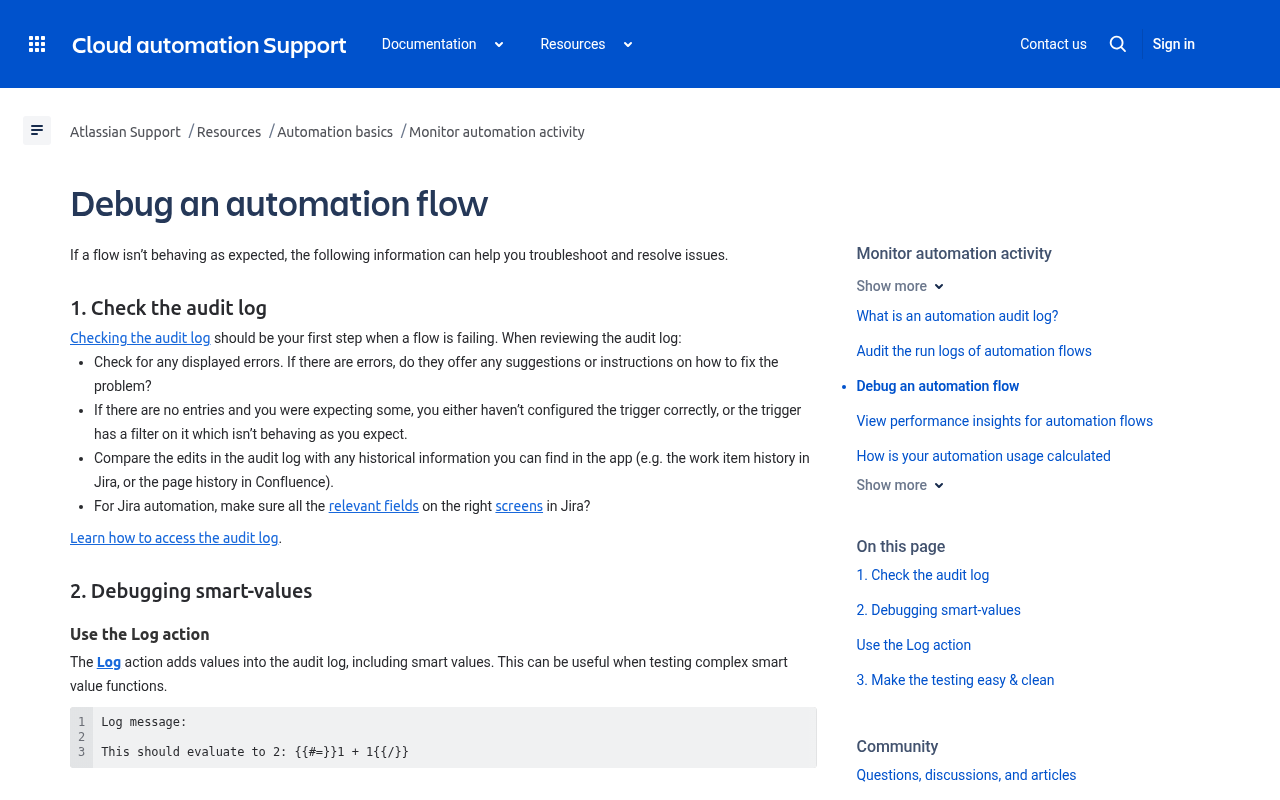
Open the rule and go to the Audit log. Atlassian says this should always be your first step.
- No entries at all? The trigger is wrong, or a trigger filter is blocking it.
- “Some errors”? Click Show more to see the action details.
A common message reads: “Unknown fields set during create, they may be unavailable for the project/type… Fields ignored – Time tracking.” Atlassian lists three causes:
- The field is not on the Create screen for that project and issue type.
- The field is not on the Edit screen, or its field context leaves out some projects or types.
- The value is in a format the REST API won’t accept, such as badly formed JSON.
The fix is to add the field to the right screen, widen the field context, or correct the value format. Automation uses the same rules as the REST API. If the API can’t make the change, the rule can’t either.
Debugging tips from Atlassian
- Add a Log action to print values to the audit log.
- Wrap a smart value in
{{#debug}}...{{/}}to log it without an extra step. - Copy the rule and disable the original before testing.
- Use the Manual trigger to run a rule on one item at any time.
- Put
{{now}}in a test value so you can see when it changed.
Our Jira automation rules guide has tested rule recipes.
7. Automation stopped running
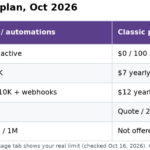
Jira Cloud limits automation steps per month. Per the pricing page on October 16, 2026:
| Plan | Automation steps |
|---|---|
| Free | 150 per month for the whole subscription |
| Standard | 400 per user per month |
| Premium | 750 per user per month |
| Enterprise | 1,000 per user per month |
On Free, 150 steps can run out in days if a busy rule fires on every update. Check your usage in the automation settings. Then cut noisy rules, add conditions so rules run less often, or upgrade. Our Jira pricing guide explains each plan.
8. No email notifications
Missing emails have their own list of causes. Jira batches emails (a 3 to 10 minute wait is normal). Addresses can land on a suppression list after a bounce. Notification schemes and workflow events also matter. See our full Jira notifications fix guide.
Integration errors (Slack, GitHub)
If Slack messages or GitHub links stop showing in Jira:
- Check the app is still installed under Apps in Jira settings.
- Reconnect the account that set it up. If that person left the company, the link may have broken.
- Make sure the repo or channel is still connected to the right space.
Guides: Jira and Slack and Jira and GitHub.
When to contact Atlassian Support
Contact support if the status page is clear, a private window doesn’t help, and an admin can’t find a setup cause. Include the site URL, the item key, the time it happened (with time zone) and a screenshot of any error.
Common questions
How do I know if Jira is down?
Check status.atlassian.com. It lists Jira and other Atlassian products with their current status.
Why can’t I see an issue on my Jira board?
The board filter may not include it, a quick filter may hide it, its status may not map to a column, or the board hides completed issues older than 2 weeks.
What does “Some errors” mean in Jira automation?
The rule ran, but at least one action failed. Open the audit log and click Show more. Often a field is missing from the Create or Edit screen.
How many automation steps does Jira Free include?
150 automation steps a month for the whole subscription. Standard includes 400 per user a month.
How do I test a Jira automation rule safely?
Copy the rule, disable the original, and run the copy with the Manual trigger on one item. Use the Log action or {{#debug}} to see values.
Checked against support.atlassian.com (automation debugging, Unknown fields, quick filter and board visibility articles), status.atlassian.com and atlassian.com/software/jira/pricing on October 16, 2026.
From our team: OneSmar for Smartsheet Teams