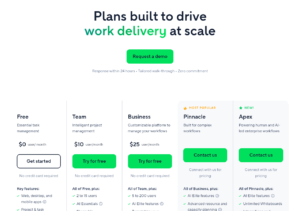

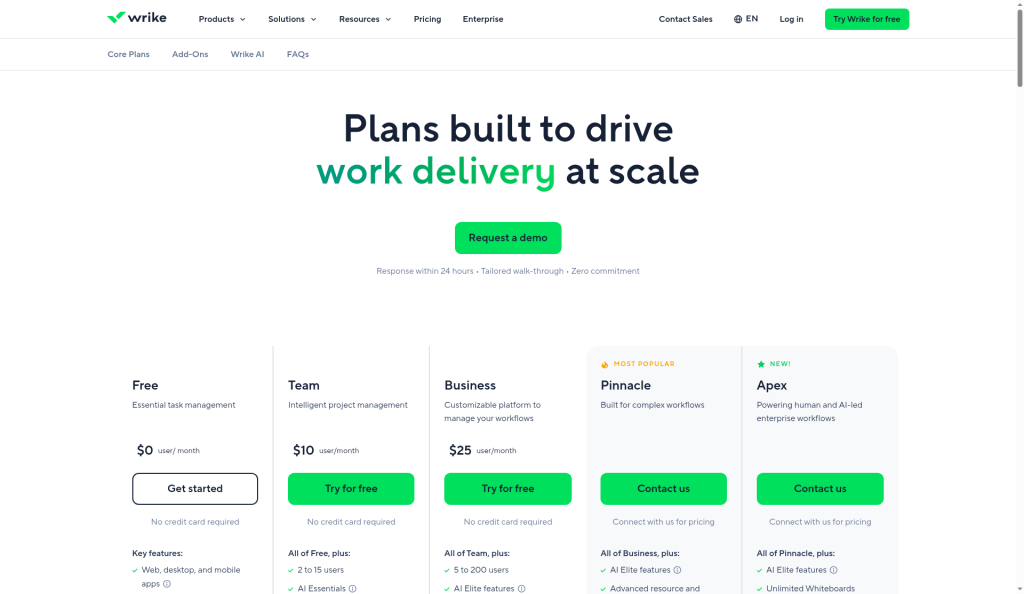
Wrike Blueprints are reusable templates for tasks, folders and projects. You build the structure once, with tasks, workflow, owners, dates and custom fields, then launch a new copy in a few clicks. Blueprints come with Business ($25 per user a month, yearly) and higher. Collaborators, Contributors and Viewers cannot create or launch them.
I build Wrike blueprints for agencies and marketing teams who run the same project shape again and again: a product launch, a webinar, a client onboarding. A good blueprint cuts setup from an hour to two minutes and makes every project look the same. This guide uses Wrike’s help articles on Blueprints in Wrike, creating a folder or project blueprint, launching one and blueprints in spaces, plus the Wrike pricing page, checked on October 15, 2026.
Who can use blueprints
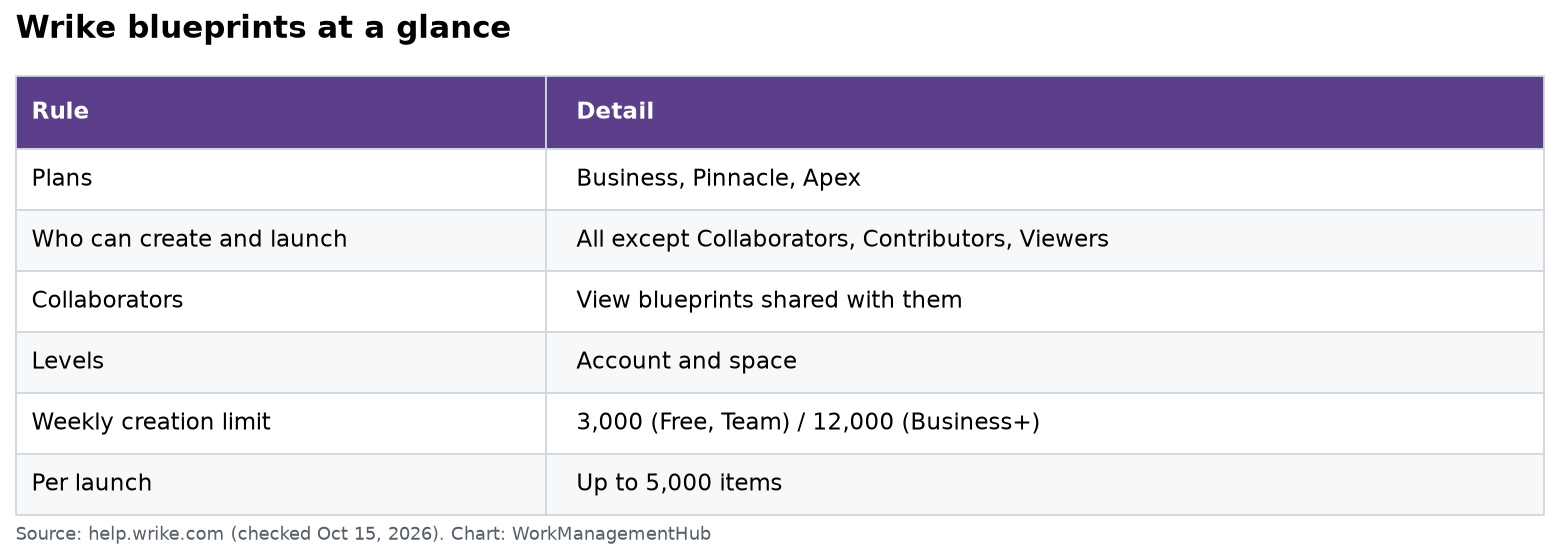
| Rule | Detail |
|---|---|
| Plans | Business, Pinnacle, Apex |
| Who can create and launch | All users except Collaborators, Contributors and Viewers |
| Collaborators | Can view blueprints shared with them |
| Levels | Account level and space level |
| Weekly creation limit | 3,000 items (Free, Team) or 12,000 (Business and up) per rolling 7 days |
| Per launch limit | 5,000 items |
Free accounts get simpler templates instead of blueprints. They do the same basic job with fewer options.
Account blueprints vs space blueprints
- Account blueprints live in the Blueprints section in the sidebar. Use them for company-wide patterns, like “Client onboarding.”
- Space blueprints live in a space’s settings. Only space admins can manage them. Use them for one team’s patterns, like “Weekly newsletter.”
I keep account blueprints few and polished. Teams can experiment in their own space.
Three ways to build one
- From scratch in the Blueprints section.
- From an existing project, choosing whether to keep descriptions, assignees, attachments and custom fields.
- From a custom item type, if your account uses them.
Saving a real project that went well is the fastest start. Then strip out anything client-specific.
Build a project blueprint from scratch
- Open Blueprints in the sidebar.
- Click + and pick Project (or Folder).
- Enter a name and choose where the blueprint lives. A blueprint can only sit inside another blueprint, not in your main folder tree.
- Pick the workflow.
- Set project owners and a start and finish date.
- Add a budget, and a billing type if you use Wrike for Professional Services or the Resource add-on.
- Choose the default view and who to share with.
- Add tasks, subtasks, dependencies, assignees and custom fields.
Dates and assignees in a blueprint never trigger work on their own. Nothing is due until you launch it.
Example: a webinar blueprint
- Weeks 1 to 2: pick topic and speaker, book the date, draft the landing page.
- Week 3: emails, social posts, slide review with an approval step.
- Week 4: dry run, go live, send the replay.
- After: follow-up emails and a results report.
That is about 25 tasks with owners by role. Each new webinar takes one launch and one date.
Launch a project from a blueprint
When you create a project from a blueprint, you can:
- Give it a name and an optional prefix added to every task, like “ACME:”
- Pick the location. If you skip this, it lands in your Personal space, which is a common surprise.
- Choose whether to notify assignees.
- Reschedule by setting a new start or end date. Wrike shifts every task and keeps the gaps and dependencies between them.
- Tick Add another to launch several copies in a row, each with its own settings.
The date picker treats Saturday and Sunday as non-working days and ignores custom work schedules. Wrike also moves tasks that land on an assignee’s day off to their next working day. If your team works weekends, check dates after launch.
Task statuses, assignees, descriptions and custom field values carry over. If custom fields seem missing, turn them on in Table view with the Fields menu. Links between items inside the blueprint update to point at the new copies.
Connect blueprints to request forms
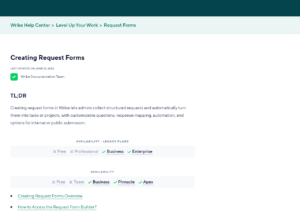
A request form can create a task or project from a blueprint every time someone submits it. This is how I set up “New campaign request” for marketing teams: the requester fills the form, and a full 20-task project appears with owners and dates.
One catch from Wrike’s docs: when a form launches a blueprint, the blueprint’s own location is not used. Set the location in the form instead. See our Wrike request forms guide for form setup.
Blueprints vs duplicating a project
Some teams just duplicate last month’s project. That works, but it copies old comments, finished tasks and wrong dates. A blueprint stays clean because nobody works inside it. My rule: if you copy the same project more than three times, turn it into a blueprint.
Keep a short changelog in the blueprint’s description, like “Oct 2026: added legal review step.” Then project leads know what changed since they last launched it.
Mind the limits
Wrike counts items created in bulk over the last 7 days. Free and Team accounts can create 3,000 items a week, and Business and up can create 12,000. A single launch can create up to 5,000 items. If you hit the cap, launches and duplication are blocked until the 7-day window resets or Wrike Support resets it. Excel and MS Project imports count toward the same limits.
A 60-task blueprint launched 10 times a week is 600 items. That is fine on Business. A 400-task blueprint launched 30 times a week would hit 12,000 and stop.
Blueprint habits that save headaches
- Name the owner of each blueprint and review it every quarter.
- Use relative dates. Build the blueprint to start on a Monday so the shift works cleanly.
- Keep approvals in the blueprint. Our Wrike proofing and approvals guide shows how to bake review steps in.
- Do not report on blueprints. They do not show up in reports, so build dashboards on the launched projects.
- Deleted one by mistake? Deleted blueprints go to the Recycle Bin until it is emptied.
To see how blueprints fit Wrike’s wider toolset, read our Wrike review and Wrike resource management guide.
Common questions
Which Wrike plan has blueprints?
Business, Pinnacle and Apex. Free accounts use simpler templates.
Can Collaborators use blueprints?
They can view blueprints shared with them, but cannot create or launch them.
Where does a project go if I don’t pick a location?
Into your Personal space. Always set the location when you launch.
Can a request form create a project from a blueprint?
Yes. Each submission creates a task or project from the chosen blueprint. Set the location in the form.
Is there a limit on how much a blueprint can create?
Yes. 3,000 items a week on Free and Team, 12,000 on Business and up, and 5,000 per launch.
Checked against help.wrike.com and wrike.com/price on October 15, 2026.
Sponsored