Smartsheet Pricing 2026: Pro vs Business vs Enterprise, Who Counts as a Paid Seat, and Add-On Costs

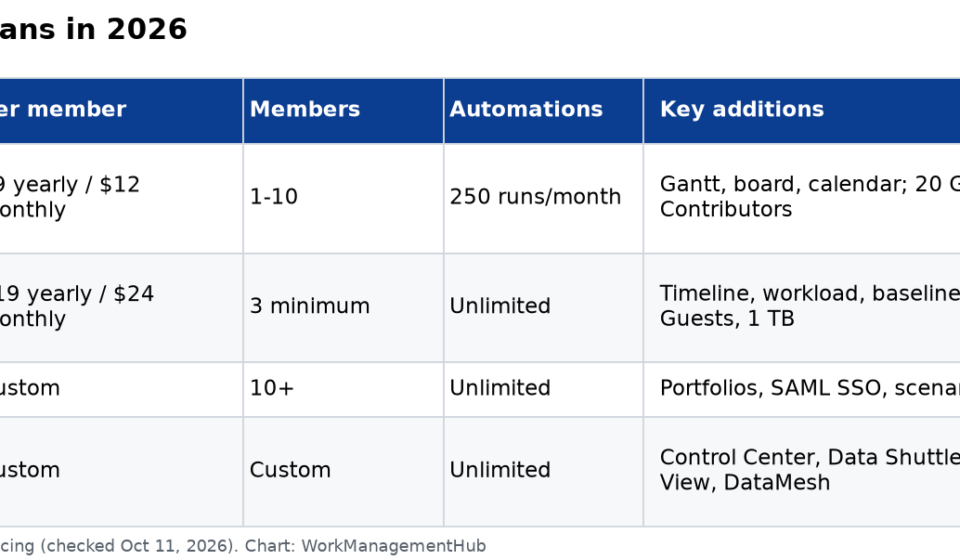
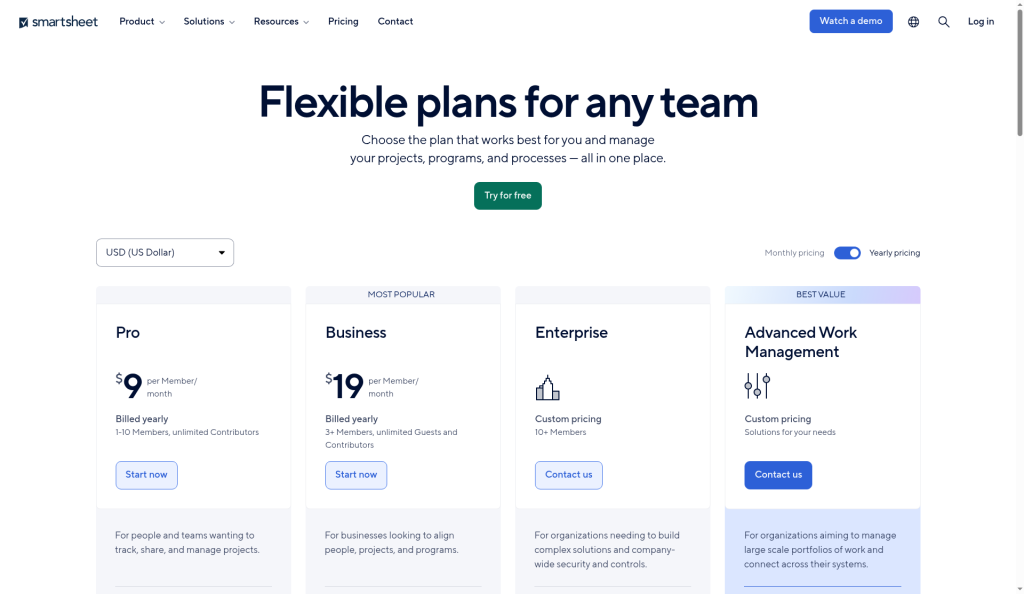
Smartsheet has four plans in 2026: Pro at $9 per member per month billed yearly ($12 monthly) for 1 to 10 members, Business at $19 billed yearly ($24 monthly) with a 3-member minimum, Enterprise (custom pricing, 10+ members), and Advanced Work Management (custom pricing, Enterprise plus Smartsheet’s premium add-ons). You pay only for Members, the people who create and own sheets. Contributors who view and comment are free, and on Business and above so are external Guests.
For most teams, the choice is Pro vs Business. Pro caps you at 10 members and 250 automation runs a month. Business removes the automation cap and adds timeline view, workload tracking, baselines, admin controls and free external guests.
Prices and limits below come from Smartsheet’s pricing page, checked October 11, 2026.
Smartsheet plans at a glance
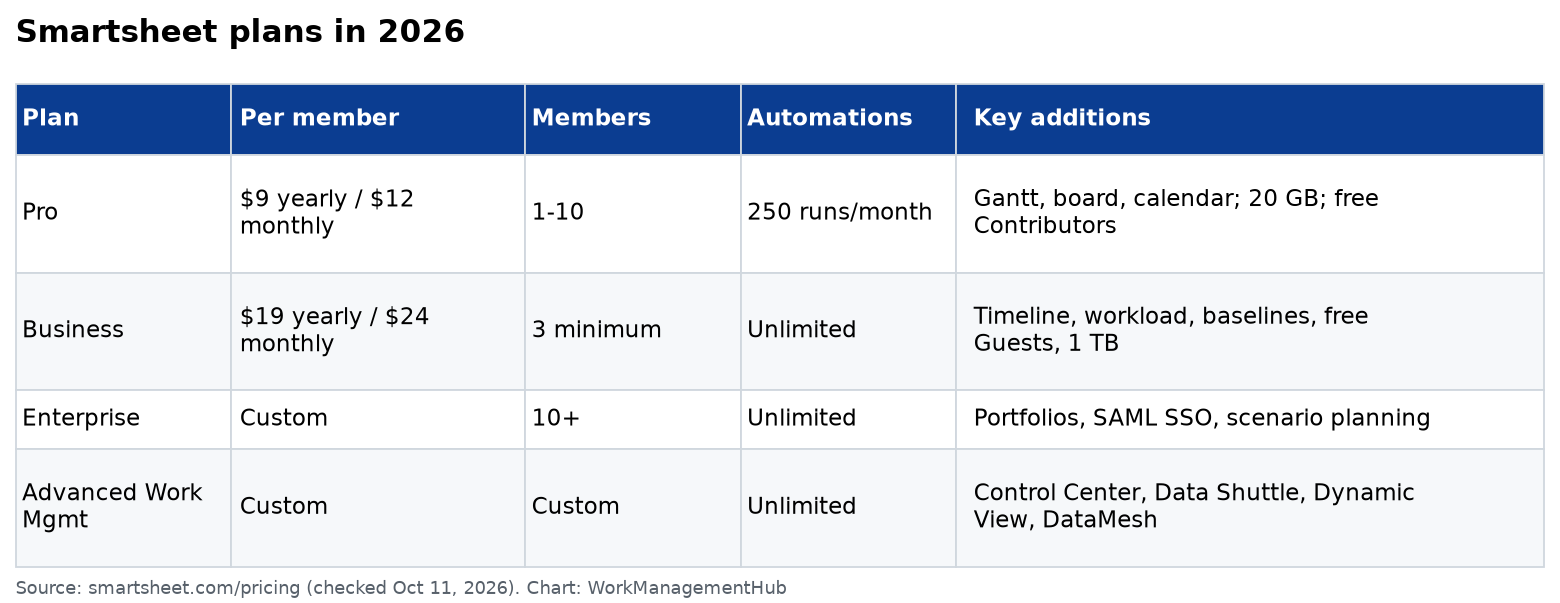
| Pro | Business | Enterprise | Advanced Work Management | |
|---|---|---|---|---|
| Price per member, billed yearly | $9/month | $19/month | Custom | Custom |
| Price per member, billed monthly | $12/month | $24/month | Custom | Custom |
| Members | 1–10 | 3 minimum | 10+ | Custom |
| Free Contributors | Unlimited | Unlimited | Unlimited | Unlimited |
| Free external Guests | No | Unlimited | Unlimited | Unlimited |
| Automation runs per month | 250 | Unlimited | Unlimited | Unlimited |
| Attachment storage | 20 GB | 1 TB | Unlimited | Unlimited |
| Max file size | 30 MB | 250 MB | 250 MB | 250 MB |
| Timeline view, workload tracking, baselines | No | Yes | Yes | Yes |
| Widgets per dashboard / sheets per report | 10 / 1 | Unlimited | Unlimited | Unlimited |
| Portfolios, SAML SSO, scenario planning | No | No | Yes | Yes |
| Control Center, Data Shuttle, Dynamic View, DataMesh | No | Add-on | Add-on | Included |
Smartsheet notes that the Pro plan is only available to new customers.
Who you pay for: the seat types
Smartsheet’s seat types confuse almost everyone, and getting them wrong is the usual reason a bill grows. Per Smartsheet’s seat types article:
- Members are paid. They can create sheets, reports and dashboards, own them and share them.
- Contributors are free. They can view what’s shared with them, and with Commenter permission they can comment and add attachments. They can’t create their own items.
- Guests are free external users (email domain doesn’t match yours) on Business and Enterprise. Depending on sharing permission, they can view, comment or edit shared items, but not create new ones. Pro doesn’t have Guests; external people are treated like internal users.
- Provisional Members get full access free for at least 30 days, and then they’re automatically promoted to paid Members at your true-up date unless a System Admin downgrades them.
That last rule is the one to watch. According to Smartsheet’s user model overview, an internal Contributor who’s shared a sheet as Editor and then edits it becomes a Provisional Member. Share generously with Editor rights and you can end up paying for people who only update a status column once a month.
What I’d do: share with Commenter or Viewer by default, give Editor only to people who really update the sheet, and have your System Admin review Provisional Members in the Admin Center before each true-up.
What a team really pays
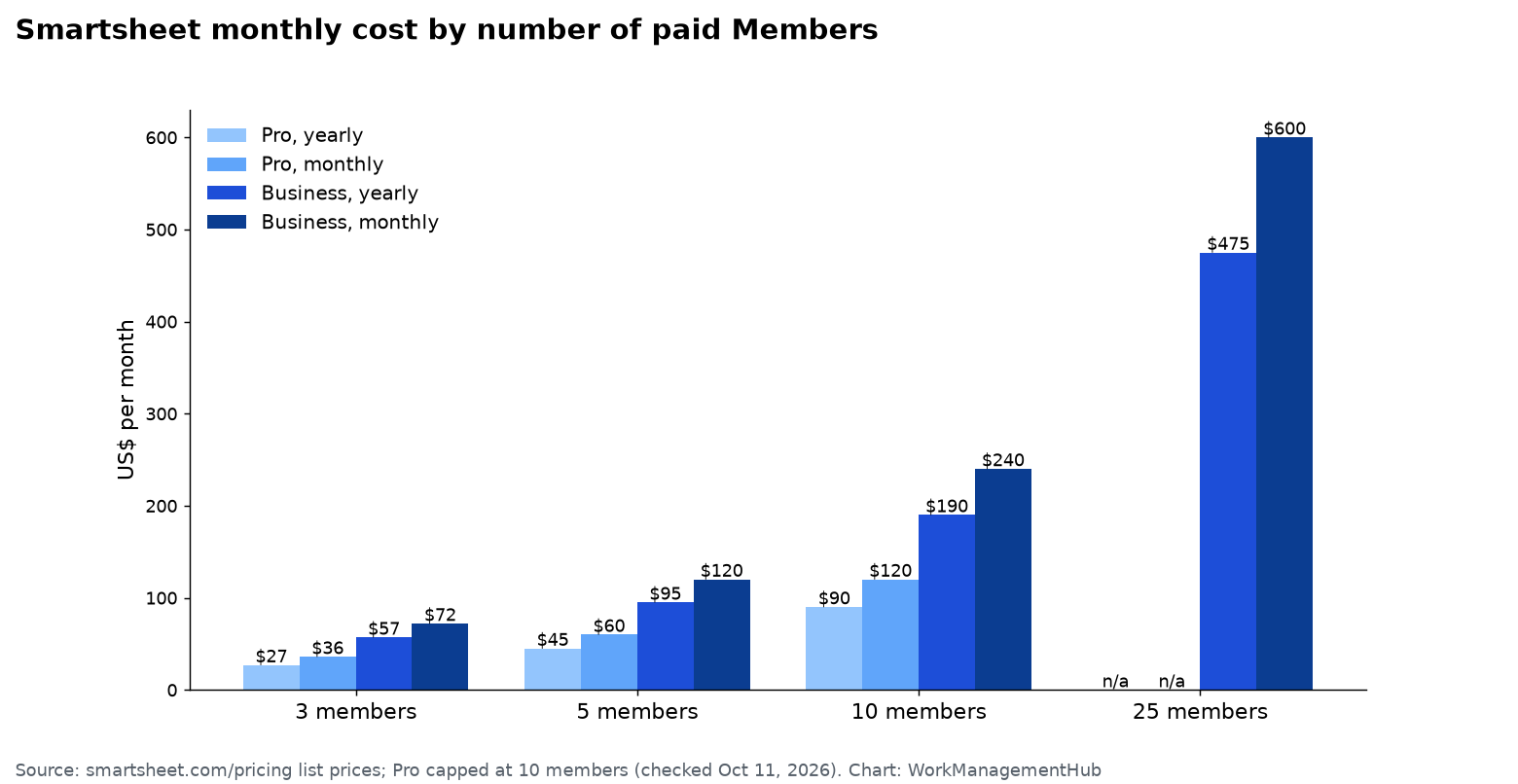
| Members | Pro, yearly | Pro, monthly | Business, yearly | Business, monthly |
|---|---|---|---|---|
| 3 | $27/month ($324/year) | $36/month | $57/month ($684/year) | $72/month |
| 5 | $45/month ($540/year) | $60/month | $95/month ($1,140/year) | $120/month |
| 10 | $90/month ($1,080/year) | $120/month | $190/month ($2,280/year) | $240/month |
| 25 | Not available (10-member cap) | — | $475/month ($5,700/year) | $600/month |
Remember that these are Member counts. A 25-person department might need only 8 Members if most people just view dashboards or update rows they’ve been shared as Commenters.
Pro: for small teams with simple workflows
Pro ($9 yearly, $12 monthly) includes unlimited sheets, forms, reports and dashboards, Gantt, grid, board, calendar and table views, cell and cross-sheet formulas, dependencies, and Smartsheet’s AI tools (Smart Assist, AI dashboard builder, formula generation). Limits to know:
- 250 automation runs a month, account-wide. A few “notify on change” rules on a busy sheet can use that up fast.
- 10 members maximum.
- Reports pull from one sheet only, and dashboards hold up to 10 widgets.
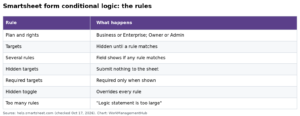
- No conditional form logic, no timeline view and no workload tracking.
- 20 GB of storage and 30 MB per file.
If you’re starting out, our Smartsheet for beginners guide shows how to set up a first project on Pro.
Business: where most growing teams land
Business ($19 yearly, $24 monthly, 3-member minimum) adds unlimited automations, timeline view, workload tracking, baselines, multi-sheet reports with grouping and summaries, unlimited dashboard widgets, conditional form logic, proofing, publishing, the activity log, API access, 1 TB of storage, admin capabilities, and free external Guests. It also adds connectors to Power BI, Tableau, Microsoft Copilot, ChatGPT, Claude and Gemini Enterprise.
Upgrade to Business when:
- You keep running out of automation runs. Our Smartsheet automations guide covers how to build rules that don’t waste runs.
- You need reports that roll up several project sheets.
- You work with clients or contractors who need to edit shared sheets without becoming paid Members.
- You need baselines on your Gantt schedules. See our Smartsheet Gantt chart guide.
Enterprise and Advanced Work Management
Enterprise (custom pricing, 10+ members) adds portfolios, scenario planning, SAML-based SSO, directory integrations, Enterprise Plan Manager, unlimited storage, Work Insights, and integrations with ServiceNow, Microsoft Dynamics 365, HubSpot and DocuSign.
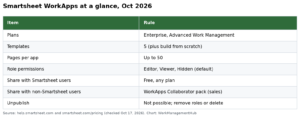
Advanced Work Management bundles Enterprise with the premium tools large PMOs buy separately: Control Center for portfolio-scale project setup, Dynamic View, Data Shuttle, Connectors (such as Jira), DataMesh, the Calendar and Pivot apps, and Premium Support. If you’re considering it, our Control Center setup guide explains what you’d actually use.
Add-on costs
Some premium tools can be bought on their own. Smartsheet lists starting prices for two of them:
| Add-on | Available on | Starting price |
|---|---|---|
| Dynamic View (share filtered views with editing limits) | Business, Enterprise | From $125/month |
| Data Shuttle (scheduled import/export with other systems) | Business, Enterprise | From $100/month |
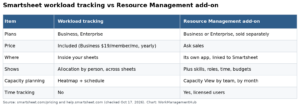
| Resource Management, Control Center, Connectors, DataMesh, Pivot App, Calendar App | Business or Enterprise | Quote |
| Brandfolder (digital asset management) | All plans | Quote |

How to keep your Smartsheet bill down
- Share as Commenter by default. Editors who edit can become Provisional Members and then paid Members.
- Review Provisional Members before true-up in the Admin Center and downgrade anyone who doesn’t need to create sheets.
- Use forms and update requests to collect information from people who don’t need sheet access at all.
- Pay yearly once you’re confident: it saves $36 per member per year on Pro and $60 on Business.
- Buy add-ons only after a pilot. Data Shuttle and Dynamic View are useful, but each adds a fixed monthly cost.
Is Smartsheet worth the price?
For teams that think in spreadsheets and need real project scheduling with dependencies, Smartsheet is good value on Business, especially with free Contributors and Guests. It’s less of a fit for teams that mostly need simple task boards. Compare it with Smartsheet vs monday.com or ClickUp vs Smartsheet, or read our full Smartsheet review.
Common questions
How much does Smartsheet cost per user?
Pro is $9 per member per month billed yearly or $12 monthly, for up to 10 members. Business is $19 billed yearly or $24 monthly, with a 3-member minimum. Enterprise is custom.
Does Smartsheet have a free plan?
Smartsheet’s pricing page lists Pro, Business, Enterprise and Advanced Work Management, with a free trial instead of a free plan. People you share sheets with as Contributors or Guests use Smartsheet for free.
Who counts as a paid user in Smartsheet?
Only Members, who can create and own items. Contributors and Guests are free, but users who take actions beyond their seat type can become Provisional Members, who are promoted to paid Members at true-up unless an admin downgrades them.
How many automations do you get on Smartsheet Pro?
250 automation runs a month. Business and higher plans have unlimited automations.
Can external clients edit sheets without a paid seat?
On Business and Enterprise, yes. External users shared as Editor or Commenter become free Guests. Pro doesn’t support Guests.
Prices and limits checked against Smartsheet’s pricing page and Learning Center on October 11, 2026. Smartsheet changes packaging from time to time, so confirm before you buy.
Sponsored

Related guides