
Jira Cloud and Azure DevOps both claim the same job: keep engineering work moving from backlog to shipped. They are not interchangeable. Jira is an issue and workflow product you usually attach to GitHub, GitLab or Bitbucket and a separate CI system. Azure DevOps is a suite — Boards, Repos, Pipelines, Artifacts, optional Test Plans — sold as one Microsoft service.
I implement work-management platforms for a living through SSPM, a Smartsheet Premier Aligned Partner. When a CTO asks “Jira or Azure DevOps?” I ask two follow-ups: Are you already all-in on Azure and Visual Studio? And do you need Pipelines inside the same product as the board, or is CI already happy elsewhere?
List prices below come from Jira Cloud pricing and Azure DevOps Services pricing, checked October 4, 2026. Deeper seat math is in our Jira pricing guide. For Atlassian’s fall 2026 Cloud usage and list-price shifts, see Atlassian Cloud pricing changes fall 2026.
The short answer
- Pick Azure DevOps if your org lives in Microsoft (Azure, Entra ID, Visual Studio) and you want work items, Git repos and CI/CD on one invoice.
- Pick Jira Cloud if you need enforceable workflows, live in the Atlassian stack, or already run CI on GitHub Actions / Bitbucket Pipelines / Jenkins and only need a tracker.
- Don’t buy Azure Test Plans for everyone. Basic + Test Plans is $52 per user/month. Assign it to people who author formal test plans.
- Don’t assume cheap seats mean a cheap delivery bill. Azure Basic seats are inexpensive. Extra Microsoft-hosted parallel jobs list at $40 each per month.
Comparing Jira to lighter Atlassian boards? See Jira vs Trello. Against other engineering trackers: Jira vs Linear and Jira vs GitHub Projects.
Jira vs Azure DevOps at a glance
| Jira Cloud | Azure DevOps | |
|---|---|---|
| Built for | Issue tracking, agile boards, custom workflows | Boards + Repos + Pipelines + Artifacts (optional Test Plans) |
| Free / included | Up to 10 users on Free | Stakeholders free (limited); first 5 Basic users free |
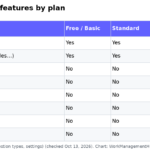
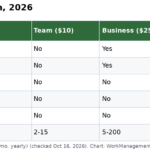
| Paid seats (list) | Standard about $7.91 yearly / $9.05 monthly per user (entry band); Premium about $14.54 / $18.30 | Basic $6/user/mo after five free; Basic + Test Plans $52/user/mo |
| CI/CD | External (Bitbucket, GitHub Actions, Jenkins, …) | Azure Pipelines; 1 MS-hosted job with 1,800 min/mo free; extra MS-hosted parallel jobs $40/mo |
| Repos | Bitbucket or external Git | Azure Repos (unlimited private Git on Basic) |
| Viewer cost | Internal viewers generally need paid seats | Stakeholders free for limited Boards access |
| Ecosystem | Atlassian Cloud | Microsoft Azure / Visual Studio / Entra ID |
Jira’s per-user rate changes with seat-count bands. The Standard/Premium figures match the entry band we use in our 2026 comparisons (roughly 11–100 users on the public calculator). Confirm your quote — especially around the October 13, 2026 Cloud list-price changes.
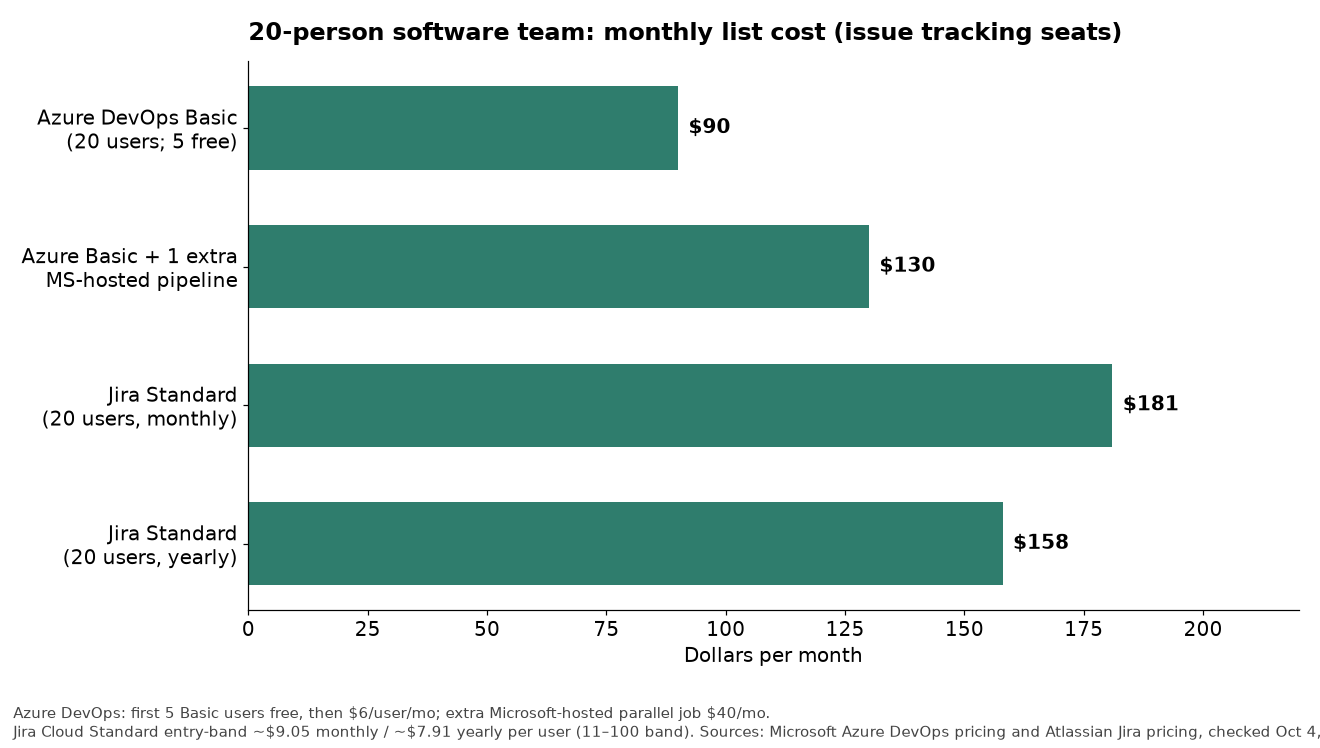
What a 20-person software team pays
Roster: 20 people who change work items and code.
| Setup | Approx. monthly list | Notes |
|---|---|---|
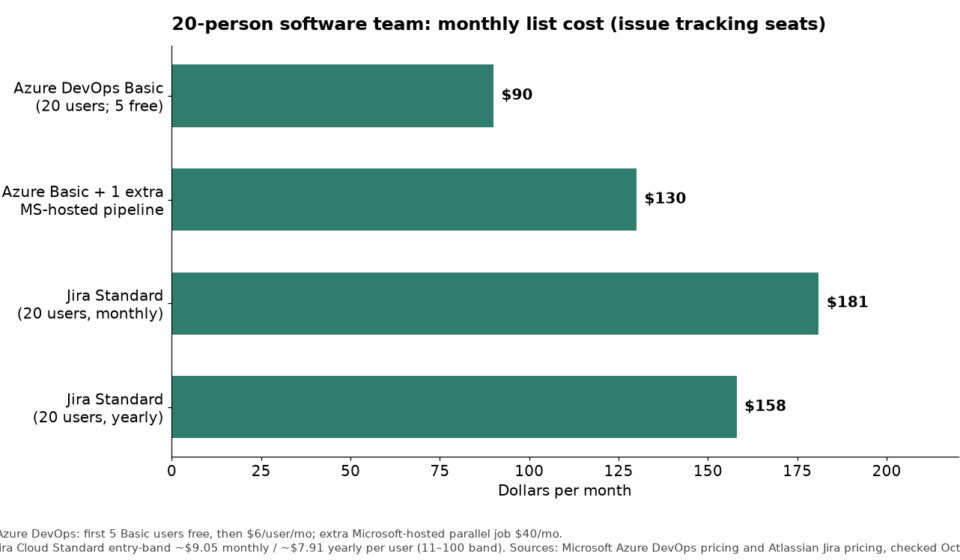
| Azure DevOps Basic × 20 | $90 | 5 free + 15 × $6 |
| Azure Basic × 20 + 1 extra MS-hosted parallel job | $130 | Seats + one $40 parallel job |
| Jira Standard × 20 (monthly) | ~$181 | 20 × ~$9.05 entry-band |
| Jira Standard × 20 (yearly) | ~$158 | 20 × ~$7.91 entry-band |
Azure wins on seat math here. Jira can still win total cost if CI already runs elsewhere and you would not use Azure Pipelines anyway — then you are comparing tracker seats to tracker seats, not tracker seats to a full DevOps suite.
Azure add-ons to model explicitly:
- Pipelines: 1 free Microsoft-hosted parallel job with 1,800 minutes/month, plus 1 free self-hosted job with unlimited minutes. Extra Microsoft-hosted parallel jobs $40/mo; extra self-hosted $15/mo (Azure pricing).
- Test Plans: $52/user/mo. Buy for QA owners who manage plans — not every developer.
- Bundles: Microsoft states Azure DevOps Basic is included with Visual Studio subscriptions, and certain GitHub Enterprise Cloud customers on Entra ID can get Basic without an extra DevOps charge. Confirm on your agreement.
Workflows, boards and the issue model
Jira makes the issue a governed object: types, required fields, transition rules, audit-friendly history. You can block “Done” until a reviewer and a linked PR exist. That is why multi-squad and compliance-heavy teams stay. It is also why a five-person startup sometimes leaves.
Azure Boards uses work item types (Epics, Features, Stories, Bugs, Tasks, plus process-template variants for Agile, Scrum or CMMI). Boards, backlogs, sprints and Delivery Plans cover planning. Customization is real, but culture skews toward Microsoft process templates rather than inventing a new state machine per team.
Both support Kanban and sprint-style work. Jira usually feels stronger for marketplace reporting and cross-project portfolio views on Premium. Azure usually feels stronger when the board, branch and pipeline run sit one click apart.
CI/CD: Azure Pipelines vs Jira + Bitbucket/GitHub
Azure Pipelines is in the product: YAML pipelines, hosted or self-hosted agents, release approvals. If you deploy to App Service, AKS or Azure Functions, the path of least resistance is obvious.
Jira does not replace CI. You keep Bitbucket Pipelines, GitHub Actions or Jenkins and link commits/PRs to issues. Jira’s job is workflow honesty. Automation step limits matter more after December 3, 2026 — see our Jira automation rules guide.
If GitHub Actions is already excellent, buying Azure mainly for Pipelines is a weak reason to leave Jira. If you are rebuilding CI on Azure, Boards+Repos+Pipelines together often beats Jira plus a patchwork of runners — until you stack parallel jobs and Test Plans seats.
Who should pick which
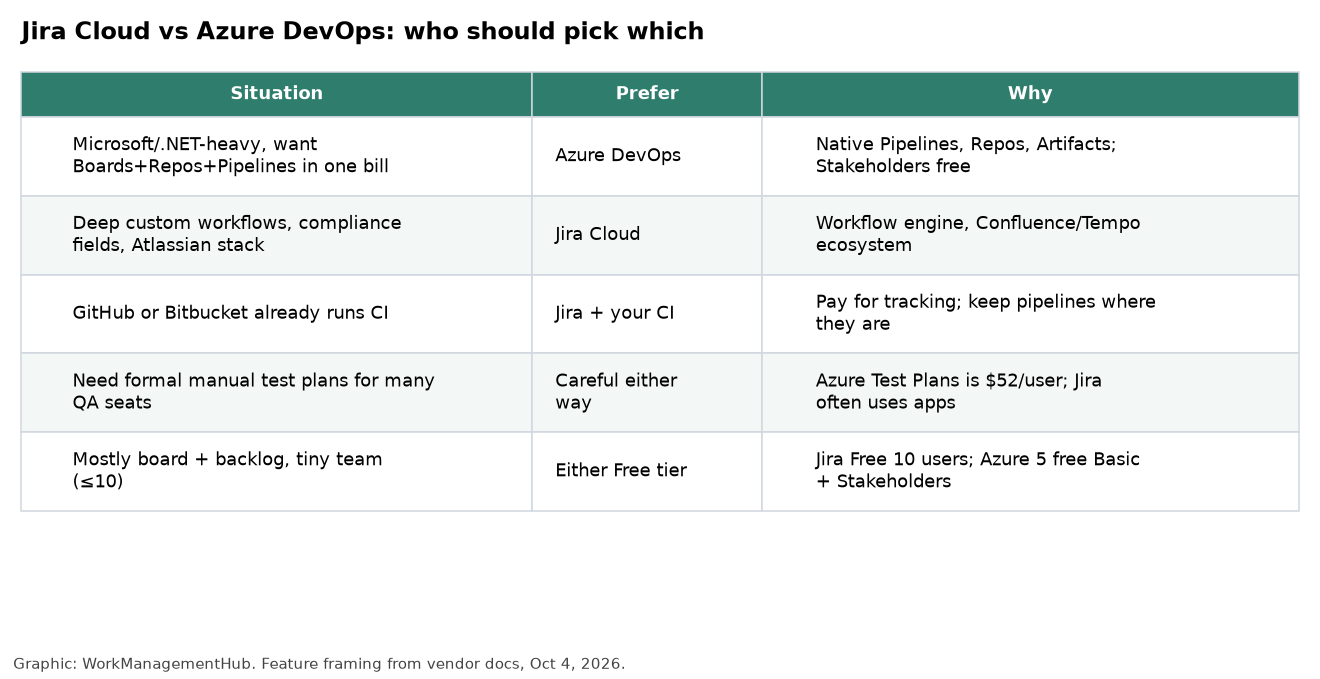
Choose Azure DevOps when Entra ID is home, engineers live in Visual Studio/VS Code with Azure subscriptions, and you want one vendor bill for tracking and pipelines. Free Stakeholders help leadership watch status without full Basic seats.
Choose Jira when Confluence holds the specs, marketplace apps matter (time tracking, testing bridges, ITSM), and transition rules are non-negotiable. Hybrid is fine: Azure Pipelines or GitHub Actions with Jira as the system of record. Dual-tracking the same story in Boards and Jira without an owner is what fails.
Fall 2026 Atlassian note: Jira Cloud customers should budget for list-price changes around October 13, 2026 and Automation/Rovo usage billing from December 3, 2026. Details in Atlassian Cloud fall 2026 changes. Azure bills users, pipeline jobs and Artifacts storage on a different meter — compare real invoices.
What I’d actually set up
Microsoft-shop team, 15–40 engineers. Azure DevOps Basic for builders, Stakeholders for leadership, YAML Pipelines, Test Plans for 2–4 QA owners only.
Polyglot stack on GitHub, strong process needs. Jira Standard or Premium + GitHub Actions. See also Airtable vs Jira if PMs want a relational request database beside engineering.
Under 10 engineers, no Microsoft commitment. Jira Free or Azure’s five free Basic users plus Stakeholders. Pick the ecosystem you still want at 30 people — migration cost dominates license math.

FAQ
Is Azure DevOps cheaper than Jira?
For developer seats, often yes: Basic is $6/user/month after five free users versus Jira Standard near $9/user/month monthly in the common entry band. Pipeline parallelism and Test Plans can erase the gap. Model seats + jobs + Test Plans users.
Can Jira replace Azure Pipelines?
No. Jira tracks and gates work. Pipelines (or GitHub Actions, Bitbucket Pipelines, Jenkins) build and deploy.
Do Visual Studio subscribers get Azure DevOps?
Microsoft says Azure DevOps is included with Visual Studio subscriptions as a Basic benefit. Confirm SKUs and how your org assigns access in billing.
Which is better for GitHub-centered teams?
Usually Jira + GitHub, or GitHub’s own planning tools if you want less process. Azure DevOps still works with GitHub, but the “one Microsoft suite” advantage shrinks if code never touches Azure Repos. See Jira vs GitHub Projects.
Pricing and limits checked against Microsoft and Atlassian public pages on October 4, 2026. Confirm current quotes before you buy.
Sponsored