
You set up sprints in monday.com through monday dev, not a plain work-management board with a “Sprint” status column taped on. Install monday dev, open the Tasks board it creates, use the arrow beside New Task → New Sprint, set dates and goals, then pull backlog items in. Enable automatic start and complete under sprint setup so burndown and reporting stay honest.
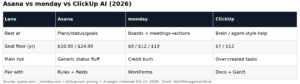
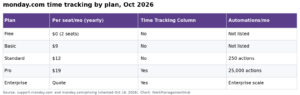
I have moved engineering teams onto monday dev from spreadsheets and overloaded Jira sites. The setup itself is under an hour if you go in the right order. The mistakes are almost always “we tried to fake sprints on a marketing board” or “we never turned on automatic sprint transitions.” Plan prices below are from monday.com pricing on October 14, 2026: Basic $9, Standard $12, Pro $19 per seat/month on annual billing (3-seat minimum on paid plans). Confirm monday dev availability for your product SKU in monday’s catalog – dev features are not identical to every work OS seat.
Why monday dev (not a DIY sprint board)
Standard monday boards are excellent for ops and marketing. Agile sprint artifacts – backlog, sprint goal, burndown, velocity-style reporting – are what monday dev is built to host. You can mimic a sprint with groups and statuses on a regular board; you will recreate reporting by hand forever. If you only need intake forms into a board, that is WorkForms, not sprints.
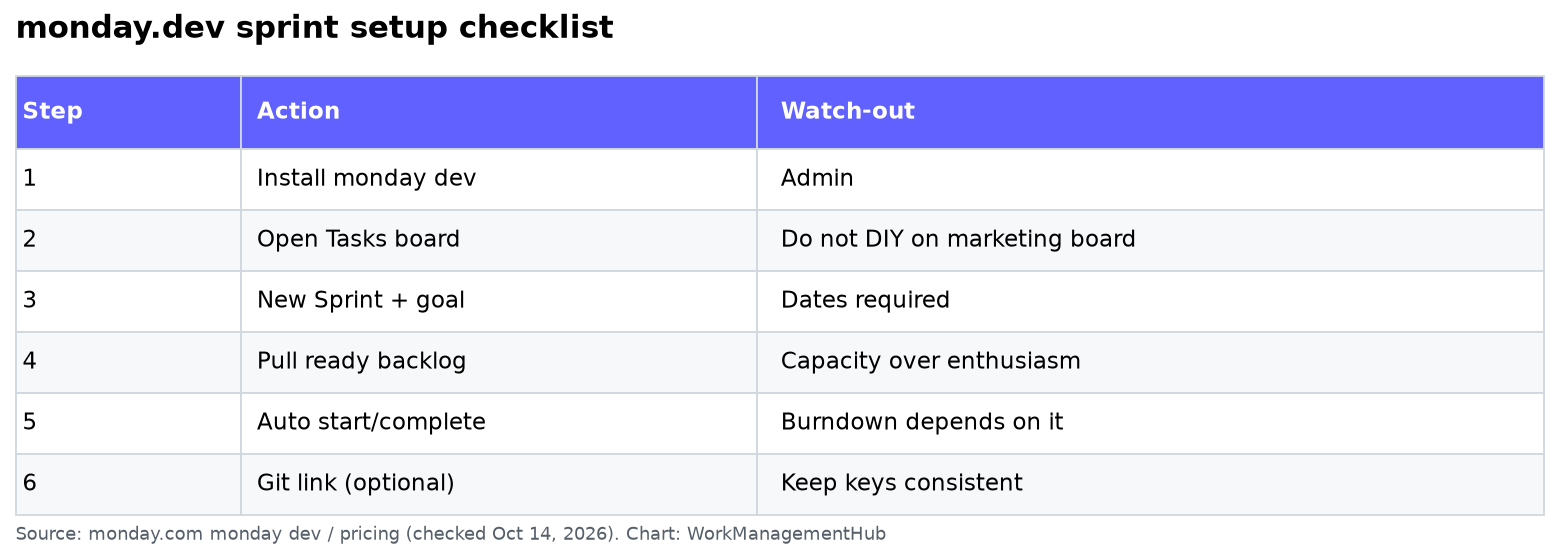
Setup checklist
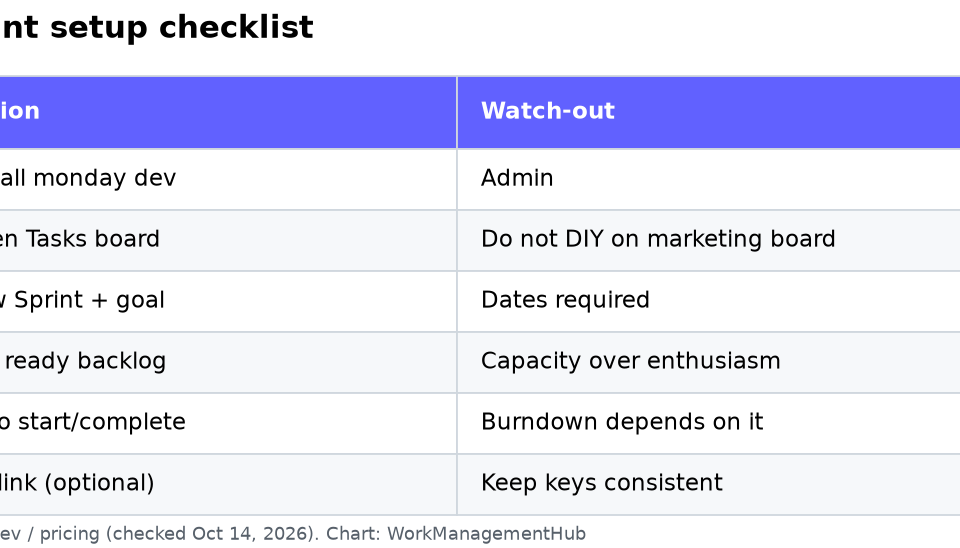
| Step | Action | Watch-out |
|---|---|---|
| 1 | Install monday dev from monday’s apps/products for your account | Admins only |
| 2 | Open the default Tasks board | Do not rename until the first sprint ships |
| 3 | New Task → New Sprint | Set start/end and a one-line goal |
| 4 | Move ready backlog items into the sprint | Capacity over enthusiasm |
| 5 | Sprint setup → enable automatic start/complete | Burndown depends on this |
| 6 | Connect GitHub/GitLab if you use PR links | Keep issue keys consistent |
| 7 | Review sprint dashboard after day 2 | Fix scope before mid-sprint panic |
Backlog and sprint hygiene
- Keep a clear Ready definition before an item can enter a sprint.
- Prefer smaller tasks; giant “epics as tasks” destroy burndown.
- Do not add work mid-sprint without removing something else – monday will not enforce that for you.
- Close the sprint on time even if items spill; spilled work goes back to the backlog with an honest reason.
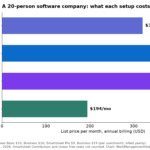
For seat math and automation quotas, see monday.com pricing 2026. If your org is comparing AI assistants across tools, the Asana vs monday vs ClickUp AI post is the bake-off companion.
Reporting that leadership will trust
Burndown only works when:
- Sprint start/end dates are real.
- Tasks move through statuses that mean Done.
- Automatic sprint transitions are on.
- Nobody “fixes” history by deleting tasks instead of completing them.
Use the sprint goal in standups. If the goal changes every two days, you do not have a sprint problem – you have a prioritization problem.
Mapping from Jira without losing history
If you are leaving Jira, do not try to recreate every workflow status on day one. Map to a short monday status set: Backlog → Sprint ready → In progress → In review → Done. Import open issues only; leave years of Done history in Jira read-only or a warehouse export. Engineers care that PR links and sprint goals survive; they do not need forty custom fields on week one.
Keep one owner for the Tasks board. Shared “everyone is admin” boards accumulate ghost sprints and abandoned groups. Use monday permissions so developers can move their tasks but only leads create sprints.
Capacity, points, and honesty
monday dev supports planning fields your team can use as points or rough sizes. Pick one sizing scheme and stick to it for a quarter. Mixing story points, hours, and “T-shirt then points” in the same sprint board guarantees useless velocity charts. If you do not need velocity, skip points and manage with task count plus a written sprint goal – that is still better than fake precision.
Retrospectives belong on a separate doc or board. Do not overload the sprint Tasks board with retro action items unless they are scheduled work with owners and dates.
Pros and cons (honest)
Pros: Familiar monday UI for mixed product/design/eng groups; sprint objects instead of DIY groups; integrates with the rest of your monday workspace.
Cons: Not a full Jira replacement for heavy workflow schemes and advanced JQL; teams coming from Jira need a deliberate field/status mapping; packing too many non-dev boards into the same workspace muddies permissions.
If you need classic issue tracking with JQL-heavy boards, stay on Jira (JQL guide). If you need Gantt-heavy program views, evaluate Smartsheet or ClickUp Gantt instead of forcing monday sprints to be a program plan.
First two-week rollout plan
Week 1: install monday dev, create one sprint with a real goal, move only five to eight ready tasks, connect Git for those tasks, run daily standup from the sprint dashboard.
Week 2: add the rest of the squad, write a Ready definition on the backlog view, turn on automatic start/complete if it was still off, and hold a 30-minute retro on what the burndown actually showed. Do not invite the whole company to the Tasks board until week 2 ends cleanly.
If leadership wants portfolio Gantt views across many squads, that is usually a second tool conversation – not more sprint groups. See best project management software 2026 for when monday should share the stack with Smartsheet or Jira.
Common questions
How do I create a sprint in monday.com?
Use monday dev, open the Tasks board, then New Task → New Sprint. Set dates and a goal, then add backlog items.
Does standard monday.com include sprints?
Agile sprint management is centered on monday dev. A regular board with a Sprint column is a workaround, not the same thing.
Can monday.com show burndown charts?
Yes, in the monday dev sprint experience when dates and completion are configured correctly – enable automatic start/complete so reporting matches reality.
What monday plan do I need for sprints?
Confirm monday dev against your account’s products and monday.com/pricing. Seat tiers (Basic/Standard/Pro) and product add-ons both matter; do not assume every Standard seat includes every dev feature.
Checked against monday.com pricing and product docs on October 14, 2026. Product names shift – verify monday dev in your admin catalog before rollout.
Sponsored